II. QRP Mode: Using the Transmitter
Also note: When in External Mode, the receiver is also disconnected.
In this section we are going to familiarize you with using the four different call and
answer functions built into the DMX-40.
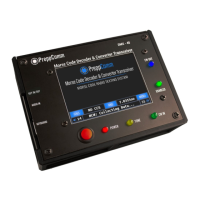
1. Press CALL. On the status line, you will see the question SET CALL WPM = ?
Asking you to specify how fast to transmit, as there is no history to base that on at
this first transmission, and the CALL button will turn RED."
2. Press SPACE BAR to set the default 20 WPM. You can change the default."
3. Watch as the DMX-40 transmits the general calling sequence."
4. Press CALL to end the sequence. Sequence continues until complete, and ends
with a K appended. The CALL button will turn AMBER during the ending of the
sequence. K means "Anyone Come Back." Note that the general call will run until
you end it. Typically you will run it for 30 - 90 seconds when on the air."
5. Press NO CCS button and enter the call letters of a station you would like to call.
Press SPACE or FINISH to complete and return to the Main Screen."
6. Note the CCS Button now has the new call sign you just entered loaded. NOTE:
the decoder can also fill the CCS button from a received station."
7. Press CALL to start the directed call sequence. Note it will automatically use 20
WPM from recent history."
8. Watch as the DMX-40 calls the specified station. Press CALL again to end the
sequence. Note that KN is appended at the end, which means "only the station I
am calling, come back.""
9. Press the ANS Button twice, quickly. The first press will result in a RED button,
the second press will result in an AMBER button. Ignore the Type-Ahead Buffer
Pop-Up."


 To Next Page