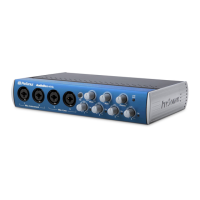
What’s inthe Box 1.1
2.0
Quick Start Guide 快速入门指南
This Quick Start guide is designed to help get your
HP4connected to your system asquickly as
possible. The following step-by-step instructions
are based on a common studio environment. Your
actual setup may change based on your needs
and applications.
本快速入门指南旨帮助你尽快将HP4连接到你的系
统。下面的步骤说明是基于一个普通的演播室环境。
你的实际设置可能会根据你的需要和应用而改变。
2.1
Getting Started
1.
Turn every knob on the front panel of the
HP4 completely counterclockwise (left)..
将HP4前面板上的 每个旋钮完全逆时针
旋转(左)。
2.
Connect the included power supply to
the HP4 and plug it in to a wall socket,
power strip, or surge protector.
将附带的电源连接到HP4,并将其插
入 墙 上 的 插 座 、 电 源 线 或 电 涌 保 护
器。
Connect Your Input Sources
连接你的输入源
1.
Turn down the main output volumeon your
audio interface or mixer to its lowest position.
把音频接口或调音台的主输出音量调到最低位置。
2.
Connect the main outputs of youraudio
interface or mixer to the Left and Right TRS
inputs on the back of your HP4. For the best





 To Next Page