1.
Connect a pair of headphones to the Phones 1 output.
将一副耳机连接到耳机1的输出。
2.
Play aCD, DAW session, orother audio record-
ing that is typical of your studio productions
through your audio interface or mixer outputs.
通过音频接口或调音台的输出,播放CD、DAW
会话或其他典型的工作室制作的音频记录。
3.
Turn the main output volume of your audio interface
or mixer to unity gain. You may need to consult
the documentation that came with your device to
determine the knob or fader position for unity gain.
将你的音频接口或混音器的主输出音量调到统一增益。
你可能需要查看你的设备附带的文件,以确定统一增
益的旋钮或音量控制器位置。
4.
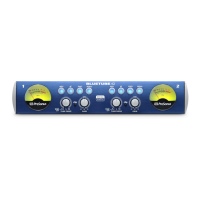
Begin turning up the Phones 1 volume knob
on the front panel of your HP4 until your head-
phones are at a comfortable listening level.
开始调高HP4前面板上的电话1的音量旋钮,直
到你的耳机处于一个舒适的聆听水平。
5.
Begin turning up the Monitor Level knob on
the front panel of your HP4 until your studio
monitors are at a comfortable mixing level.
开始调高HP4前面板上的监听电平旋钮,直
到你的录音 室监听处于一个舒适的混音 水
平。




 To Next Page