8
4.3 MIDI Channel
By default, your PS49 uses MIDI channel 1 to transmit all of its MIDI data.
You can assign the Octave Shift buttons to change the channel. In some
situations, you may know exactly the MIDI channel you’d like to use, and it
can be faster to simply use Edit Mode to enter the MIDI channel you want.
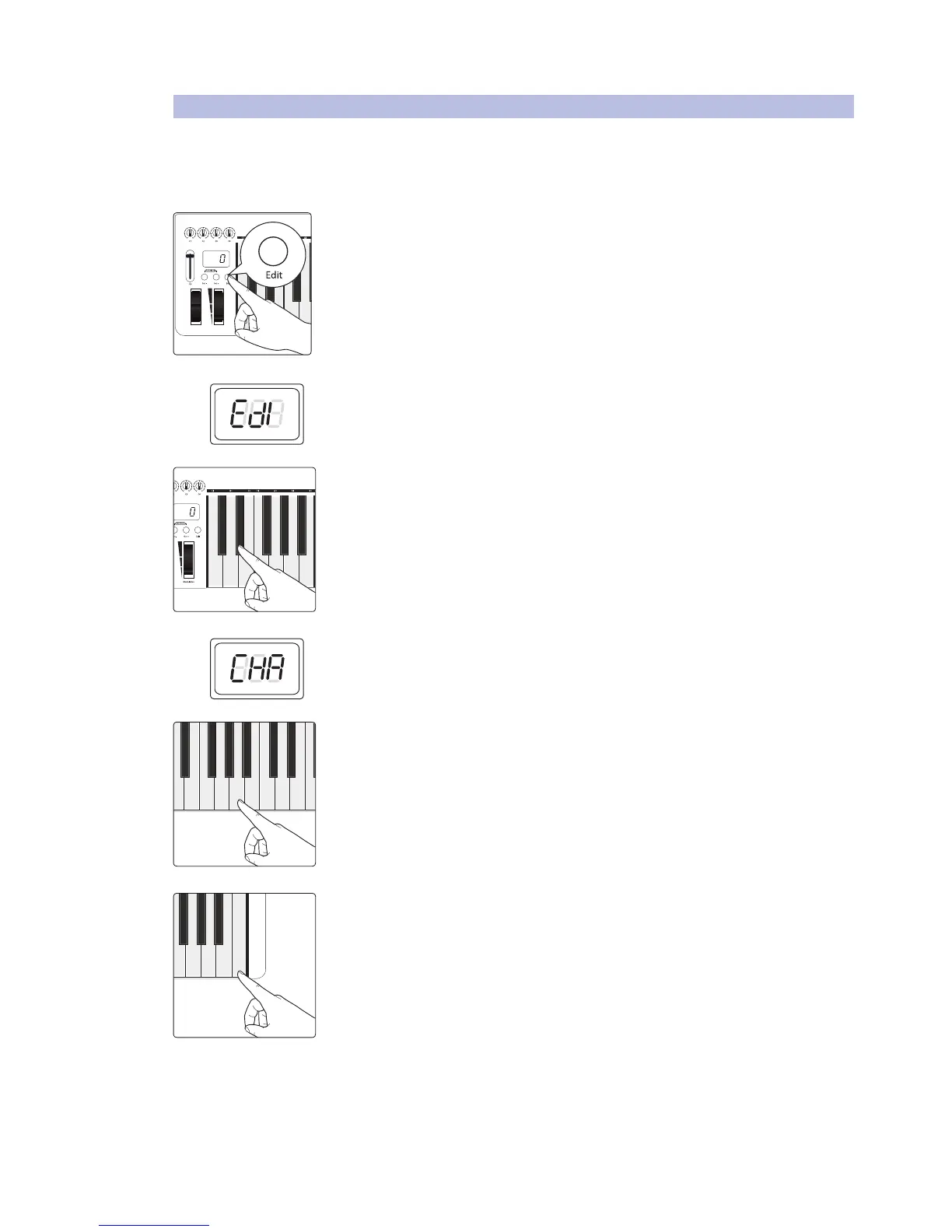
1. Press the Edit button.
2. The LED display will blink “Edi.”
3. Press the D#1: MIDI Channel key.
4. The LED display will blink “CHA.”
5. Enter the MIDI channel number by pressing the corresponding numeric-entry
keys. For example, if you’d like to use MIDI channel 10, press A3: 01, then G3:00. The
LED display will show the value you’ve entered.
6. Press C5: Enter to make your change effective and exit Edit mode.


 To Next Page