11
4.6 All Notes Off
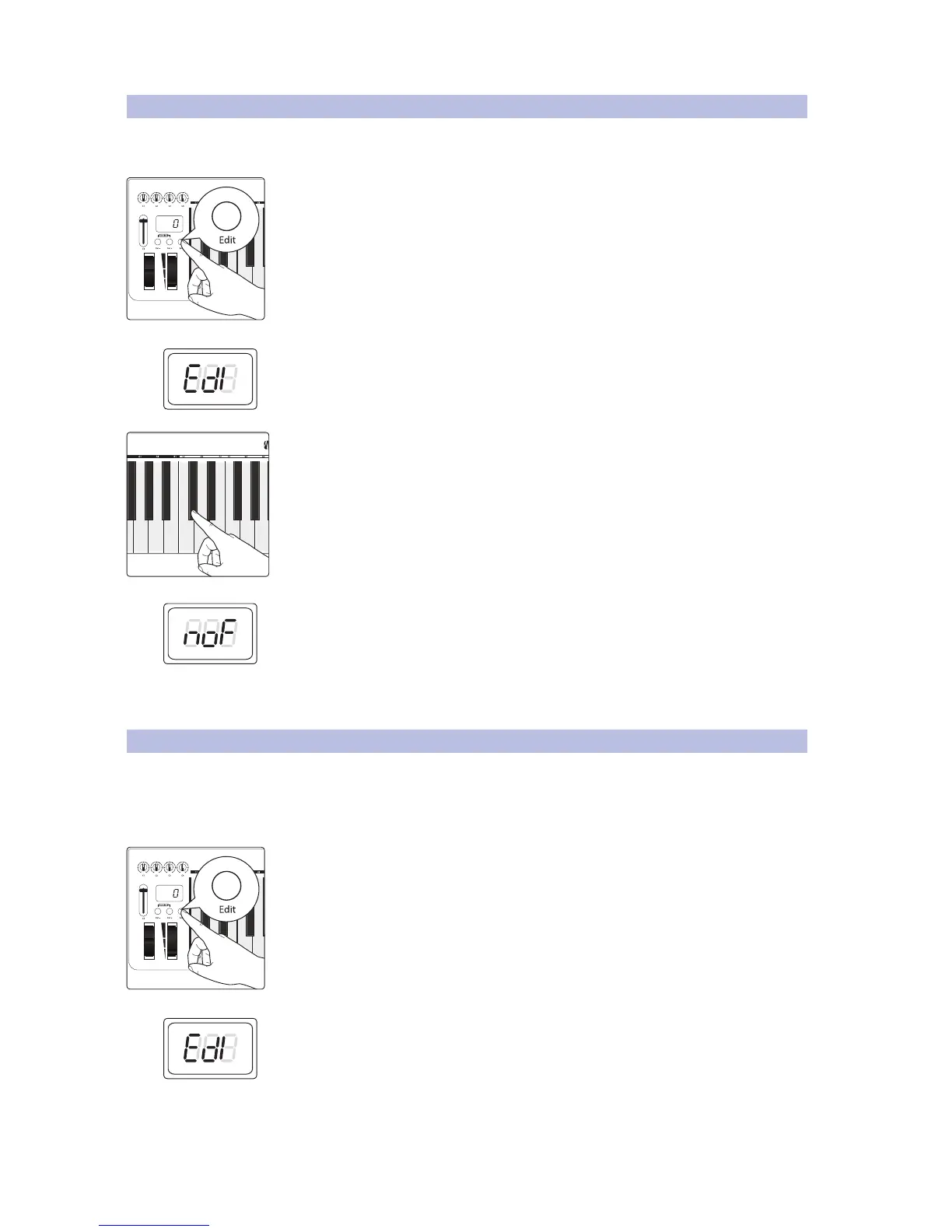
Occasionally, a note will get “stuck.” You can use this key to clear
all outgoing MIDI note on messages to resolve this issue.
1. Press the Edit button.
2. The LED display will blink “Edi.”
3. Press the C#2: All Notes Off key.
4. The LED display will blink “NOF.”
5. Your PS49 will exit Edit mode, and you should no longer
hear stuck notes on the selected MIDI channel.
4.7 Reset All Controllers
Resetting MIDI controller values can be a quick and easy way to troubleshoot
problems in your MIDI environment. Anytime something unexpected is
happening to a sound, you can simply reset everything to default settings
instead of trying to figure out which MIDI message is the culprit.
1. Press the Edit button.
2. The LED display will blink “Edi.”


 To Next Page