10
4.5 Bank LSB and Bank MSB
Use these keys to send Bank Change messages to
any MIDI instrument, device, or DAW.
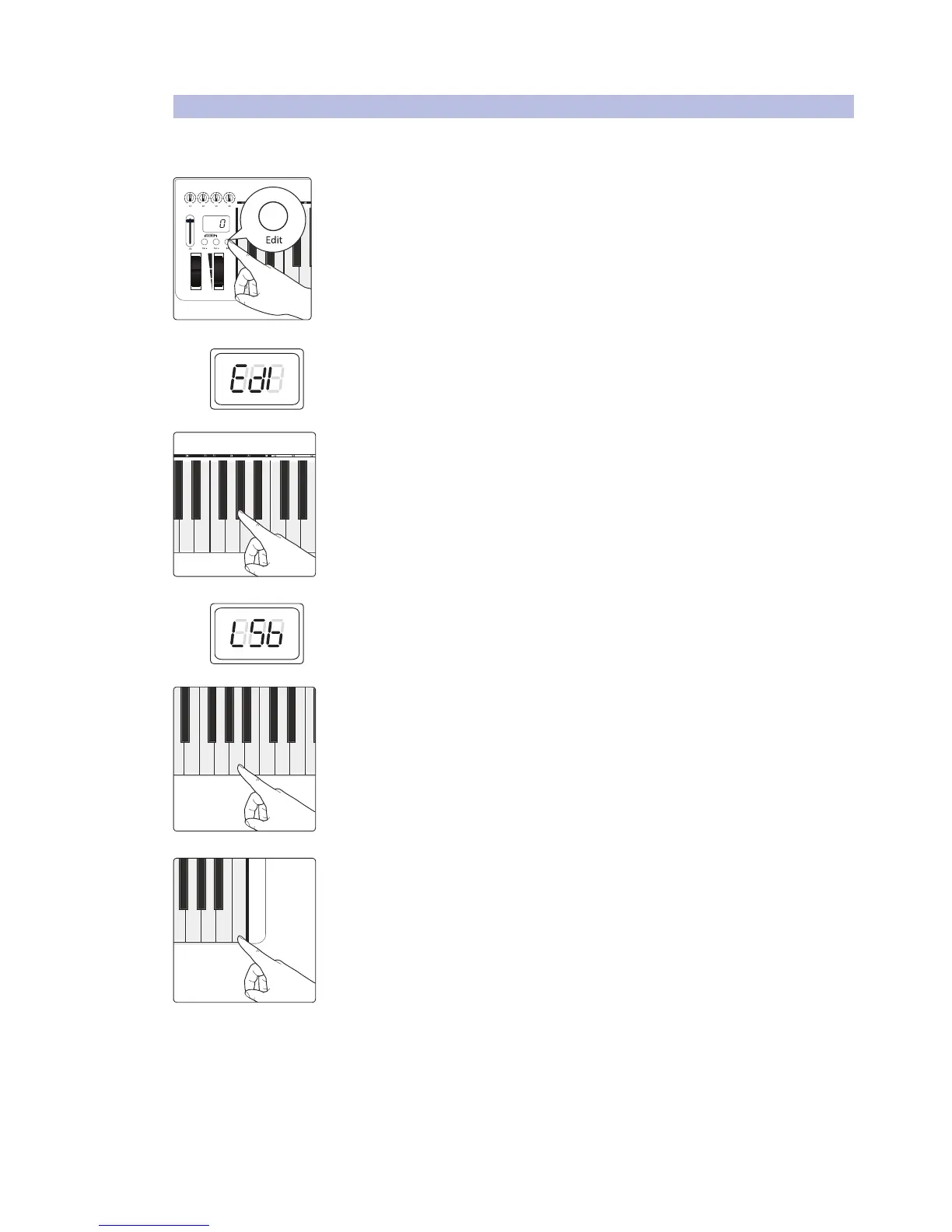
1. Press the Edit button.
2. The LED display will blink “Edi.”
3. Press the G#1: Bank LSB or A#1: Bank MSB key.
4. The LED display will blink “LSB” or “MSB” accordingly.
5. Enter the bank number you want by pressing the corresponding numeric-entry
keys. The LED display will show the value you’ve entered.
6. Press C5: Enter to make your change effective and exit Edit mode.
Power User Tip: After a Bank Change message, you will usually need to send a Program
Change message to select a new preset on your receiving MIDI device.


 To Next Page