8.0 Getting Started with UC-Surface
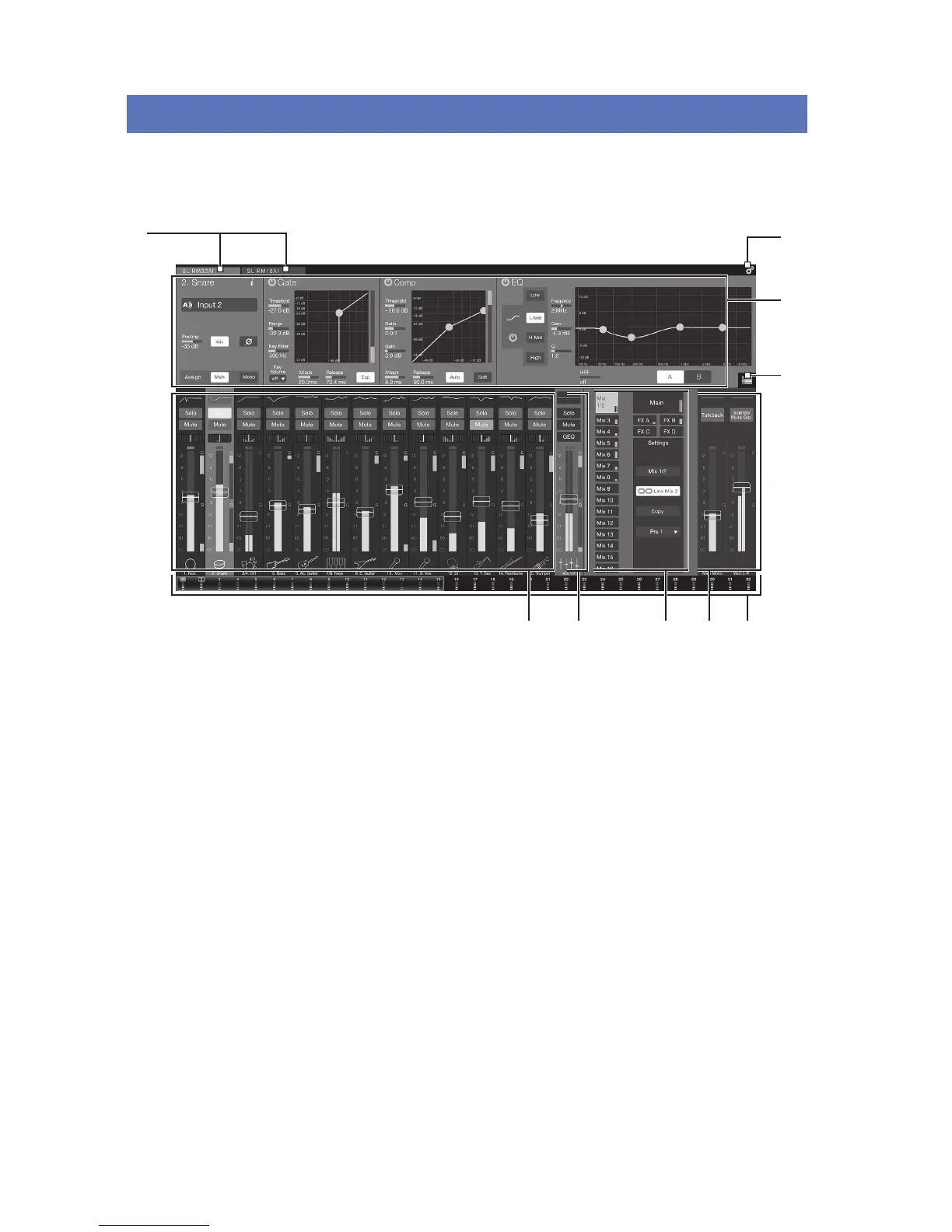
StudioLive RM32AI and RM16AI are controlled with the UC-Surface battle-ready mix-control application, which
is designed specically for live mixing. All primary mixing functionality is at your ngers without the need to
navigate complex views or deep menus.
1
2
3
4
65
7 8 9
1. Connected device tabs
2. Settings button
3. Fat Channel area
4. Presets button
5. Channel strip area
6. Flex channel strip
7. Mix selection area
8. Main output area
9. Input Meter Bridge and navigation










 To Next Page