128-9315
15 of 20
Page 15
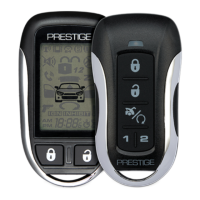
Temperature Start Mode (Available on certain remote start models)
To toggle this feature on or off, from the armed mode, press the Option & Unlock
Buttons simultaneously, the temperature icon appear on, or disappear from the
display, and the transmitter will emit a tone.
NOTE: This feature must be active in the feature selection menu of your system.
Check with your installing dealer to insure this feature is set to the on
position.
Light The Display
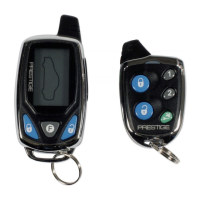
Press and release the "F" (Function) button one time. The display will illuminate
for 10 seconds.
Vibrate Or Tones
Press the "F" and unlock buttons simultaneously to toggle this feature on
and off.
Daily Start Timer (Only available on certain remote start units)
24 Hour Start Timer. Standing at the vehicle at the time you want it to
start, press the option + lock buttons simultaneously for 1 seconds. The
transmitter will beep and display the 24 hr timer. This is the time the
vehicle will start when you follow the exit procedure. In other words, if
you want the vehicle to start 6AM, at 6AM of any morning, standing at the
vehicle, press and hold the option + lock buttons until you hear a beep and the 24
hr timer is displayed. This establishes a starting time.
The Remote Start unit will start at the prescribed time once only. This function
must be activated by following the procedure below each time you want the vehi-
cle to start at the prescribed time.
To activate this function,
(a) Turn the ignition switch off.
(b) Within 10 seconds of step (a), depress and hold the brake pedal, while press-
ing the key icon transmitter button 2 times.
(c) the unit will emit 2 chirps, the transmitter will beep and the 24 Hour start timer
icon on the display will remain on.
The vehicle will start at the set time 24 hours from when set.
To toggle this feature off, press the option + lock buttons simultaneously until a
beep is heard and the 24 hr timer turns off.
NOTE: The unit will start once and run for the prescribed time. If you require
more frequent starting please refer to auto start up timer mode shown
earlier in this guide.
NOTE: To insure accurate 24 Hour Start up, it is advisable to reset the start time
periodically as time may drift slightly each day.
Timing Count Down
The unit offers an additional count down timer for situations where an alert
tone may be needed to remind you of something important. For instance
you may have a meeting 4 hours from now and you want a reminder in



 To Next Page