128-9315
19 of 20
Page 19
APS 596E
SYSTEM FUNCTIONS AT A GLANCE
DASH LED INDICATORS
RAPID FLASHING = PASSIVE ARMING/ACTIVE
REARMING
SLOW FLASHING = ARMED
OFF = DISARMED
ON SOLID = VALET MODE
3 FLASH...PAUSE = INTRUSION ZONE 3
2 FLASH...PAUSE = INTRUSION ZONE 2
1 FLASH...PAUSE = INTRUSION ZONE 1
SIREN CHIRP INDICATORS
1 CHIRP * = ARM
2 CHIRPS * = DISARM
3 CHIRPS = ARM / DOOR OPENED
4 CHIRPS = DISARM / INTRUSION
* These chirps are optional, and can be de - activated.
PARKING LAMP INDICATORS
1 FLASH = ARM
2 FLASHES = DISARM
3 FLASHES = DISARM / INTRUSION
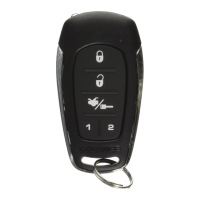
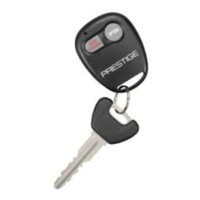
Transmitter Battery Replacement
1) Locate and remove the "00" point Phillips head screw on the back of the transmitter
case.
2) Carefully separate the front case from the rear.
3) Slide the CR2032 battery out from under the battery clip and dispose of properly.
4) Install the new battery with the (+) side facing up away from the circuit board.
5) Close the case and reassemble in reverse of disassembly
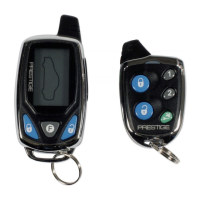
LCD Transmitter Battery Replacement
1) Locate Battery Compartment Cover on rear of case.
2) Lift the edge slightly while sliding the cover away from the transmitter.
3) Remove the AAA battery paying attention to the + & - orientation of the battery.
4) Replace the battery with a new AAA and dispose of the used battery properly.
5) Slide the cover back in place making sure it is rmly seated.





 To Next Page