USER MANUAL | MultiPhone PAP4500 DUO
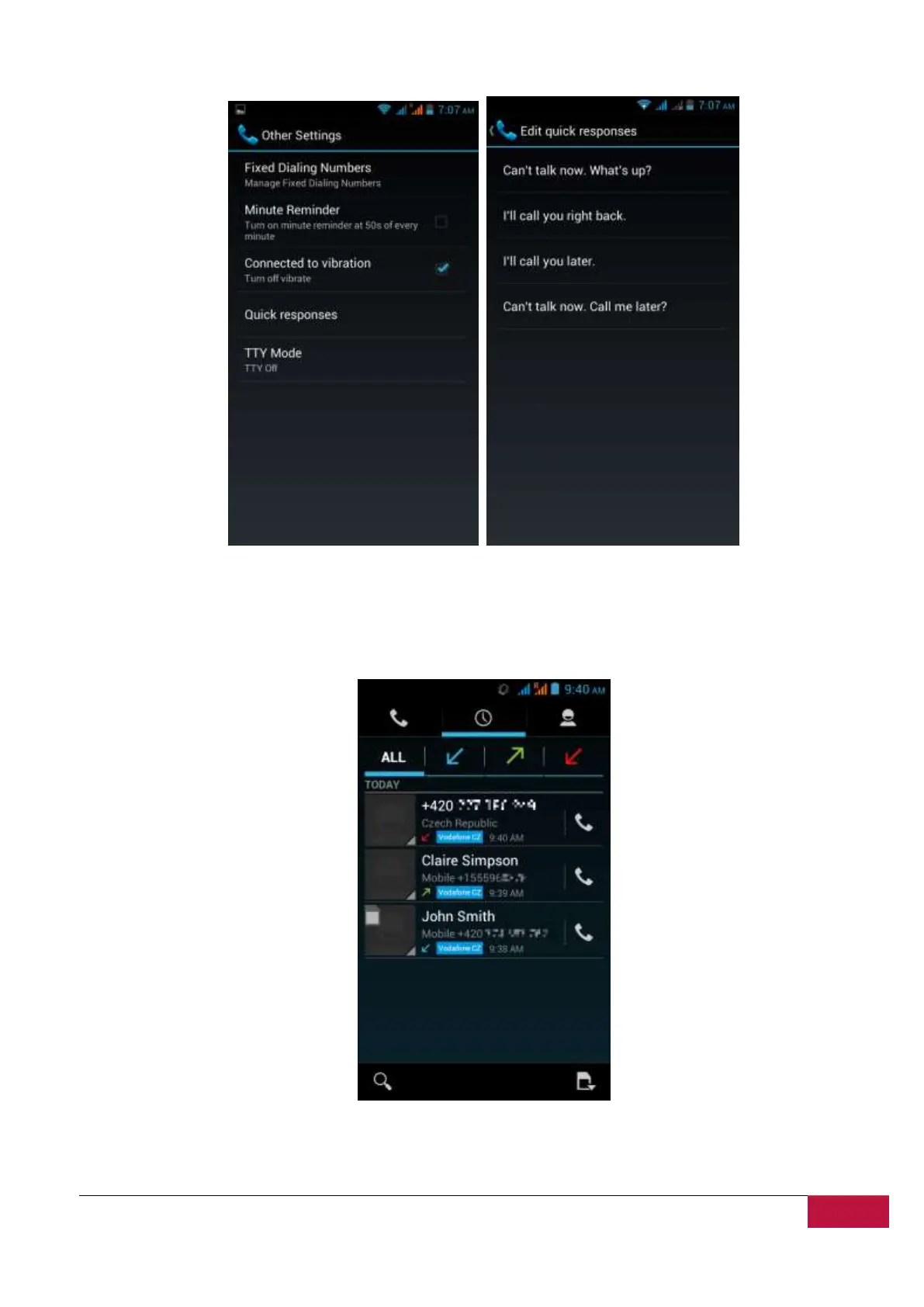
Note: To edit text responses from within the Phone app, touch Menu button > Settings > Other
Settings > Quick responses
Work with the Call log
The Call log is a list of all the calls you’ve placed, received, or missed. It provides a convenient way to
redial a number, return a call, or add a number to your Contacts.
Within the Phone app, the Call log is under the middle tab. Touch a number for more information about
the call, or touch the phone icon beside it to call back. Arrow icons beside a call indicate the type of call.




 To Next Page