20
www.pridemobility.com Celebrity X
V. YOUR SCOOTER
Status LED
The status LED alerts you to electrical problems that may occur with the scooter. The LED remains constantly lit
while your scooter is on. If your scooter develops an electrical problem, the status LED will flash a code. See X.
Basic Troubleshooting for flash codes.
Lights Switch
This switch controls your scooters lights.
n Toggle the switch forward to turn on your scooters rear running lights, and front light.
n Toggle the switch to the middle to turn off the scooters lights.
n Toggle the switch rearward to turn on your scooters rear running lights, and front light.
WARNING! Scooter users are required to use their lights when visibility is restrictedday
or night. Failure to use the lighting system in periods of poor visibility may result in personal
injury.
Speed Adjustment Dial
This dial allows you to preselect and limit your scooters top speed.
n The image of the tortoise represents the slowest speed setting.
n The image of the hare represents the fastest speed setting.
Throttle Control Lever
This lever allows you to control the forward speed and the reverse speed of your scooter up to the maximum speed
you preset with the speed adjustment dial.
To Move Forward use either of the following:
n Use your left thumb to push the left side of the throttle control lever to move forward.
n Use your right hand fingers to pull back on the right side of the throttle control lever to move the scooter forward.
To Move Rearward use either of the following:
n Use your right thumb to push the right side of the throttle control lever to move rearward.
n Use your left hand fingers to pull back on the left side
of the throttle control lever to move rearward.
Release the throttle control lever and allow your scooter
to come to a complete stop before engaging the other
side of the lever. When the throttle control lever is com-
pletely released, it automatically returns to the center
stop position and engages your scooters brakes.
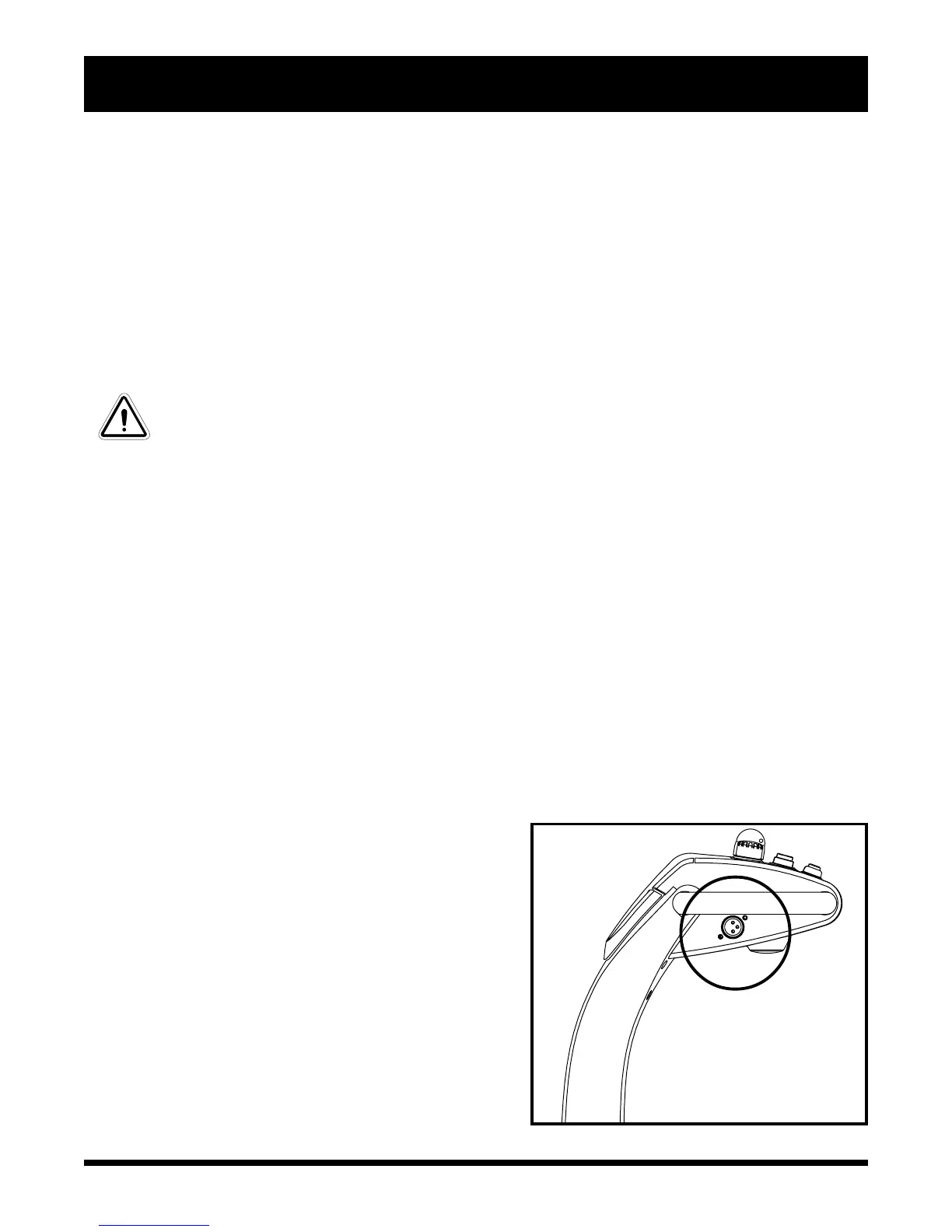
Off-board Charger Port
The off-board charger power cord plugs into this port
when charging the batteries. See figure 6
Figure 6. Off-board Charger Port





 To Next Page