24
www.pridemobility.com Celebrity X
CHARGING YOUR BATTERIES
PROHIBITED! Never use an extension cord to plug in your battery charger. Plug the charger
directly into a properly wired standard wall outlet.
PROHIBITED! Removal of the grounding prong can create an electrical hazard. If necessary,
properly install an approved 3-pronged adapter to an electrical outlet having 2-pronged
plug access. Failure to heed could result in personal injury and/or property damage.
WARNING! Ensure that both ends of the charger power cord are clean and dry before
plugging the charger power cord into the off-board battery charger port or the wall socket.
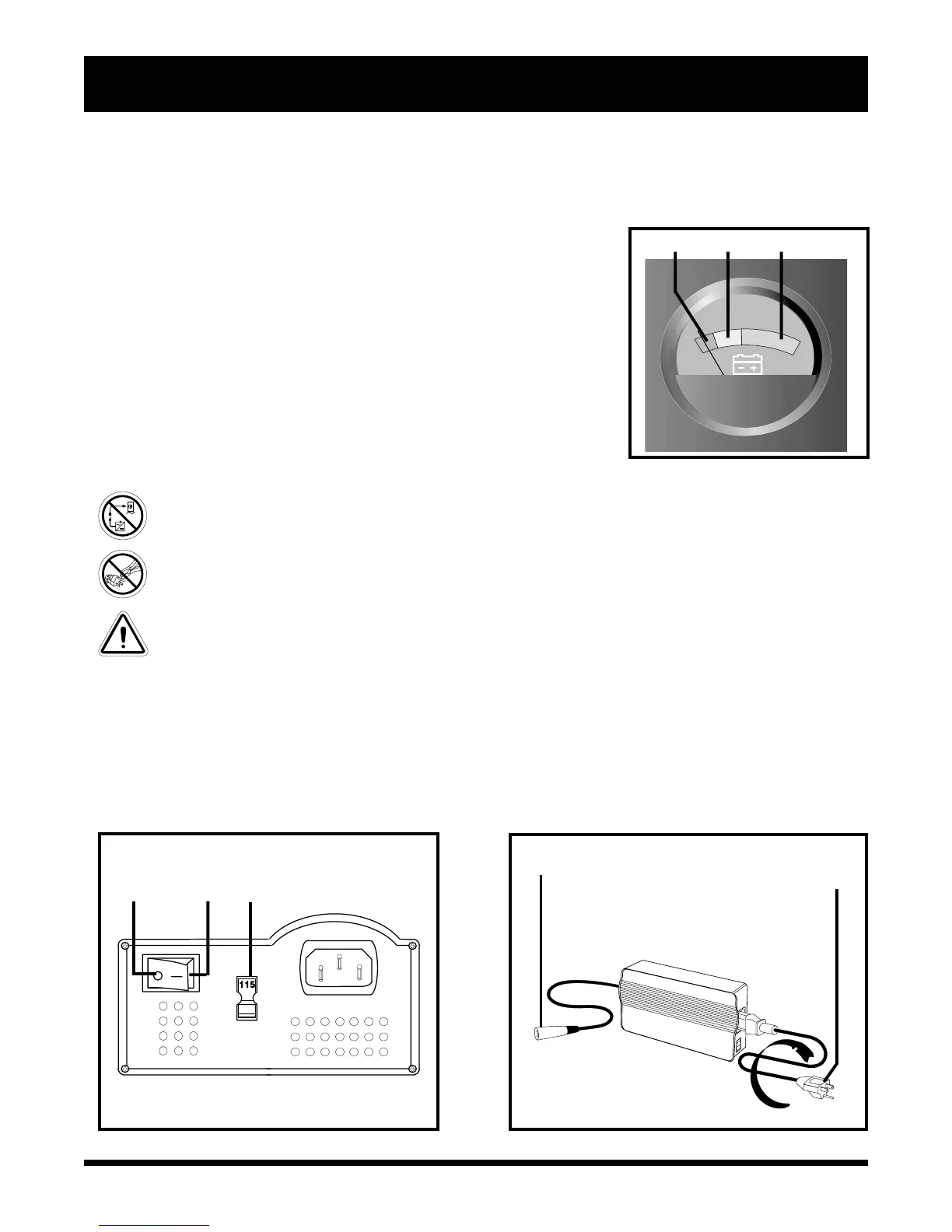
The off-board charger supplied with your scooter is equipped with a 115/230 voltage switch. Confirm that this
switch is in the proper position for your locality. If you are not sure what the voltage is in your country, contact your
local electricity provider before inserting the charger power cord plug into your electrical outlet. If the setting is
incorrect, the charger will not function properly. Slide the voltage switch to the appropriate position. See figure 12.
VI. BATTERIES AND CHARGING
Your scooter requires two long-lasting, 12-volt, deep-cycle batteries that are sealed and maintenance free. They
are recharged by an off-board charging system.
n Charge your scooters batteries prior to using it for the first time.
n Keep the batteries fully charged to keep your scooter running smoothly.
READING YOUR BATTERY VOLTAGE
The battery condition meter on the tiller console indicates the approxi-
mate strength of your batteries using a color code. Green indicates fully
charged batteries, yellow a draining charge, and red indicates that an
immediate recharge is necessary. See figure 11. To ensure the highest
accuracy, the battery condition meter should be checked while operat-
ing your scooter at full speed on a dry, level surface.
Figure 12. Charger On/Off and Voltage Switches
Figure 12A. Off-Board Charger
I
O
PLUGS INTO THE OFF-BOARD
CHARGER PORT
PLUGS INTO WALL OUTLET
VOLTAGE SWITCH
OFF ON
Figure 11. Battery Condition Meter
RED YELLOW GREEN
The LED lights on the charger indicate different charger conditions at various times: charger power on, charging in
progress, charging complete. Refer to the label on the charger for a complete explanation of these indicators.















 To Next Page