J6 with NE, NE+, and Q-Logic Electronics Technical Troubleshooting Guide www.pridemobility.com 15
Power Module Error
Symptoms:
The batteries are fully charged.
All electrical components are properly connected.
An error code is displayed when the NE, NE+, or Q-
Logic joystick module (1) is powered on.
Diagnosis:
There is a module fault in the system.
Solution:
Use the following procedure to find the source of the error:
1. Ensure that the BUS connections are connected
correctly. See diagram 5 or 6.
2. Measure resistance across connectors 3a and 3b of the
BUS cable extension (3). See figure 19.
— If the multimeter indicates an open for any of the
measurements, then replace the BUS cable extension
(3) and retest the system.
— If the multimeter indicates less than 1 ohm for all of the
measurements, then contact Quantum Technical
Service for further troubleshooting help.
Missing or Defective Power Module
Symptoms:
The batteries are fully charged.
When the NE, NE+, or Q-Logic joystick module (1) is
powered on, the LCD screen displays a missing or
defective device (Sip & Puff, Environmental Control
Unit, Stand-alone Joystick, Enhanced Display, and/or
Attendant Control) error.
Diagnosis:
One of the modules is either missing or defective.
NOTE: If you are intentionally removing a module from
the system, this fault will appear.
Solution:
Use the following procedure to find the source of the error:
1. Make sure that all of the connections are correct.
— If the connections are correct, then call Quantum
Technical Service.
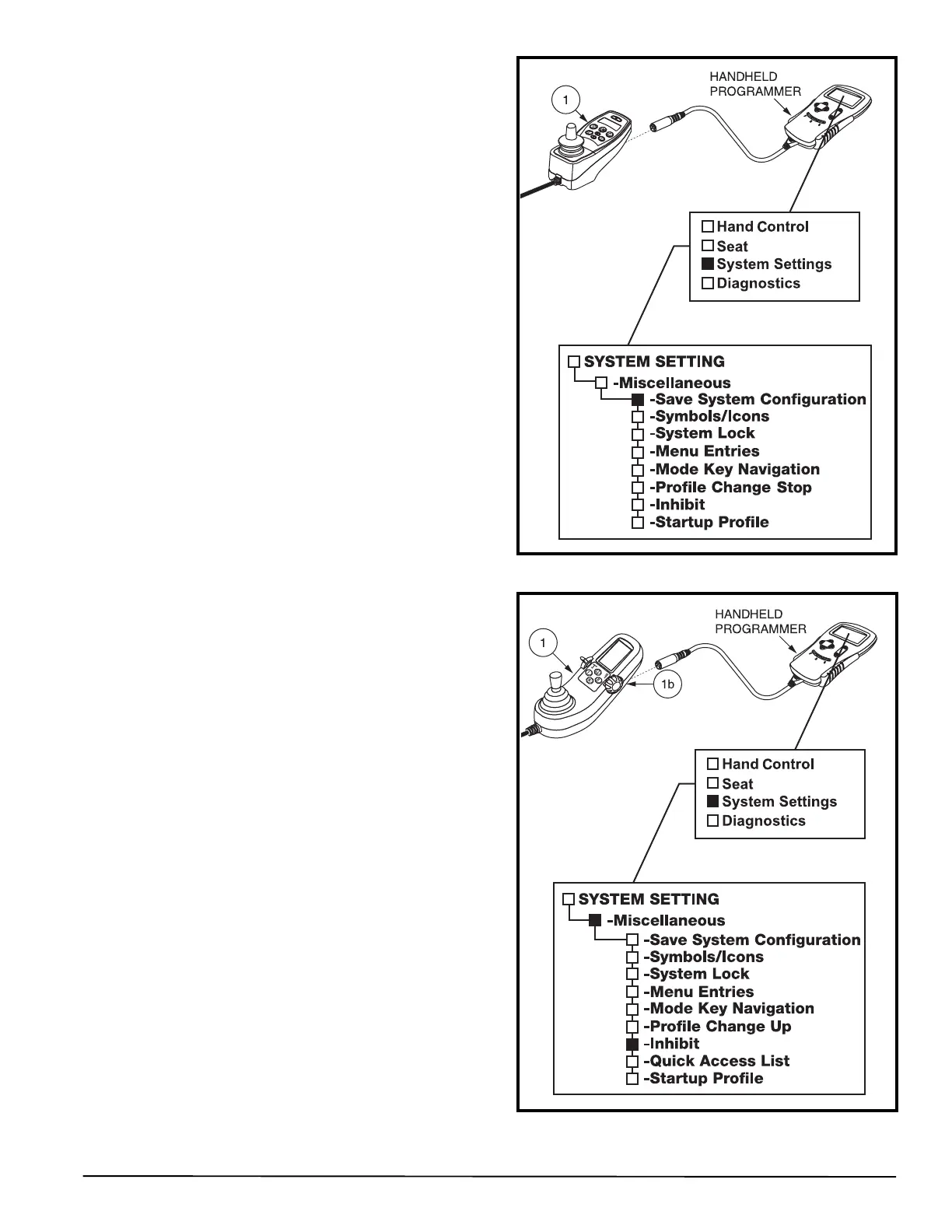
— If a module has intentionally been removed, then use the
Save System Configuration function on the
programmer. See figure 21.
.
Figure 21. Save System Configuration Function
Figure 22. Inhibit Programming (NE+ or Q-Logic
Electronics)



 To Next Page