9
airplay(for iOS system):
a. The phone and the projector are connected to the same
network, or in the absence of a network, the phone is
connected to the hotspot of the projector.
(Details of the hotspot seng method, see 10.)
b. Enter the APP "airplay" on the projector .
c. Open the "Screen Mirroring" on the iPhone/iPad, and
click the name of the device to match.
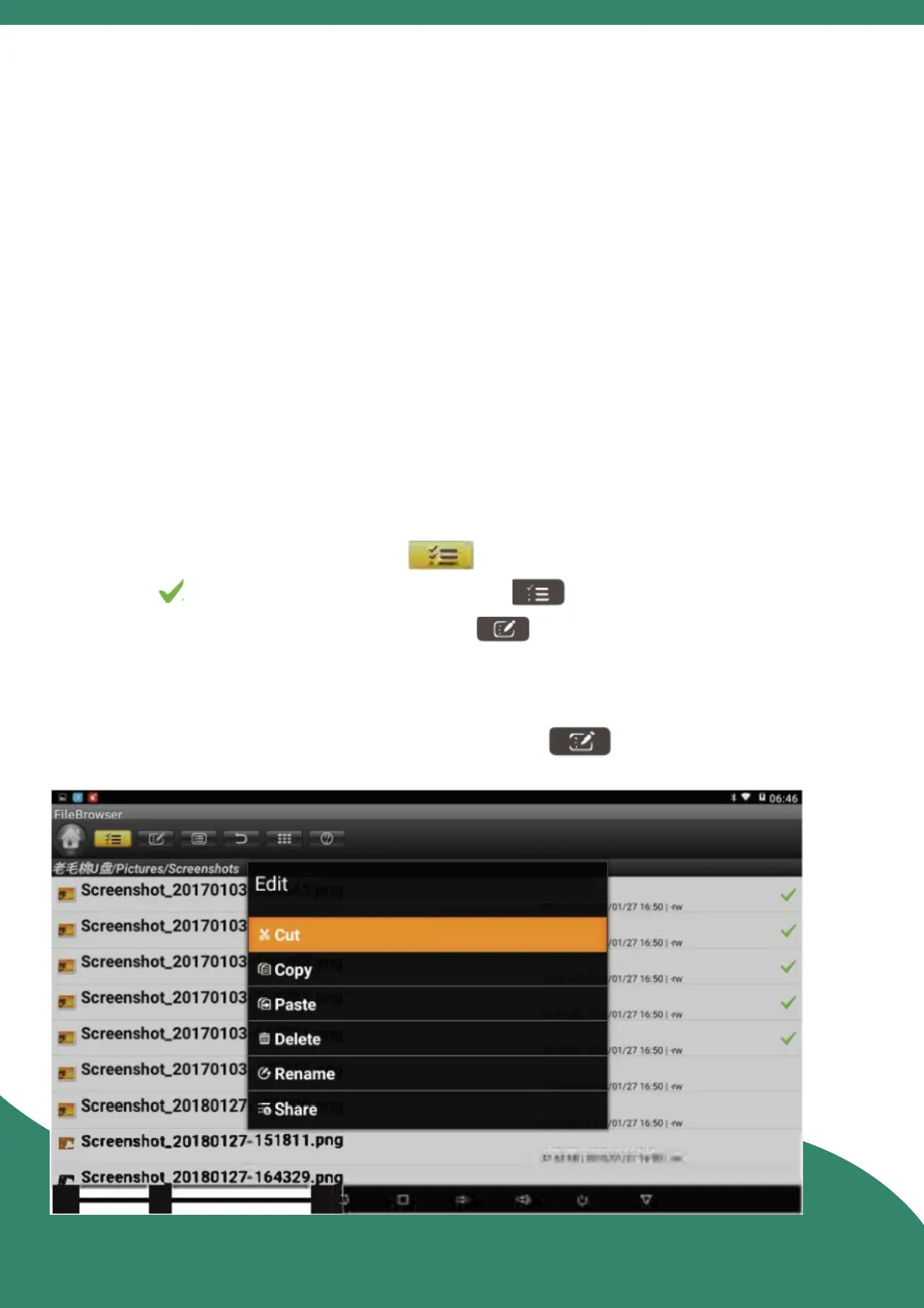
13. File Browser
Read: Insert the U disk/TF card, enter the "File Browser".
Edit: Select the menu icon , ck the file you want to
operate deselect the menu icon , select the opons
you want to operate in the edit icon directory .
If "Cut" or "Copy'' is selected, you need to first select the
directory, and then click the edit icon to select "Paste".



 To Next Page