Home
Prima Projector
Projector
X2
Page 9 (Hotspot Setting)
Prima Projector X2 - Hotspot Setting
16 pages
Manual
Save Page as PDF
To Next Page
To Next Page
To Previous Page
To Previous Page
Loading...
6
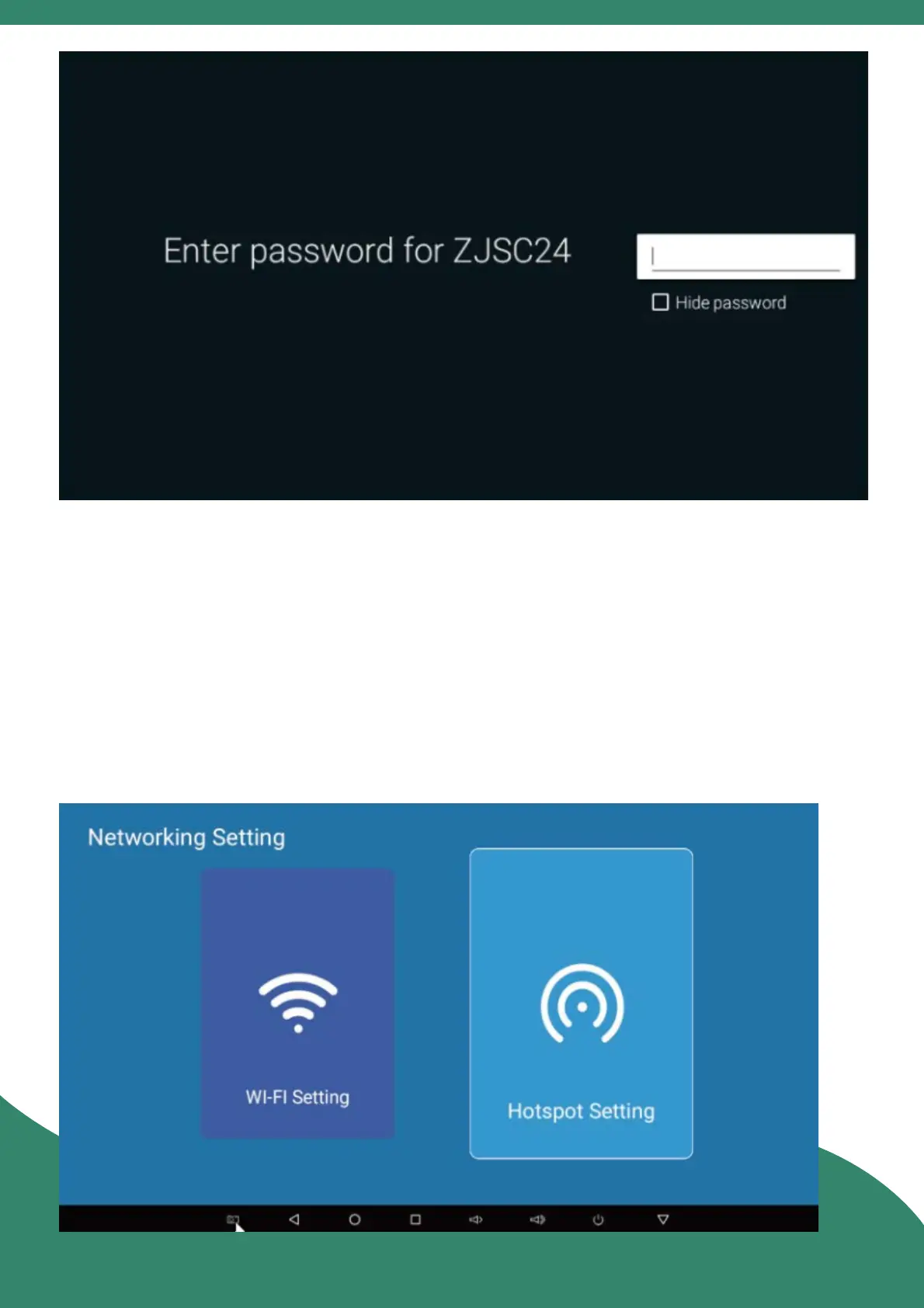
10. H
otspo
t Seng
E
nter
"Sengs" > "N
etworking Seng" > "H
otspo
t
Seng"
, click the switch to "ON" sta
te,
you can set the
paramet
ers, click "OK"
, and then the pr
ojector's hotspo
t
can be sear
ched by
other
devic
es to shar
e the network.
8
10
Table of Contents
Main Page
Table of Contents
3
Interface/Bu on Diagram
3
Remote Control
5
Language Se Ng
5
Power On/Power Off
6
Sharpness
6
Home
7
App Center
7
Se Ngs
8
WI-Fl Se Ng
8
Hotspot Se Ng
9
Bluetooth Se Ng
10
Screen Share
11
File Browser
12
APP Lnstall/Uninstall
13
Factory Data Reset
14
Notes
14



 To Next Page