1/5th RAMINATOR MONSTER TRUCK
Transmission Gears Adjustment
The truck uses a single-speed transmission that has five different gear ratios to choose from. The mid-range
gear set is installed in the truck out-of-the-box (spur/pinion ratio 25:25). Other gear sets that are included with
your truck change the driving and power experience. For crawling, we recommend switching to 20:30 or 23:27
ratio. We recommend 27:23 and 30:20 for optional high-performance engines with greater speeds.
The installed ratio is (25:25) is a good overall gear set that we recommend for common use.
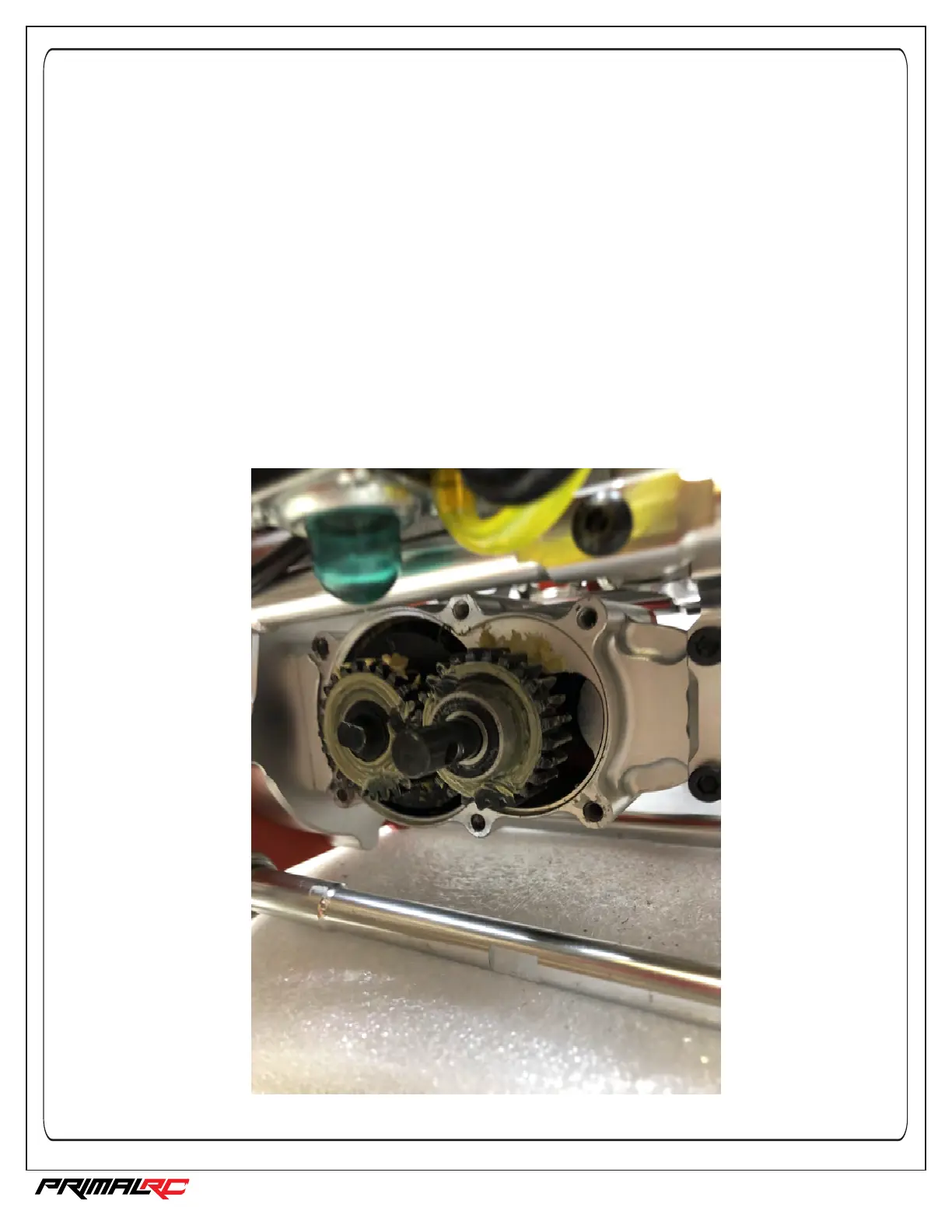
To change the gearing in the transmission: (See diagrams #24 and #25 in this instruction manual)
• Remove the rear drive shaft from the rear output shaft of the transmission (a 4mm hex pin holds it in place).
• Remove the six screws (4mm hex) from the transmission case.
• Remove transmission cover and the two ball bearings that hold the gears on.
• Slide off the two gears and install the gear set with your preferred ratio (pinion gear on the left, spur gear on
the right which is also transmission output shaft)
Note: Ensure that the gears are greased. You can use the grease that is already in the transmission.
Note: The smaller the pinion gear, the slower the truck will drive, but the more low-speed power it will have.
• Reinstall the two bearings, the cover and the rear drive shaft to their original positions.



 To Next Page