>
3
Connecting the A30.3 Amplifier
This chapter explains how to connect the A30.3 to the other components in your
system, using the connections on the back panel.
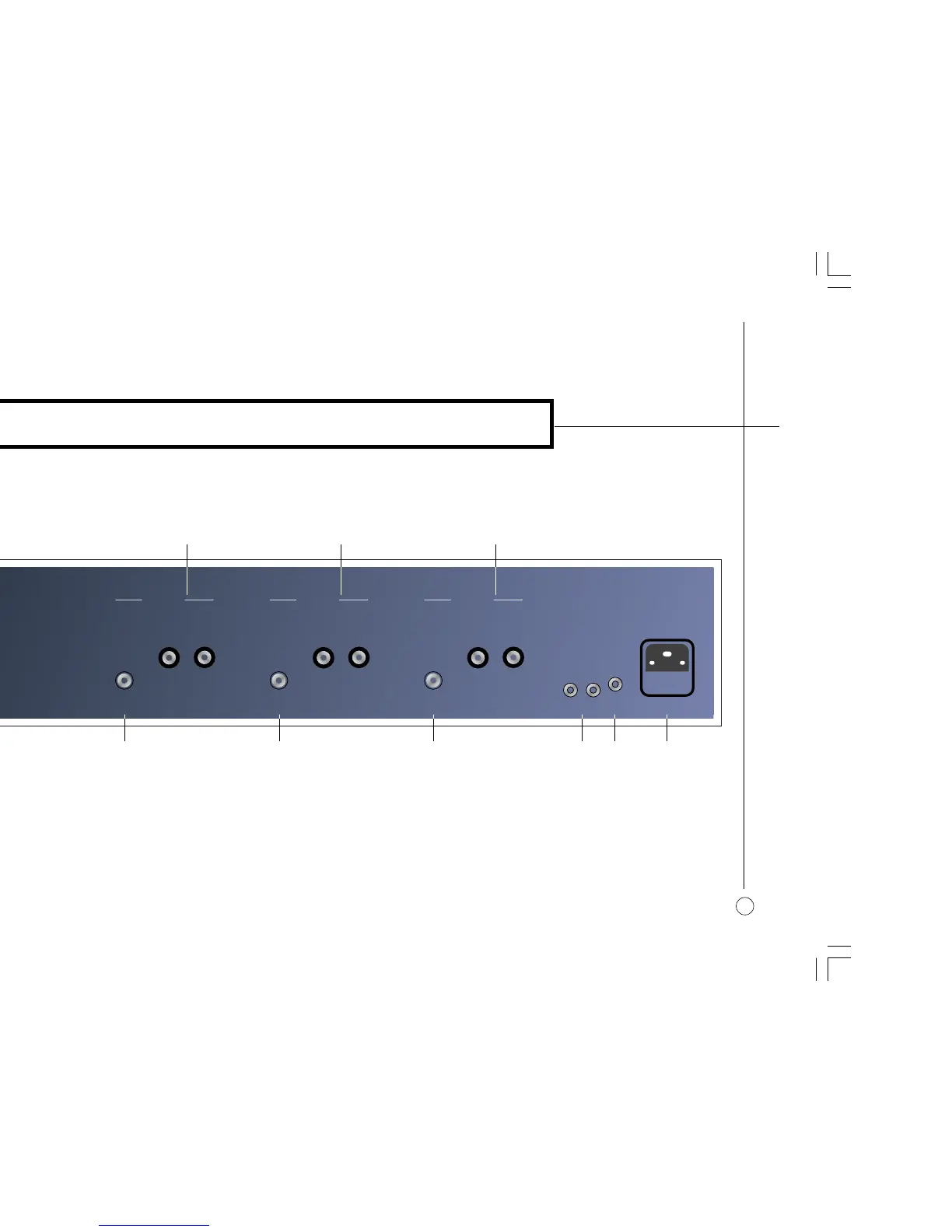
BACK PANEL CONNECTIONS
]D Channel 1 phono input.
]E Channel 2 phono input.
]F Channel 3 phono input.
CHANNEL 3
INPUT
SPEAKER
+ –
REMOTE SW
REMOTE 12V DC
LINK
CHANNEL 1
INPUT
SPEAKER
+ –
CHANNEL 2
INPUT
SPEAKER
+ –
]D ]E ]F ]H]G ]I
]C]B]A
]A Channel 1 loudspeaker outputs.
]B Channel 2 loudspeaker outputs.
]C Channel 3 loudspeaker outputs.
]G Remote link sockets.
]H Remote link switch.
]I Mains power input and fuse.
§2 Connecting 3/11/00, 1:01 pm3



 To Next Page