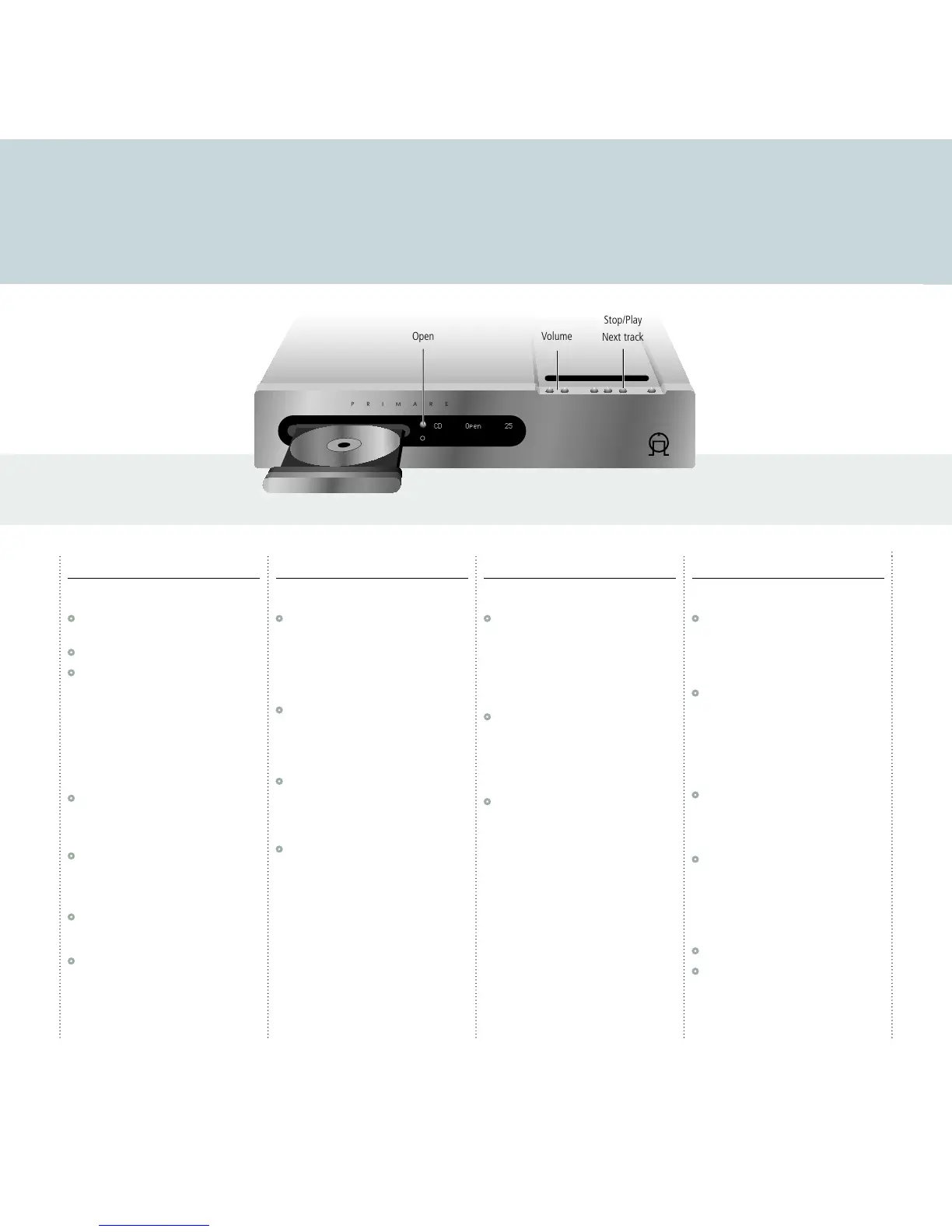
Playing a CD
This page gives information about using the CDI10 to play CDs, including information about locating what you want to play,
and programming a selection of tracks.
Playing and stopping
To select the CD player
•
Press A or V until the display shows CD, or
CD the remote control.
•
Press the Open button to open the tray.
•
Insert a CD and press the Open button again
to close the tray, or gently push the front of the
tray to close it.
The display shows the total number of tracks and
total duration of the CD; for example:
13 57:15
To play a CD
•
Press */> on the front panel or > on the
remote control.
To pause the CD
•
Press > on the remote control.
The display will show:
PAUSE
•
Press > again to resume playing.
To stop playing a CD
•
Hold down */> on the front panel, or press *
on the remote control.
Locating a track
To skip to the next track
•
Press */> on the front panel or ] on the
remote control.
You can also skip to the previous track by pressing
[ on the remote control.
To play from a specific track
•
Type the track number on the remote control,
or press
+10 first to enter a number greater
than 10.
To scan through a disc
•
Press ˘ or ¯ on the remote control.
You can switch between FF (fast forward) or FR
(fast reverse) at speeds of 2x, 4x, 8x, and 16x, as
shown on the front panel display.
•
Press > to resume playing at normal speed.
Repeating play
To repeat the current track
•
While the disc is playing press REPEAT on the
remote control.
The display shows:
REPEAT TRK
To repeat the whole disc
•
Press REPEAT again.
The display shows:
REPEAT DSC
To turn repeat mode off
•
Press REPEAT until the display shows:
REPEAT OFF
Programming
To program a selection of tracks
•
While the disc is stopped press MEM on the
remote control.
The display shows:
PGM SEQ
•
Type the track number of the first track you
want to play, or press
+10 first to enter a
number greater than 10.
The display shows the first selection, and its
position in the sequence; for example:
07 P-01
•
Repeat for the other tracks you want to play.
To play a program
When you have programmed the sequence:
•
Press > to start playing the sequence you have
programmed.
You can skip or scan between tracks in the
sequence in the same way as for a disc.
To clear the program
•
Press *.
•
Press MEM followed by C on the remote
control.



 To Next Page