28 Creating Discs
Print Settings
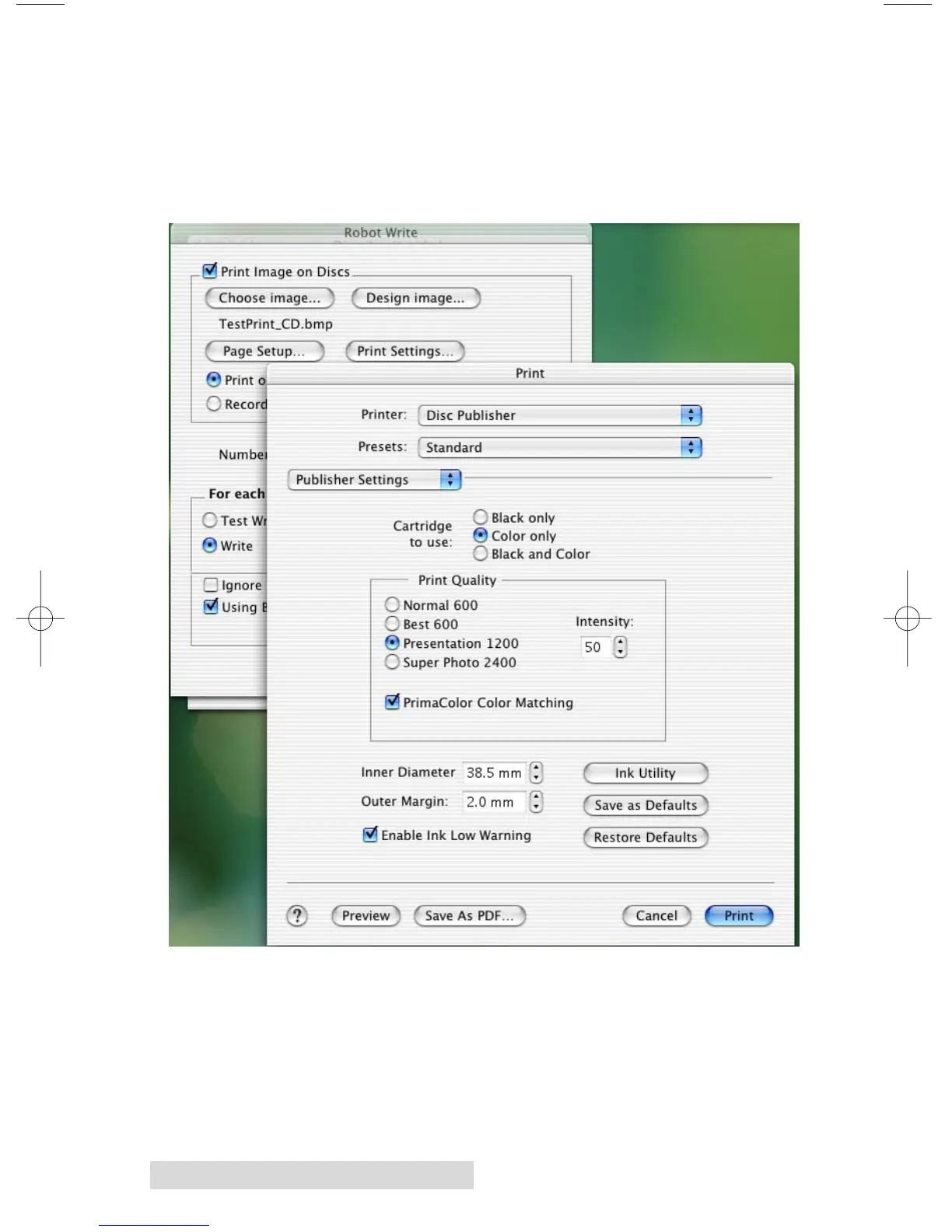
Click Print Setup to see the driver window and all of its
settings. You will want click the Copies and Pages button and
select Publisher Settings option in the drop-down menu to see
the full pane and access all the printer driver settings.
The following is a description of the printer driver settings:
• Cartridge to use
The Black and Color setting will use both cartridges when
printing your image. Color will only use the Color
Cartridge, and Black Only will only use the monochrome
cartridge for printing.














 To Next Page