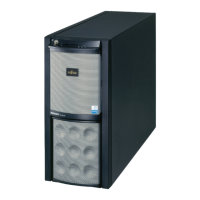
6 Operating Manual TX300 S3
Documentation Overview Introduction
Concept and target group of this manual
This operating manual describes how to install, set up and operate your server.
This manual is intended for those responsible for installing the hardware and
ensuring that the system runs smoothly. The manual contains all the information
required to install and operate your PRIMERGY TX300 S3.
It is assumed that users have some knowledge of hardware and data trans-
mission, and a basic familiarity with the operating system that is being used. You
should also have a good working knowledge of the English language.
Additional server documentation
The PRIMERGY TX300 S3 documentation consists of the following additional
manuals:
Ê “Safety notes and other important information” manual (print version
delivered together with the system, PDF file available on the ServerBooks
DVD)
Ê “Warranty” manual (print version delivered together with the system, PDF file
available on the ServerBooks DVD)
Ê Technical Manual for the D2129 system board (PDF file available on the
ServerBooks DVD)
Ê “BIOS Setup” (PDF file available on the ServerBooks DVD)
Ê “PRIMERGY TX300 S3 Options Guide” (PDF file available on the
ServerBooks DVD)
Ê “PRIMERGY ServerView Suite - ServerStart” (PDF file available on the
ServerBooks DVD)
Ê “Global Array Manager Client Software User’s Guide” (PDF file available on
the ServerBooks DVD)
Ê “Global Array Manager Server Software User’s Guide” (PDF file available on
the ServerBooks DVD)
Ê “Integrated Mirroring User’s Guide” (PDF file available on the supplied
ServerBooks DVD)
I If you need a replacement copy of the ServerBooks DVD send the details
of your server to the following e-mail address:
Reklamat-PC-LOG@fujitsu-siemens.com



 To Next Page