TX300 S3 Operating Manual 65
Starting Up and Operation Controls and Displays
5.2.2 Rear of Server
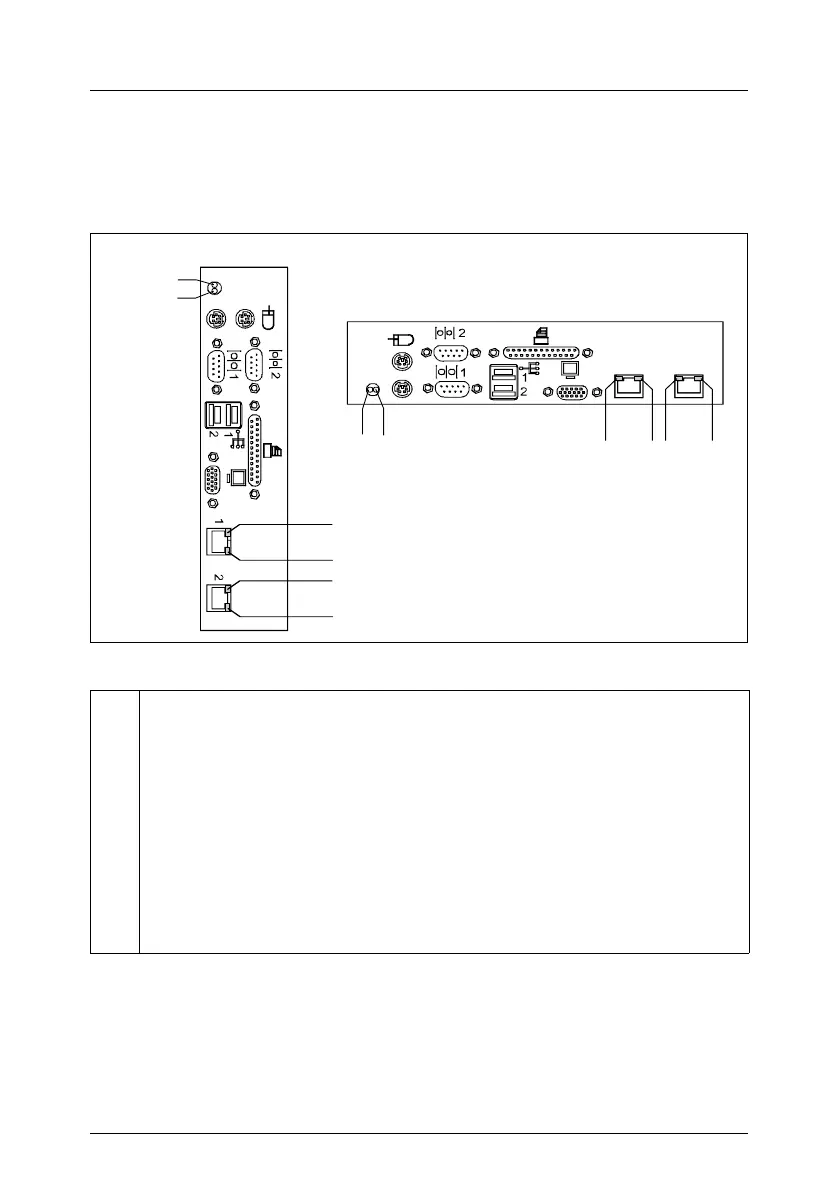
Indicators on connection panel
Figure 24: Indicators on connection panel
1 Global error indicator (orange)
Does not light when the system is ok. No service incident or critical event
has occurred.
Flashes orange when a critical event has occurred. Users can check
BIOS Setup, system- and eventlog or via ServerView for event details.
Lights up orange when a prefailure event has been detected. Users can
check system- and eventlog or via ServerView for event details.
If the event is still acute after a power failure, the indicator is activated
after the restart.
1
2
12
3 4
3
4
3
4
3 4
21



 To Next Page