64 Operating Manual TX300 S3
Controls and Displays Starting Up and Operation
Floppy disk drive indicator
Lights up green when the storage medium is being accessed.
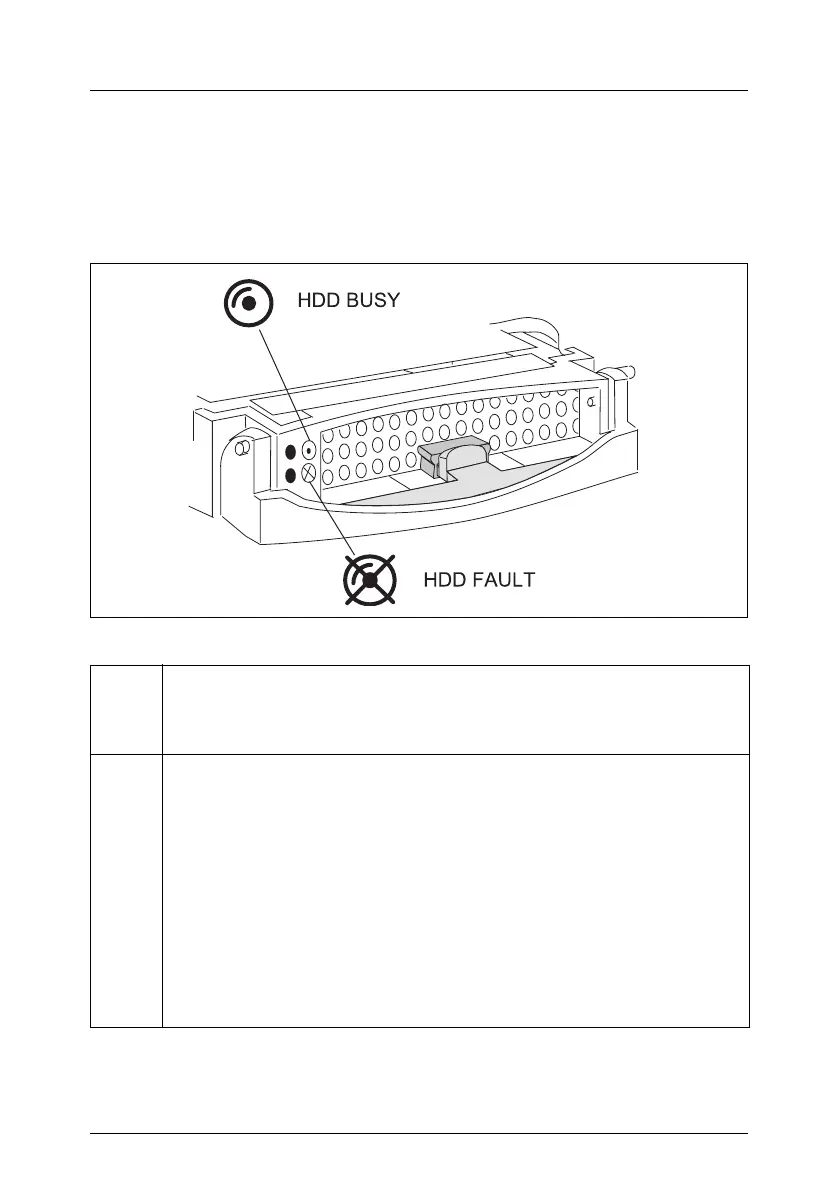
Hard disk drive control indicators
Figure 23: HDD module: Indicators
LED
green
HDD BUSY
– Lights: HDD in active phase
– Does not light: HDD inactive (drive inactive)
LED
orange
HDD FAULT (in conjunction with a RAID controller)
– Not lit: No HDD error
– Lit: HDD Faulty or Rebuild Stopped (drive defective/needs
replacing, a rebuild process was stopped or the HDD module is
not correctly inserted)
– Slow flashing: HDD Rebuild (the data is being restored after
changing a hard disk drive)
– Fast flashing: HDD Identify
– four fast blinks/pause: HDD Predicted Fault
– Two fast flashes/pause: HDD Hot Spare (Hot spare drive active.
The corresponding drive has failed).



 To Next Page