TX300 S3 Operating Manual 91
Hot plug components Hot-pluggable hard disk drives
8.2.2 Installing/Removing the Dummy Module
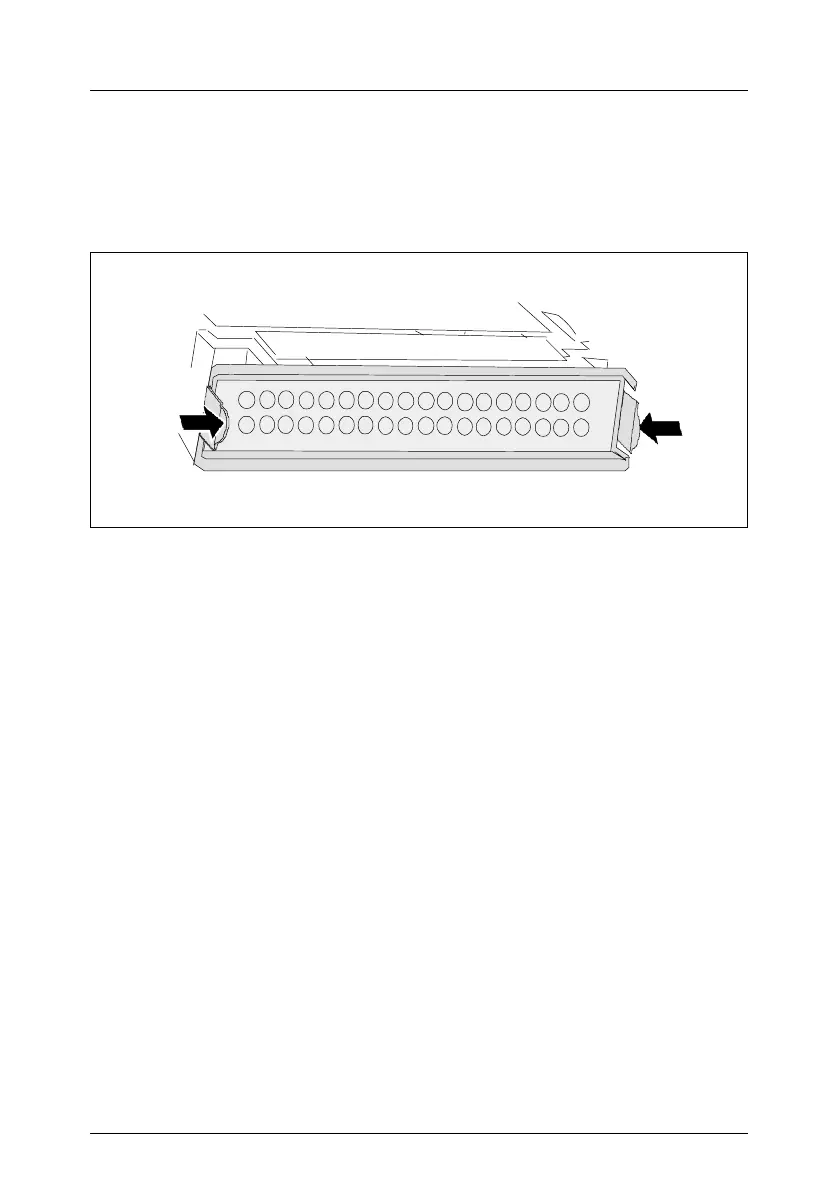
Free slots are provided with a dummy module that must be removed before
installing an additional HDD module.
Figure 27: Removing the dummy unit
Ê Press both tabs together until the locking mechanism disengages and
remove the dummy module from the mounting location.
To install a dummy unit, follow the same procedure in reverse order.
V CAUTION!
Keep the dummy unit for future use. If the HDD module is removed again
and not replaced with a new module, the dummy module must be
reinstalled due to cooling, to comply with applicable EMC regulations
(regulations on electromagnetic compatibility) and to protect against fire.



 To Next Page