ECM-SERIES 14
User’ Guide
Installation
1.
Control boxes area must be able to install and maintained conveniently both inside and outside boxes.
2.
Inside cabinet boxes must be clean.
3.
Control box far away from heater or other heat source
4.
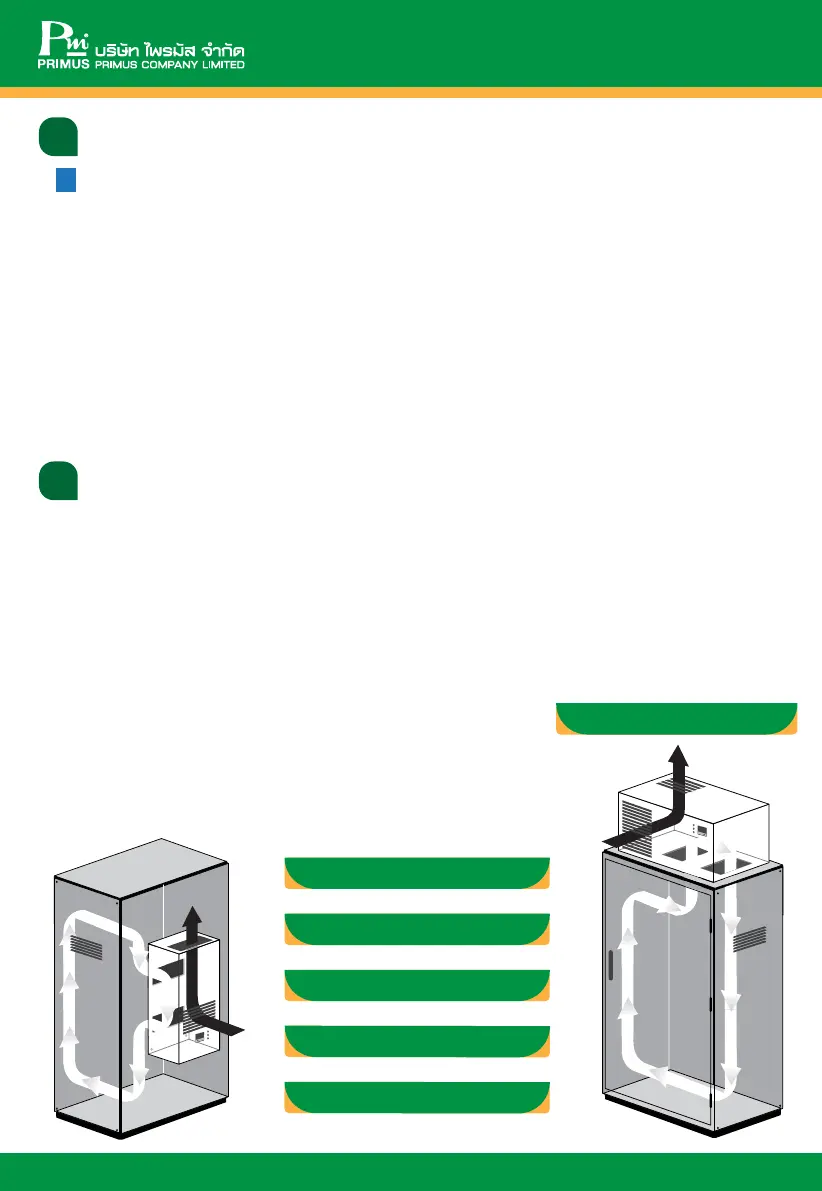
Cabinet box should be have suitable air circulation.
5.
Air Conditioner require be installed in high position as possible.
6.
If the user installs an air conditioner on the door, please ensure that cabinet door can carry the weight of a product.
7.
The user has to ensure the wires will not be torn or damaged when closing the door or installing.
8.
Please ensure the air conditioner should be suitable with load in cabinet box
1.
MUST cut off the electrical system inside the control cabinet before installation and mark the sign following
example in product box.
* Before using the driller and mark cutting sign-on control box, please ensure hole punch, bolt and nut, wires and
Air conditioner boxes can install and not block other systems.
2.
Attach a rubber seal at the edge behind the Air conditioner for protecting environment airflow into the box.
3.
Insert nut to hold with air conditioner box before lift to install with Control Box
4.
After put the product on control box use washers and nuts fix from inside.
5.
Check the voltage from electrical supply before wiring circuit breaker.
6.
Then connect drain tube and check the water flaw.
7.
Supply voltage to check the current and operating system and temperature.
Require to read before installation
The detail which should be known before installing are as follows:
ECM-2700/ECM-2700 SUS
ECMV-4000/ECMV-4000 SUS
ECM-4000/ECM-4000 SUS
ECM-7000
/ECM-7000 SUS
ECM-13000/ECM-13000 SUS
ECM-1000/ECM-1000 SUS



 To Next Page