6
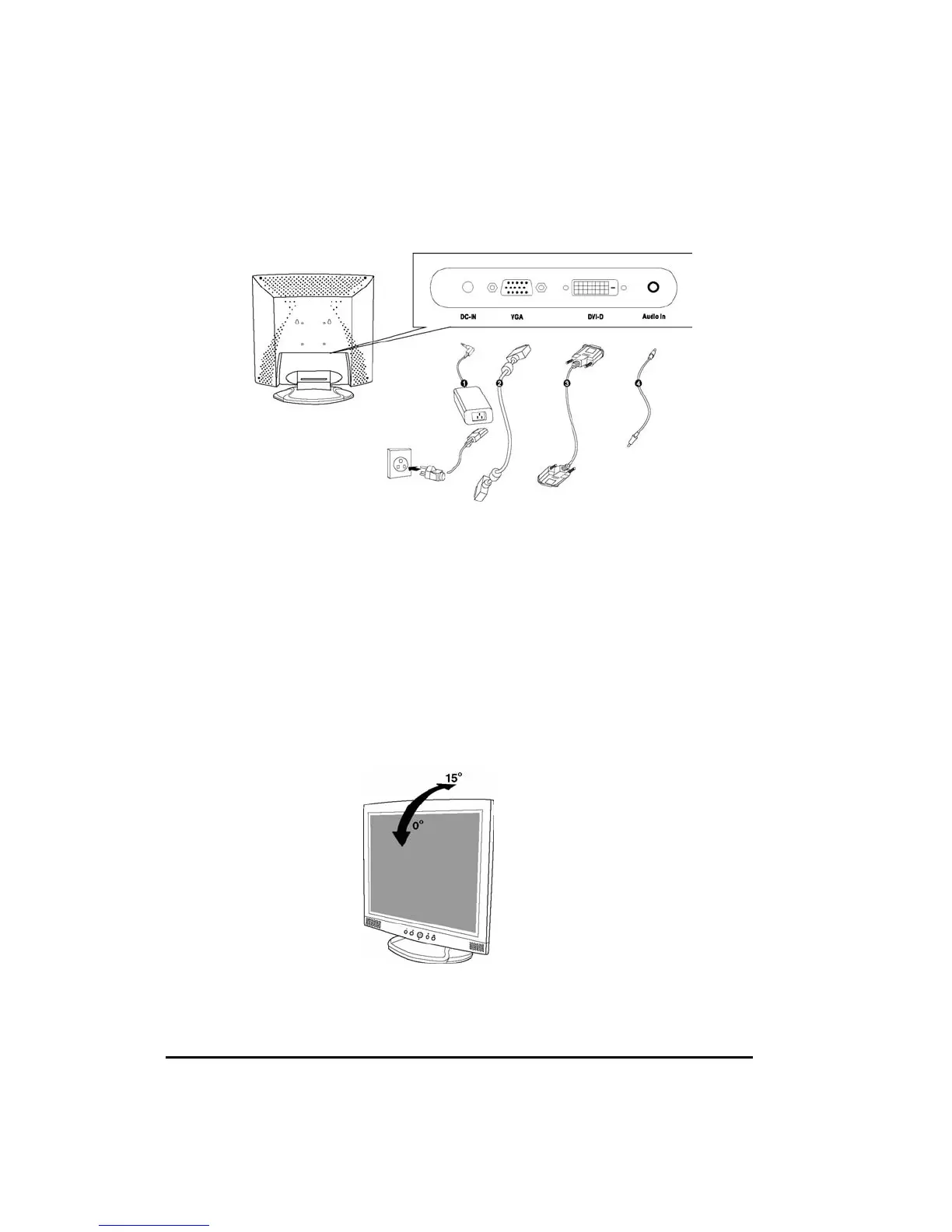
Rear View
WARNING When you disconnect the cord /cables, hold the connector and not the cable
itself.
1. Connect one end of the power adapter (n) to the monitor and the other end to the
connector of the power cord.
2. Connect one end of the VGA cable (o) to the monitor and connect the other end to the
graphics card adapter on your computer. Tighten by turning clockwise the two thumb
screws to ensure proper grounding.
3. Connect one end of the DVI cable (p) to the monitor and connect the other end to the
computer
4. Connect one end of the audio cable (q) to audio-in connector of the monitor and the
other end to the computer’s audio-out connector.
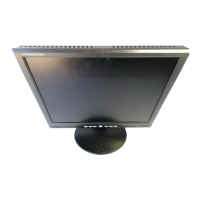
Display Angle
Tilting
For viewing clarity, you can tilt the LCD backward (up to 15 degrees).
CAUTION In order to protect the LCD, be sure to hold the base whenever you adjust it, and
do not touch the screen.


 To Next Page