Printing Bar Codes
Page B-9
Bar Code Height
The sequence used to specify bar code height is
^Htt
^H Two Character Sequence Identifier for
Bar Code Height.
tt Height, in Tenth Inches.
Range is 01 to 99 (0.1 to 9.9 inches).
If this sequence is not used, default bar code height is 0.3 inches. All bar codes
printed together horizontally across the page must be the same height. If height is
specified more than once, the latest specified height will be used.
Example:
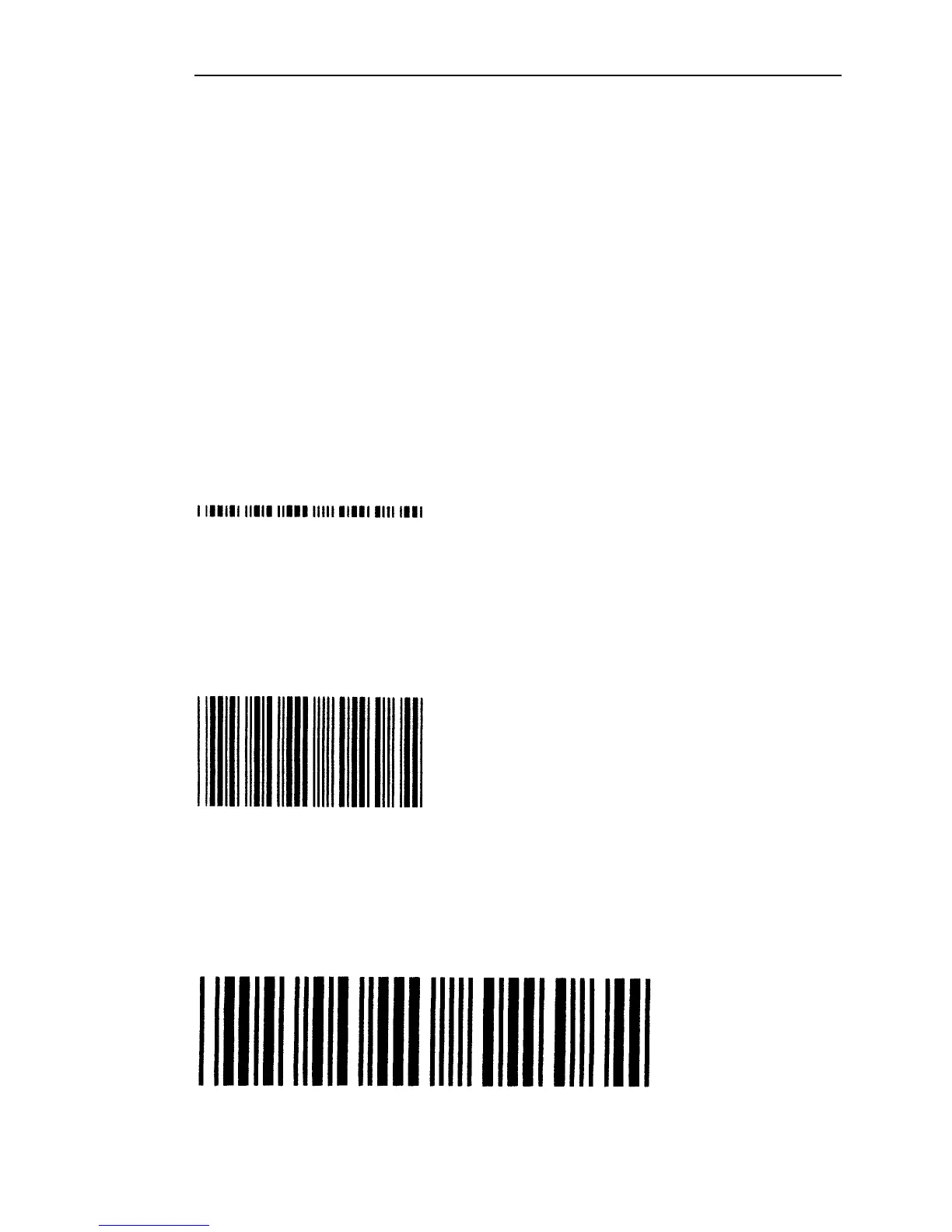
To print a bar code that is only 0.1 inch high.
^H01^BNe12345^G^-
It would generally not be desireable to print a bar code with such a short height,
because scanning of the bar code would be difficult. In most cases, the wider the bar
code, the higher the bar code for ease of scanning
Example:
To print a bar code that is 1.0 inch high.
^H10^BNe12345^G^-
Example:
Note that increasing the height of a bar code has no effect on the width of the bar
code. To print a very large bar code, both the height and the width may need to be
increased. The following sequences double the width of the medium density
LOGMAR bar code, while also increasing its height.
^H10^BN9e337712345^G^-



 To Next Page