EasyManua.ls Logo

Printronix P5000 Series - User Manual

Printronix P5000 Series
332 pages
Print Icon
To Next Page IconTo Next Page
Loading...
Users Manual
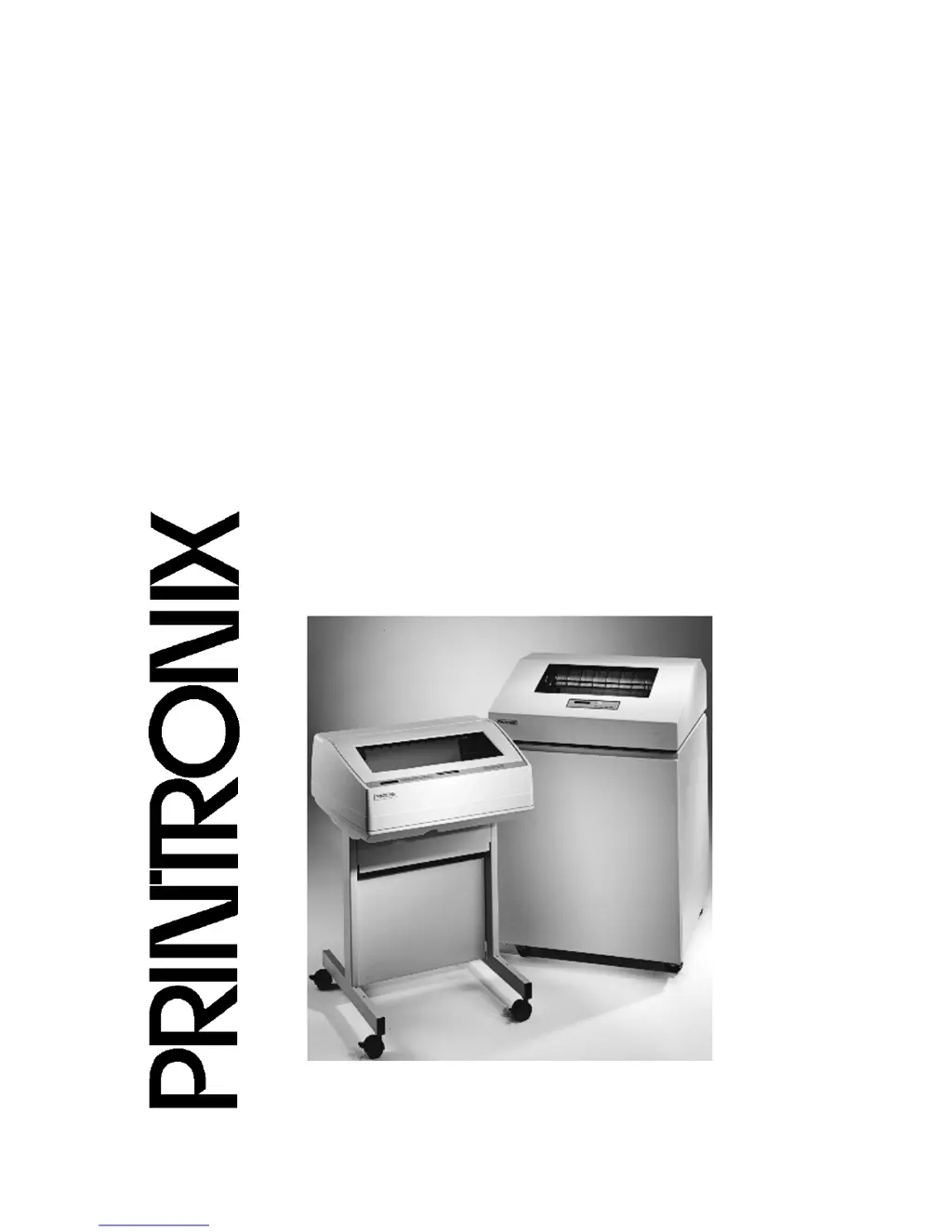
The Printronix P5000 series of Line Matrix Printers
P5005B, P5205B, P5010, P5210, P5215,
P5220

Table of Contents

Other manuals for Printronix P5000 Series

Questions and Answers

Summary

Software License Agreement

Disclaimer of Warranties and Limitation of Remedies

Legal disclaimer regarding product warranties and limitations.

Acknowledgement of Terms and Conditions

Confirmation of user agreement to the terms and conditions.

Trademark Acknowledgments

1 Introduction

Printer Overview

Provides a general overview of the printer and manual conventions.

The Printer Family

Details the Printronix P5000 series models and their features.

Warnings And Special Information

Highlights important notices for safety and printer operation.

Protocols And Emulations

Explains printer protocols and emulation concepts for communication.

2 Setting Up The Printer

Power Requirements

Details the required voltage, frequency, and circuit protection for printer power.

Printer Component Locations

Identifies and illustrates key printer components for installation.

Remove Packing Materials

Step-by-step instructions for removing shipping restraints and protective materials.

Connect The Interface And Power Cables

Guides on connecting interface and power cables for cabinet models.

Install Basic Components

Procedures for attaching control panel overlays and installing ribbon/paper.

Load The Paper

Guides on aligning paper supply and feeding paper through the slot.

Set The Top-of-Form

Procedure to inform the printer about the top-of-form location after loading paper.

3 Operating The Printer

Powering On The Printer

Describes the printer's self-test and default power-up state.

Operating Modes

Explains the printer's operational states: Online, Offline, and Fault.

The Control Panel

Identifies keys, displays, and indicators on the printer's control panel.

Operational Procedures

Introduces routine procedures like reloading paper, unloading paper, replacing ribbon, and canceling jobs.

Replacing The Ribbon

Initial steps for removing the old ribbon, including opening the cover and unlatching spools.

Canceling A Print Job

Procedure to cancel a print job, depending on printer emulation and software.

4 The Configuration Menus

Configuration Overview

Explains the importance of configuration parameters for printer operation and matching host characteristics.

Changing And Saving Parameter Settings

Details how to change parameters via control panel or host commands and how settings are overridden.

Saving Your New Configuration

Explains how to save changed parameters as configurations for future use.

Optimizing Print Quality

How to adjust parameters like Bar Code Quality and Print Quality for better print quality.

Main Menu

Hierarchical overview of the printer's main configuration menu structure.

EMULATION menu

Allows selection of printer emulations like CTHI, LinePrinter+, IPDS, etc.

MAINT; MISC

Overview of miscellaneous maintenance and system functions.

5 Interfaces

Overview

Introduces host interfaces and describes standard and optional connection types.

Dataproducts Long Lines Interface

Details the Dataproducts Long Lines Interface connector pin assignments.

Centronics Parallel Interface

Details the Centronics Parallel Interface connector pin assignments.

IEEE 1284 Parallel Interface

Describes the IEEE 1284 Parallel Interface and its operating modes: Compatibility, Nibble, and Byte.

RS-232 And RS-422 Serial Interfaces

Introduces RS-232 and RS-422 serial interfaces and selectable baud rates.

6 Troubleshooting

Cleaning Requirements

Guidelines for cleaning the printer, including frequency and safety precautions.

Interior Cleaning

Explains the need for periodic interior cleaning to maintain print quality.

Diagnosing Problems

Introduces troubleshooting common printer issues.

Fault Messages

Explains fault messages and procedures for operator-correctable and field service faults.

A Printer Specifications

Ribbon Specifications

Lists part numbers and types for P5000 Pedestal model ribbons.

Paper Specifications

Details paper types, sizes, thickness, and drive for P5000 and P5220 cabinet models.

Electrical Characteristics

Lists input voltage, frequency, and RMS current specifications for different models.

Interfaces

Lists standard and optional host interfaces and their transfer rates.

B Demand Printing

Simple Tear

Explains the Simple Tear Mode for demand printing without losing forms.

Form Saver Mode

Explains Form Saver Mode for demand printing with minimal form loss.

C ASCII Character Set

D Communication Notices

Federal Communications Commission (FCC) Statement

FCC compliance statement for Class A digital devices, including operating conditions and interference.

German Conformity Statement

German conformity details per EN 55022 Class A and EMVG, including warnings for domestic use.

Printronix P5000 Series Specifications

General IconGeneral
BrandPrintronix
ModelP5000 Series
CategoryPrinter
LanguageEnglish

Related product manuals