13
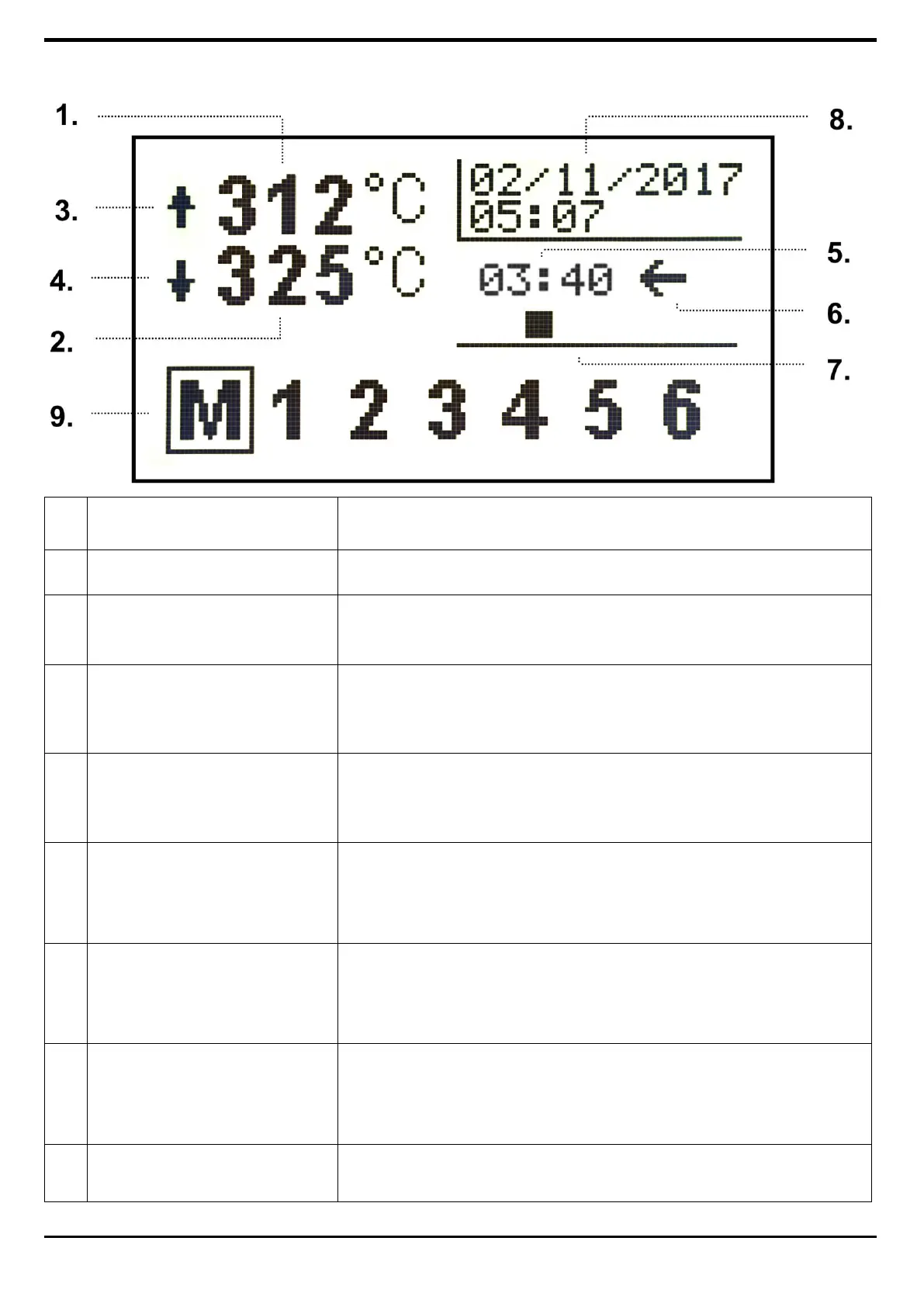
MAIN SCREEN
the temperature detected by the probe located higher up;
the temperature detected by the probe located lower down;
OPERATING SYMBOLS UPPER
HEATING ELEMENTS
it is activated when the upper heating elements are on to bring
the measured temperature to the top set point set;
OPERATING SYMBOLS
LOWER HEATING ELEMENTS
it is activated when the lower heating elements are on to bring
the measured temperature to the base set point set;
Displayed in minutes and seconds, corresponds to the cooking
time in chamber. See dedicated paragraph.
If the arrow is to the left the food is cooked from right to left, if
the arrow is to the right the food is cooked from left to right.
It is in motion when the belt is operational.
It is only indicative and does not vary with respect to the speed
set.
Displays current date and time.
Starting from the manual (M), 6 programs selectable via the right
and left direction keys, operating when the ENTER key is pressed.
The program in use is highlighted.


 To Next Page