16/44
3.3 Receive screen data from GP-377R/377S/377L
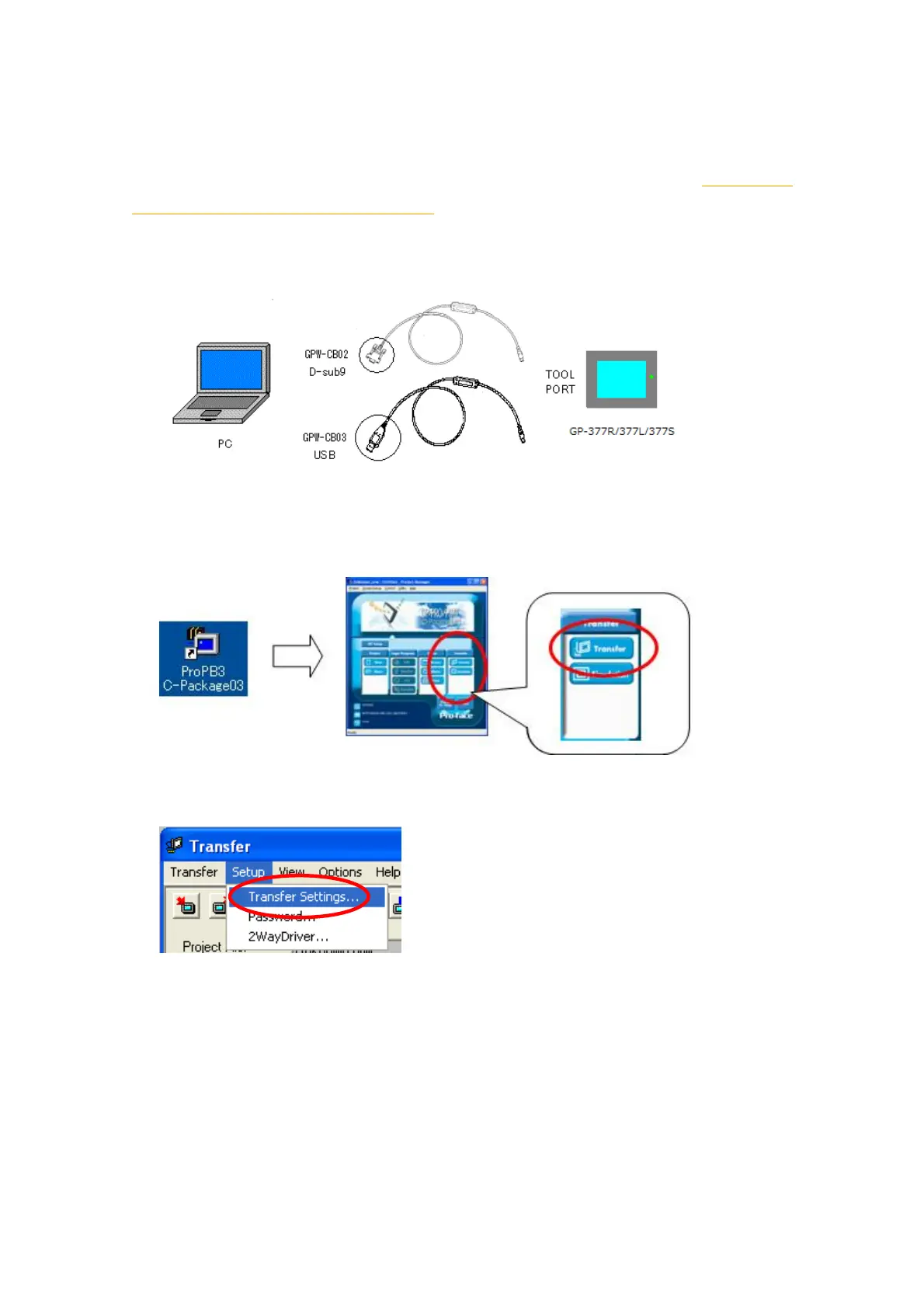
This section explains, as an example, how to receive screen data from
GP-377R/377S/377L using a transfer cable, GPW-CB02 or GPW-CB03. If you have
backed up screen data, this step is unnecessary; skip to the next section [3.4 Convert
screen data with the Project Converter].
1. Connect a transfer cable to GP-377R/377S/377L.
2. Start up GP-PRO/PBIII for Windows and click the [Transfer] icon on the Project
Manager (Specify a desired project file.)
3. On the [Transfer] window, select the [Setup] menu and click [Transfer Settings…].




 To Next Page