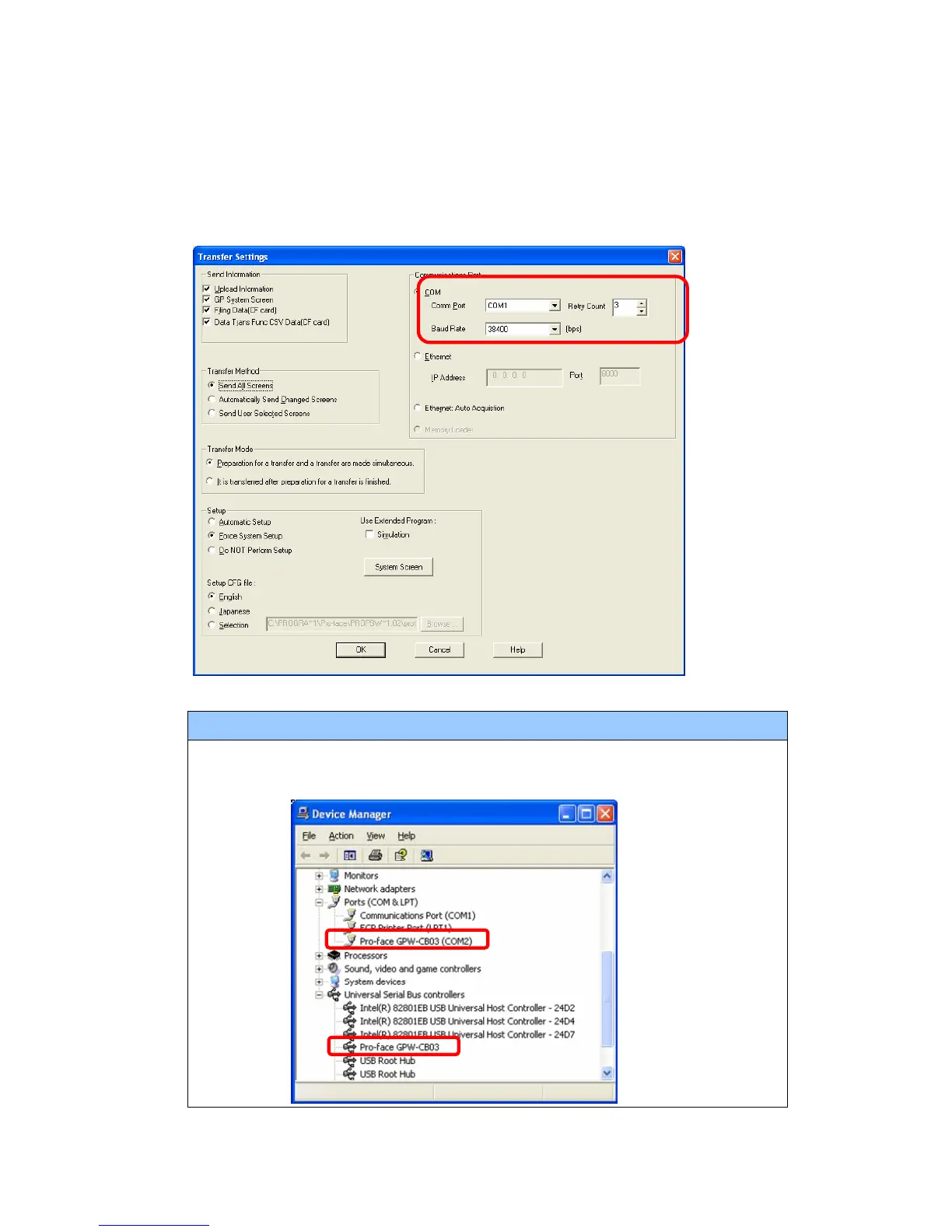
(4) In the Communication Port field, select [COM], specify the COM port to which the
cable is connected, and click [OK].
If you use a USB transfer cable (GPW-CB03)
You can check the COM port for the USB transfer cable (GPW-CB03), which is
assigned to the PC, with the Device Manager of Windows.
28/59




 To Next Page