Device Connectivity
18
System Design
Introduction
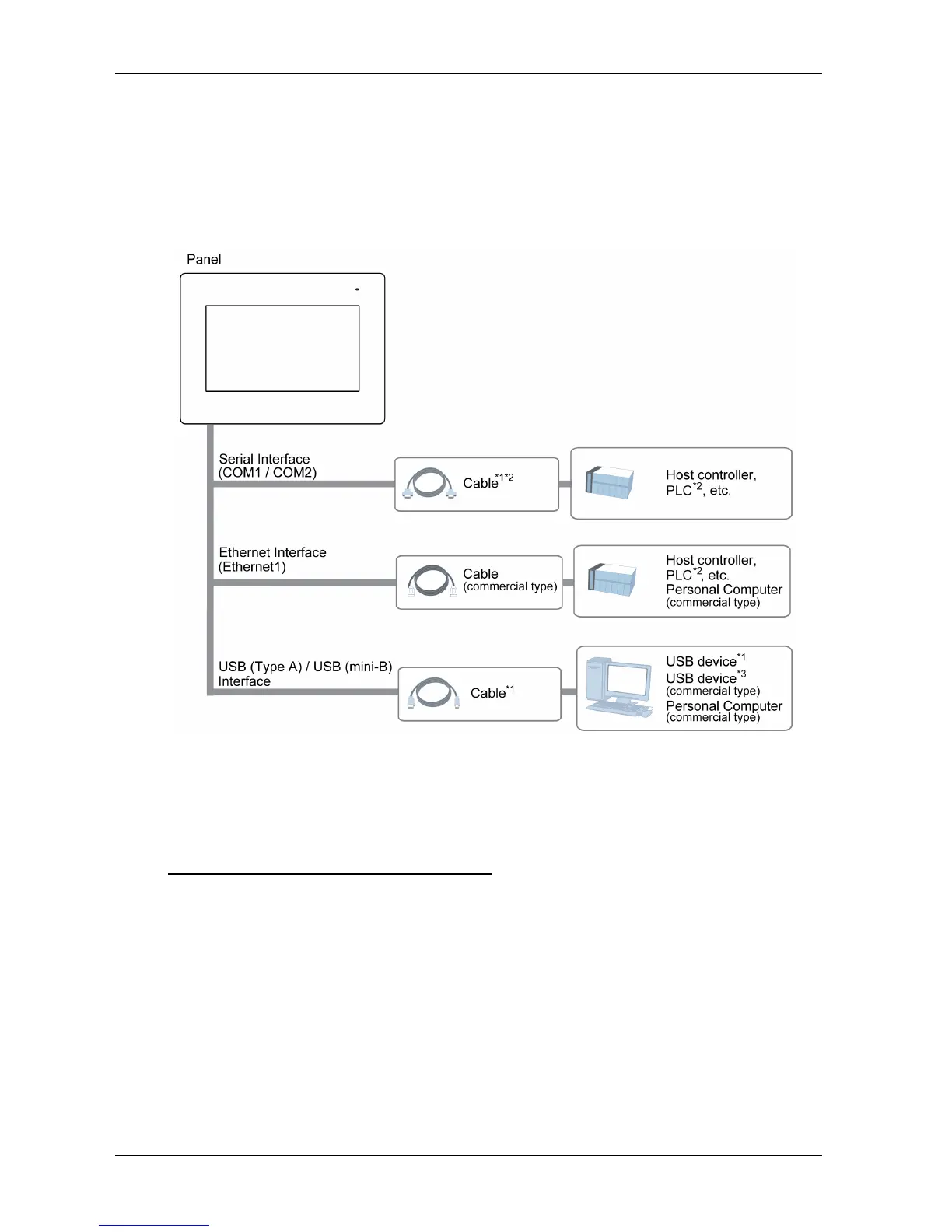
The following diagram presents the most common equipment you can connect to the panel.
*1 Refer to Accessories (see page 19).
*2 For information on how to connect controllers and other types of equipment, refer to the
corresponding device driver manual of your screen editing software.
*3 For supported models, refer to Pro-face’s support site “Otasuke Pro!”
http://www.pro-face.com/otasuke/qa/gp4x02ww/





 To Next Page