GP-4402WW/GP-4502WW Hardware Manual
55
USB Port
Section 4.3
USB Port
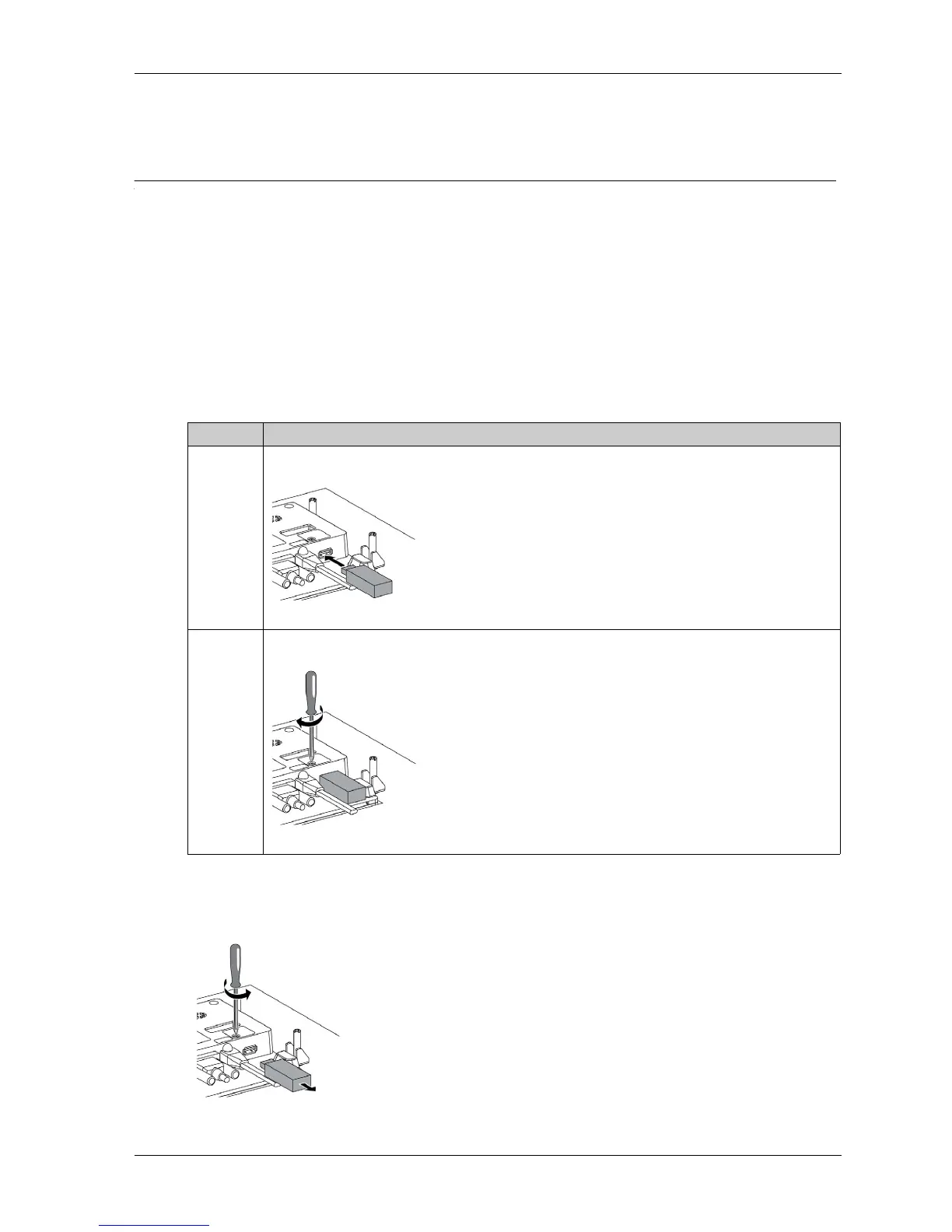
USB Type A Installation
Introduction
When using a USB device, locking the USB interface with the panel helps prevent the USB cable
from being disconnected.
The USB locker does not work with the slim type USB memory stick.
Locking the USB
Releasing the USB
Unlock the USB and then remove the USB memory key.
Step Action
1 Insert the USB cable into the USB host interface:
2 Lock the USB using a screw driver, torque is 0.5...0.8 N•m (4.42...7.07 lb-in):





 To Next Page