EasyManua.ls Logo

Pro-Form PFEL02917.0 - User Manual

Pro-Form PFEL02917.0
32 pages
Print Icon
To Next Page IconTo Next Page
Loading...
USER’S MANUAL
Serial
Number
Decal
Model No. PFEL02917.0
Serial No.
Write the serial number in the space
above for reference.
proform.com
CAUTION
Read all precautions and
instructions in this manual before
using this equipment. Keep this
manual for future reference.
To register your product and
activate your warranty today,
go to my.proform.com.
For service at any time, go to
proformservice.com.
Or call 1-888-533-1333
Mon.–Fri. 6 a.m.–6 p.m. MT
Sat. 8 a.m.–12 p.m. MT
Please do not contact the store.
ACTIVATE YOUR
WARRANTY
CUSTOMER CARE
Question and Answer IconNeed help?

Do you have a question about the Pro-Form PFEL02917.0 and is the answer not in the manual?

Overview

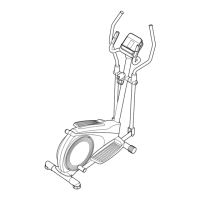
The PRO-FORM 295 CSE is an elliptical fitness machine designed for home use, offering a selection of features to make workouts more effective and enjoyable. It is not intended for commercial, rental, or institutional settings.

Function Description:

The elliptical allows users to engage in cardiovascular exercise by simulating a walking or running motion without the impact on joints. It features pedals that move in an elliptical path and upper body arms for a full-body workout. The console provides continuous exercise feedback, including speed, resistance, time, distance, calories burned, and heart rate. Users can choose between a manual mode, where resistance is adjusted manually, or preset workouts that automatically change resistance and prompt users to maintain a target speed. The console also supports connectivity with tablets via Bluetooth for recording and tracking workout information using the iFit® Bluetooth Tablet app. Additionally, it has a sound system to connect personal audio players and listen to music or audio books during exercise.

Important Technical Specifications:

  • Model Number: PFEL02917.0
  • User Weight Limit: 250 lbs. (113 kg)
  • Dimensions: Length: 4 ft. 6 in. (137 cm), Width: 2 ft. 2 in. (66 cm)
  • Power Source: Batteries for the console (see assembly step 7 on page 10 for installation). An optional power adapter can be purchased.
  • Heart Rate Monitor: Handgrip heart rate monitor and compatibility with optional chest heart rate monitors. Note: The heart rate monitor is not a medical device and is intended as an exercise aid for determining heart rate trends.
  • Connectivity: iFit® Bluetooth Tablet app compatible.
  • FCC Information: The console complies with FCC rules, Part 15, Class B digital device. FCC ID: OMBCBMDI.

Usage Features:

  • Mounting and Dismounting: Hold handlebars or upper body arms. Step onto the lowest pedal first. To dismount, wait for pedals to stop, step off the highest pedal first, then the lowest.
  • Pedal Motion: Pedals can turn in either direction, but moving in the direction shown by the arrow is recommended. The elliptical does not have a freewheel; pedals continue to move until the flywheel stops.
  • Console Operation:
    • Turn On: Press any button or begin pedaling.
    • Manual Mode: Automatically selected upon startup. Resistance can be adjusted using "+" and "-" buttons.
    • Preset Workouts: Select from "Wt. Loss" or "Intensity" buttons. Workouts are divided into one-minute segments with programmed resistance and target speed zones.
    • Displays: Shows RPM, watts, heart rate (BPM), distance (miles/kilometers), elapsed time (or time remaining in workout), calories burned, and a speed meter.
    • Audio System: Connects to personal audio players via a 3.5 mm male audio cable (not included). Volume can be adjusted.
    • Tablet Connectivity: Connects to iFit® Bluetooth Tablet app for workout tracking.
    • Heart Rate Monitoring: Use handgrip sensors or a compatible chest heart rate monitor. Ensure hands are clean for accurate readings.
    • Settings Mode: Allows changing the unit of measurement (miles/kilometers).
  • Moving the Elliptical: Requires two persons. Hold the upright, place one foot against a front wheel, pull on the upright, and have a second person lift the rear stabilizer to roll the elliptical on its wheels.
  • Leveling the Elliptical: Adjust leveling feet beneath the rear stabilizer if the elliptical rocks during use.
  • Exercise Guidelines: Consult a physician before starting any exercise program. Maintain a straight back during exercise. Stop immediately if feeling faint, short of breath, or experiencing pain. Follow recommended exercise intensity for fat burning or aerobic exercise, including warm-up, training zone exercise, and cool-down.

Maintenance Features:

  • Regular Inspection: Inspect and properly tighten all parts each time the elliptical is used. Replace worn parts immediately.
  • Cleaning: Use a damp cloth and mild dish soap. Keep liquids away from the console and avoid direct sunlight.
  • Battery Replacement: If console problems occur, check and replace batteries (see assembly step 7 on page 10).
  • Reed Switch Adjustment: If the console does not display correct feedback, the reed switch may need adjustment. This involves removing the top shield, loosening a screw, aligning the reed switch with a magnet on the pulley, and retightening the screw.
  • Drive Belt Adjustment: If pedals slip, the drive belt may need adjustment. This requires removing pedal arms, pedal discs, and the left shield to access and tighten the drive belt.
  • Storage: Remove batteries from the console during storage.
  • Ordering Replacement Parts: Contact customer care with the model number, serial number, product name, key number, and description of the part.

Pro-Form PFEL02917.0 Specifications

General IconGeneral
BrandPro-Form
ModelPFEL02917.0
CategoryFitness Equipment
LanguageEnglish

Related product manuals