EasyManua.ls Logo

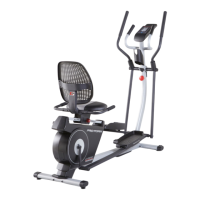
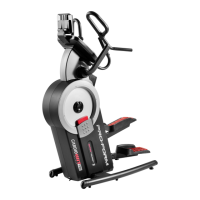
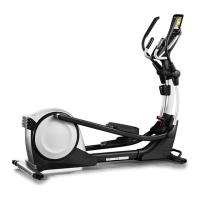
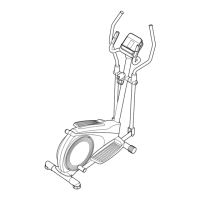
Pro-Form PFEX43921-INT.0 - User Manual

Pro-Form PFEX43921-INT.0
28 pages
Print Icon
To Next Page IconTo Next Page
Loading...
Serial
Number
Decal
CAUTION
Read all precautions and
instructions in this manual before
using this equipment. Keep this
manual for future reference.
Model No. PFEX43921-INT.0
Serial No.
Write the serial number in the space
above for reference.
USER’S MANUAL
iconeurope.com
MEMBER CARE
UNITED KINGDOM
Call: 0330 123 1045
From Ireland: 053 92 36102
Website: iconsupport.eu
E-mail: csuk@iconeurope.com
Write:
ICON Health & Fitness, Ltd.
Unit 4, Westgate Court
Silkwood Park
OSSETT
WF5 9TT
UNITED KINGDOM
AUSTRALIA
Call: 1800 993 770
E-mail: australiacc@iconfitness.com
Write:
iFIT Inc.
PO Box 635
WINSTON HILLS NSW 2153
AUSTRALIA

Questions and Answers

  • K
    Kenneth RodriguezAug 8, 2025
    What to do if my Pro-Form PFEX43921-INT.0 console does not turn on?
    • H
      Heather MccartyAug 8, 2025
      If your Pro-Form Fitness Equipment console isn't turning on, ensure the power adapter is fully plugged in. If the issue persists, you may need a replacement power adapter; in that case, call the telephone number provided in the manual. Also, make sure you are using only a manufacturer-supplied regulated power adapter.
  • L
    lindsay65Aug 22, 2025
    Why does my Pro-Form Fitness Equipment console not display correct feedback?
    • M
      Melinda BrownAug 22, 2025
      If the console on your Pro-Form Fitness Equipment isn't displaying the correct feedback, the reed switch may need adjustment. Rotate the pulley until the magnet aligns with the reed switch, then slide the reed switch slightly toward or away from the magnet and retighten the screw. After adjusting, plug in the power adapter and rotate the pulley to check if the console now displays correct feedback. Repeat these steps until the console displays correct feedback.

Summary

WARNING DECAL LOCATIONS

SAFETY PRECAUTIONS AND WARNINGS

GETTING STARTED GUIDE

COMPONENT IDENTIFICATION

ASSEMBLY GUIDE

EXERCISE BIKE OPERATION

POWER ADAPTER SETUP

Instructions for connecting the power adapter to the bike and outlet.

BIKE STABILIZATION

CONSOLE FUNCTIONALITY

MANUAL WORKOUT MODE

USING iFIT WORKOUTS

HEART RATE MONITOR CONNECTION GUIDE

CONSOLE SETTINGS MANAGEMENT

BIKE MAINTENANCE & TROUBLESHOOTING

ROUTINE BIKE CARE

Routine care for optimal performance and longevity of the bike.

REED SWITCH CALIBRATION

Procedure to fix console feedback issues by adjusting the reed switch.

EXERCISE AND FITNESS ADVICE

REPLACEMENT PART IDENTIFICATION

REPLACEMENT PARTS ORDERING

Pro-Form PFEX43921-INT.0 Specifications

General IconGeneral
Product TypeElliptical
Model NumberPFEX43921-INT.0
Dimensions70.5 x 28 x 67 inches
Warranty2 years frame, 2 years parts, 1 year labour
Display TypeLCD
Display MetricsTime, speed, distance, calories, pulse

Related product manuals