13
13
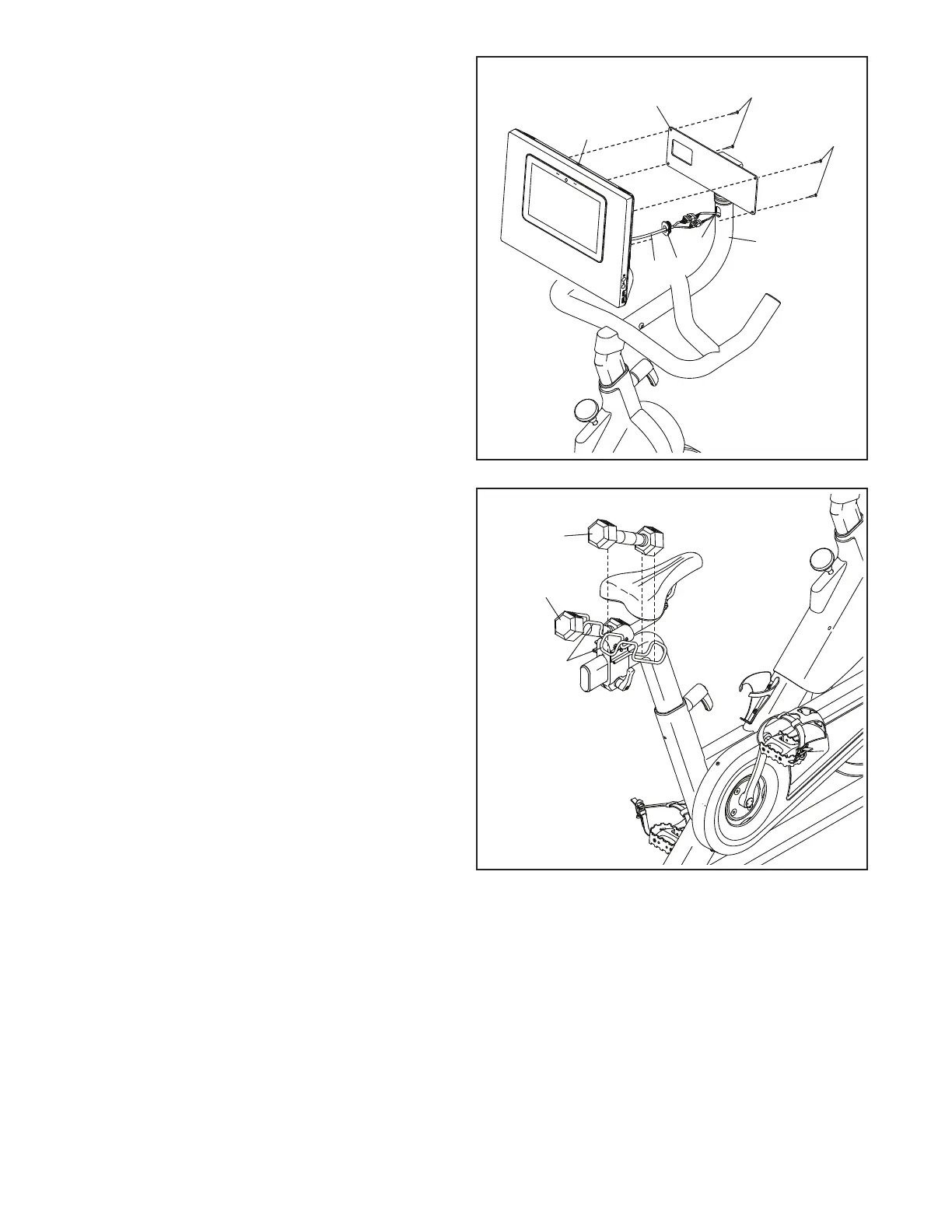
13. Set the Hand Weights (59) in the Weight
Rests (11, 12).
59
59
11, 12
12
Avoid pinching
the wires
12. Connect the connectors on the Console Wire (I)
to the connectors on the Mount Wire (91). Next,
insert the connectors into the Console Mount (5),
and then press the Wire Protector (98) into the
Console Mount. Tip: It may be helpful to insert
the connectors into the Console Mount one
at a time.
Tip: Avoid pinching the wires. If necessary,
tilt the Console Bracket (26) upward to
make this step easier. Attach the Console (6)
to the Console Bracket with four M4 x 16mm
Screws (81); start all the Screws, and then
tighten them.
26
98
I
91
6
81
81
5









 To Next Page