EasyManua.ls Logo

Pro-Form PFTL15820-INT.2 - User Manual

Pro-Form PFTL15820-INT.2
40 pages
Print Icon
To Next Page IconTo Next Page
Loading...
Model No. PFTL15820-INT.2
Serial No.
Write the serial number in the space
above for reference.
USER’S MANUAL
CAUTION
Read all precautions and
instructions in this manual before
using this equipment. Save this
manual for future reference.
CUSTOMER SERVICE
UNITED KINGDOM
Call: 08457 089 009
From Ireland: 053 92 36102
Website: www.iconsupport.eu
E-mail: csuk@iconeurope.com
Write:
ICON Health & Fitness, Ltd.
Unit 4, Westgate Court
Silkwood Park
OSSETT
WF5 9TT
UNITED KINGDOM
AUSTRALIA
Call: 1800 993 770
E-mail: australiacc@iconfitness.com
Write:
ICON Health & Fitness
PO Box 635
WINSTON HILLS NSW 2153
AUSTRALIA
iconeurope.com
Serial
Number
Decal
Question and Answer IconNeed help?

Do you have a question about the Pro-Form PFTL15820-INT.2 and is the answer not in the manual?

Overview

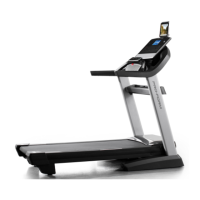
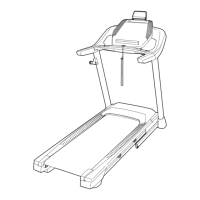
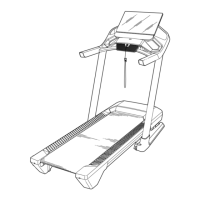
This document is a user's manual for the PRO-FORM PRO 9000 treadmill, model number PFTL15820-INT.2. It provides comprehensive information on assembly, operation, maintenance, and safety precautions.

Function Description

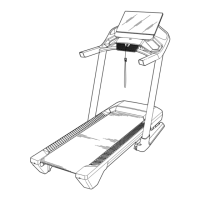
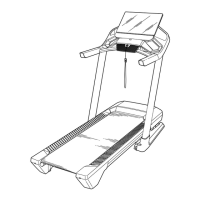
The PRO-FORM PRO 9000 treadmill is a revolutionary exercise machine designed for home use, offering a selection of features to make workouts more effective and enjoyable. It allows users to walk or run, adjust speed and incline, and monitor workout progress. A key feature is its ability to fold up, reducing its floor space requirement by more than half when not in use. The console integrates advanced technology, including a full-color touch screen tablet, wireless connectivity for iFit workouts, and a sound system for audio.
Important Technical Specifications

  • Model Number: PFTL15820-INT.2
  • Dimensions (unfolded): Length: 6 ft. 5 in. (196 cm), Width: 2 ft. 11 in. (89 cm)
  • Weight: 243 lbs (110 kg)
  • Maximum User Weight: 300 lbs. (136 kg)
  • Power Cord: 3-conductor, 14-gauge (2 mm²) cord, no longer than 5 ft. (1.5 m) if an extension cord is needed. Must be earthed.
  • Fuse: ASTA-approved BS1362, 13-amp fuse (for power cord adapter).
  • Wireless Connectivity: Wi-Fi enabled (802.11b/g/n router with SSID broadcast enabled), Bluetooth® Smart heart rate monitor compatible, Bluetooth-enabled device connectivity for audio.
  • Console: Full-color touch screen tablet, not pressure sensitive.
  • Antenna/Transmitter: Must be at least 8 in. (20 cm) from all persons.

Usage Features

  • Assembly: Requires two persons and basic tools (included hex key, adjustable wrench, Phillips screwdriver). Users are advised to register the product online for warranty activation and customer support.
  • Power On/Off: Plug in the power cord, press the power switch into the reset position, and insert the safety key into the console. The safety key can be pulled in an emergency to stop the walking belt.
  • Touch Screen Console: Functions similarly to other tablets, allowing users to slide or flick fingers to navigate. Text input is via an on-screen keyboard.
  • Workout Modes:
    • Manual Mode: Allows users to manually adjust speed and incline using buttons. Displays real-time workout information such as incline level, elapsed time, calories burned, distance, and speed.
    • Map Workouts: Connects to iFit via wireless network to access a library of map-based workouts. Shows progress on a map during the workout.
    • Draw Your Own Map Workouts: Users can draw custom routes on a map, which the treadmill will simulate with elevation and distance stats.
    • Distance or Time Workouts: Allows users to select workouts based on desired distance or time, downloaded from iFit.
  • Incline System: Adjustable incline with numbered buttons. Requires calibration before first use.
  • Speed Control: Adjustable speed with increase/decrease buttons and numbered quick-speed buttons.
  • Heart Rate Monitoring: Compatible with Bluetooth Smart heart rate monitors for continuous monitoring.
  • Sound System: Connects to Bluetooth-enabled devices to play music or audio books through console speakers. Volume can be adjusted via console buttons or the device.
  • Fan: Features multiple speed settings.
  • Folding and Moving: The treadmill can be folded into a storage position, secured by a storage latch. Requires lifting 45 lbs (20 kg) and two people for movement. Incline should be set to zero before folding.
  • Safety: Always stand on foot rails when starting/stopping. Hold handrails during use. Wear the safety clip. Use athletic shoes. Keep children and pets away.

Maintenance Features

  • Regular Cleaning: Clean the treadmill regularly with a damp cloth and mild soap. Do not spray liquids directly onto the console.
  • Part Inspection: Inspect and tighten all parts each time the treadmill is used. Replace worn parts with manufacturer-supplied parts.
  • Troubleshooting: Manual provides solutions for common issues such as power failure, incorrect incline changes, and wireless network connectivity problems.
  • Walking Belt Adjustment: Instructions for tightening and centering the walking belt using a hex key.
  • Reed Switch Adjustment: Instructions for checking and adjusting the gap between the Reed Switch and Magnet if speed/distance displays are incorrect.
  • Firmware Updates: Console automatically checks for and installs firmware updates via wireless network.
  • Incline System Calibration: Procedure to calibrate the incline system, ensuring proper function.
  • Console Reset: Instructions to reset the console to factory default settings if it freezes or does not boot properly (erases custom settings).
  • Lubrication: The walking belt is coated with high-performance lubricant. Users are warned against applying silicone spray or other substances unless instructed by an authorized service representative.
  • Recycling Information: The product must not be disposed of in municipal waste and should be recycled according to local laws.

Pro-Form PFTL15820-INT.2 Specifications

General IconGeneral
BrandPro-Form
ModelPFTL15820-INT.2
CategoryTreadmill
LanguageEnglish

Related product manuals