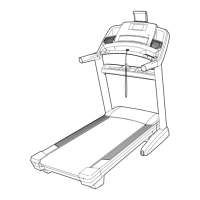
EasyManua.ls Logo

Pro-Form PFTL15116.0 - User Manual

Pro-Form PFTL15116.0
44 pages
Print Icon
To Next Page IconTo Next Page
Loading...
Serial Number
Decal
Model No. PFTL15116.0
Serial No.
Write the serial number in the space
above for reference.
CAUTION
Read all precautions and instruc-
tions in this manual before using
this equipment. Save this manual
for future reference.
www.proform.com
USER’S MANUAL
ACTIVATE YOUR
WARRANTY
To register your product and
activate your warranty today,
go to www.proformservice.com/
registration.
CUSTOMER CARE
For service at any time, go to
www.proformservice.com.
Or call 1-888-533-1333
Mon.–Fri. 6 a.m.–6 p.m. MT
Sat. 8 a.m.–12 p.m. MT
Please do not contact the store.

Questions and Answers

Summary

Product Registration and Support

Activate Your Warranty

Instructions on registering the product to activate warranty coverage and receive product updates.

Customer Care Contact

Provides customer care phone number and website for service and support inquiries.

Safety Warning Decals

Warning Decal Placement Guide

Illustrates where warning decals are located on the treadmill and how to obtain replacements if missing.

Caution: Keep Body Parts Clear

Crucial safety warning to keep hands and feet away from the treadmill while it is in operation.

Important Safety Precautions

Consult Your Physician Before Use

Recommends consulting a doctor before starting any exercise program, especially for those over 35.

Electrical Safety and Surge Protection

Critical instructions on proper grounding, surge suppressor usage, and electrical outlet requirements.

Extended Service Plan Options

Before You Begin Using the Treadmill

Treadmill Component Identification

A diagram clearly labeling all major parts of the treadmill for user reference and understanding.

Treadmill Assembly Guide

Product Registration Process

Instructions on how to register your product online to activate warranty and receive important updates.

Heart Rate Monitor Usage

How to Use the Heart Rate Monitor

Detailed steps for wearing and using the chest heart rate monitor for accurate readings.

Care and Maintenance of Monitor

Guidelines for cleaning and proper storage of the heart rate monitor to ensure its longevity.

Connecting the Treadmill Power

Surge Suppressor Requirements

Specifies the necessary qualifications and types of surge suppressors for treadmill protection.

Console Features Overview

Leveraging iFIT.COM for Workouts

Explains how to use iFIT.com features like Google Maps, downloaded workouts, and progress tracking.

Starting and Operating the Console

How to Turn On Treadmill Power

Detailed instructions on plugging in, using the safety key, and understanding the console's power-on sequence.

Touch Screen Navigation Guide

A guide to interacting with the console's touch screen for various functions and settings.

Initial Console Setup

Connecting to Your Wireless Network

Instructions for connecting the treadmill console to a Wi-Fi network to enable online features.

Using the Manual Workout Mode

Adjusting Speed and Incline

Step-by-step guidance on starting the belt and modifying speed and incline levels in manual mode.

Treadmill Workout Modes

Operating Onboard Workouts

Instructions for selecting and performing the pre-programmed workouts available on the console.

Set a Goal Workout Procedure

Utilizing iFit Workouts

Equipment Settings and Customization

Language and Measurement Unit Settings

Instructions for changing the console's display language and unit of measurement (e.g., miles/km).

Internet Browser and Sound System

Maintenance and Firmware Updates

Calibrating the Incline System

A step-by-step process to ensure the treadmill's incline mechanism functions accurately.

Wireless Network Connection

Tablet Holder and FCC Compliance

Folding and Moving the Treadmill

How to Fold Treadmill for Storage

Detailed steps on how to properly fold the treadmill for convenient storage.

Troubleshooting Power Issues

Addressing Power-On Failures

Specific steps to diagnose and resolve issues when the treadmill does not power on.

Troubleshooting Belt and Incline Problems

Resolving Belt Slowing or Slipping

Instructions for tightening or adjusting the walking belt to correct performance issues.

Tablet Holder Adjustment

Exercise Guidelines and Intensity Zones

Determining Exercise Intensity Levels

How to use heart rate charts to find appropriate intensity for fat burning and aerobic conditioning.

Treadmill Part Identification

Exploded View of Treadmill Components A

Replacement Parts and Warranty Information

Limited Warranty Terms

Outlines the warranty coverage, limitations, and conditions for the treadmill.

Summary

Product Registration and Support

Activate Your Warranty

Instructions on registering the product to activate warranty coverage and receive product updates.

Customer Care Contact

Provides customer care phone number and website for service and support inquiries.

Safety Warning Decals

Warning Decal Placement Guide

Illustrates where warning decals are located on the treadmill and how to obtain replacements if missing.

Caution: Keep Body Parts Clear

Crucial safety warning to keep hands and feet away from the treadmill while it is in operation.

Important Safety Precautions

Consult Your Physician Before Use

Recommends consulting a doctor before starting any exercise program, especially for those over 35.

Electrical Safety and Surge Protection

Critical instructions on proper grounding, surge suppressor usage, and electrical outlet requirements.

Extended Service Plan Options

Before You Begin Using the Treadmill

Treadmill Component Identification

A diagram clearly labeling all major parts of the treadmill for user reference and understanding.

Treadmill Assembly Guide

Product Registration Process

Instructions on how to register your product online to activate warranty and receive important updates.

Heart Rate Monitor Usage

How to Use the Heart Rate Monitor

Detailed steps for wearing and using the chest heart rate monitor for accurate readings.

Care and Maintenance of Monitor

Guidelines for cleaning and proper storage of the heart rate monitor to ensure its longevity.

Connecting the Treadmill Power

Surge Suppressor Requirements

Specifies the necessary qualifications and types of surge suppressors for treadmill protection.

Console Features Overview

Leveraging iFIT.COM for Workouts

Explains how to use iFIT.com features like Google Maps, downloaded workouts, and progress tracking.

Starting and Operating the Console

How to Turn On Treadmill Power

Detailed instructions on plugging in, using the safety key, and understanding the console's power-on sequence.

Touch Screen Navigation Guide

A guide to interacting with the console's touch screen for various functions and settings.

Initial Console Setup

Connecting to Your Wireless Network

Instructions for connecting the treadmill console to a Wi-Fi network to enable online features.

Using the Manual Workout Mode

Adjusting Speed and Incline

Step-by-step guidance on starting the belt and modifying speed and incline levels in manual mode.

Treadmill Workout Modes

Operating Onboard Workouts

Instructions for selecting and performing the pre-programmed workouts available on the console.

Set a Goal Workout Procedure

Utilizing iFit Workouts

Equipment Settings and Customization

Language and Measurement Unit Settings

Instructions for changing the console's display language and unit of measurement (e.g., miles/km).

Internet Browser and Sound System

Maintenance and Firmware Updates

Calibrating the Incline System

A step-by-step process to ensure the treadmill's incline mechanism functions accurately.

Wireless Network Connection

Tablet Holder and FCC Compliance

Folding and Moving the Treadmill

How to Fold Treadmill for Storage

Detailed steps on how to properly fold the treadmill for convenient storage.

Troubleshooting Power Issues

Addressing Power-On Failures

Specific steps to diagnose and resolve issues when the treadmill does not power on.

Troubleshooting Belt and Incline Problems

Resolving Belt Slowing or Slipping

Instructions for tightening or adjusting the walking belt to correct performance issues.

Tablet Holder Adjustment

Exercise Guidelines and Intensity Zones

Determining Exercise Intensity Levels

How to use heart rate charts to find appropriate intensity for fat burning and aerobic conditioning.

Treadmill Part Identification

Exploded View of Treadmill Components A

Replacement Parts and Warranty Information

Limited Warranty Terms

Outlines the warranty coverage, limitations, and conditions for the treadmill.

Pro-Form PFTL15116.0 Specifications

General IconGeneral
Model NumberPFTL15116.0
Display7" Backlit iFit Display
Speed Range0-12 MPH
Speed0 - 12 mph
iFit CompatibilityYes
FoldableYes

Related product manuals