EasyManua.ls Logo

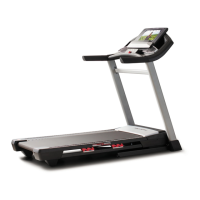
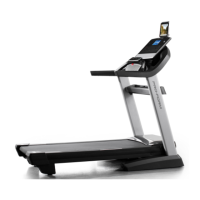
Pro-Form PFTL79117.0 - User Manual

Pro-Form PFTL79117.0
40 pages
Print Icon
To Next Page IconTo Next Page
Loading...
Serial Number
Decal
Model No. PFTL79117.0
Serial No.
Write the serial number in the space
above for reference.
CAUTION
Read all precautions and instruc-
tions in this manual before using
this equipment. Save this manual
for future reference.
USER’S MANUAL
proform.com
ACTIVATE YOUR
WARRANTY
To register your product and
activate your warranty today, go
to my.proform.com.
CUSTOMER CARE
For service at any time, go to
proformservice.com.
Or call 1-866-362-4490
Mon.–Fri. 6 a.m.–6 p.m. MT
Sat. 8 a.m.–12 p.m. MT
Please do not contact the store.

Questions and Answers

  • T
    Thomas BaileyAug 7, 2025
    What to do if Pro-Form Treadmill power does not turn on?
    • M
      Maria BellAug 7, 2025
      First, ensure the power cord is plugged into a surge suppressor and that the surge suppressor is plugged into a properly grounded outlet. After plugging in the power cord, verify that the key is inserted into the console. Also, check the power switch located on the treadmill frame near the power cord. If the switch has tripped (protrudes), wait five minutes, then press the switch back in to reset it. Finally, the console may require activation, please refer to assembly step 20 if you have not activated the console.
  • J
    Jean HamiltonAug 11, 2025
    Why does my Pro-Form Treadmill power turn off during use?
    • K
      Kristen MataAug 11, 2025
      The treadmill might be turning off due to a tripped power switch. Check the power switch and if it has tripped, wait five minutes before pressing it back in. Also, ensure the power cord is securely plugged in; try unplugging it, waiting five minutes, and then plugging it back in. Another potential fix is to remove and reinsert the key from the console.
  • B
    Brianna SosaAug 17, 2025
    What to do if Pro-Form PFTL79117.0 Treadmill walking belt slows when walked on?
    • R
      Ronald HarringtonAug 17, 2025
      Make sure you are using a surge suppressor that meets the specifications. If the walking belt is overtightened, remove the key and unplug the power cord. Then, use the hex key to turn both idler roller screws counterclockwise, 1/4 of a turn.
  • C
    Christina CooleyAug 22, 2025
    How to adjust Pro-Form PFTL79117.0 walking belt if it is off-center or slips?
    • G
      Grant MarshAug 22, 2025
      If the walking belt is off-center, remove the key and unplug the power cord. If the belt has shifted to the left, use the hex key to turn the left idler roller screw clockwise 1/2 of a turn. If it has shifted to the right, turn the left idler roller screw counterclockwise 1/2 of a turn. If the walking belt slips, remove the key and unplug the power cord. Use the hex key to turn both idler roller screws clockwise, 1/4 of a turn.
  • M
    murillomariaAug 27, 2025
    Why do the console displays remain lit on my Pro-Form PFTL79117.0 Treadmill when I remove the key?
    • J
      James DiazAug 27, 2025
      The console displays might remain lit because the treadmill is in demo mode. To turn off the demo mode, hold down the Stop button for a few seconds.
  • M
    Morgan HarrisAug 31, 2025
    How to fix Pro-Form PFTL79117.0 Treadmill tablet holder if it does not stay in place?
    • D
      Dr. Christina ParkerAug 31, 2025
      Rotate the tablet holder backwards. Then, slightly tighten the indicated screw until the tablet holder stays in place when rotated to the desired position.

Summary

Important Safety Precautions

Getting Started with Your Treadmill

Part Identification Chart

Visual guide to identify small parts used for assembly and their quantities.

Treadmill Assembly Instructions

Operating Your Treadmill

Connecting Power and Surge Protection

Instructions for safely connecting the power cord and using a surge suppressor.

Console Operation and Features

Explanation of the console diagram, features, and basic operation modes.

Manual, Workout, and Connectivity Modes

Guide to manual mode, onboard/custom workouts, and connecting devices.

Settings and Holder Usage

Adjusting console settings and using the tablet holder.

Maintenance and Troubleshooting

Common Troubleshooting Symptoms

Specific steps to diagnose and resolve issues like power loss or console errors.

Exercise Guidelines and Intensity

Workout Structure and Frequency

Guidance on warming up, training, cooling down, and recommended exercise frequency.

Treadmill Part List

Exploded Views of Treadmill Components

Exploded Drawing A

Diagram illustrating the assembly of major treadmill frame and base components.

Exploded Drawing B

Diagram showing the assembly of console, motor, and frame support parts.

Exploded Drawing C

Diagram detailing the assembly of uprights, handrails, and base covers.

Exploded Drawing D

Diagram illustrating the assembly of the console, trays, and tablet holder.

Service Information

Pro-Form PFTL79117.0 Specifications

General IconGeneral
Speed Range0-12 MPH
Incline Range0-12%
Motor Power2.75 CHP
Incline0 – 12% Digital Incline Control
Speed0 – 12 MPH Digital Speed Control
Display7" Backlit Display
Programs30 Preset Workout Apps
Heart Rate MonitoringEKG Grip Pulse Sensor
iFit CompatibilityYes (1-year family membership included)
Motor2.75 CHP
DeclineNo

Related product manuals