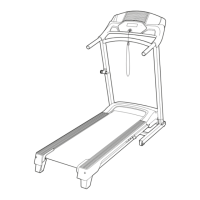
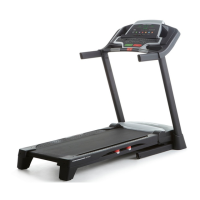
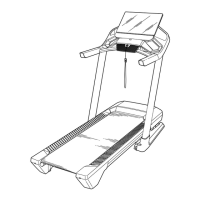
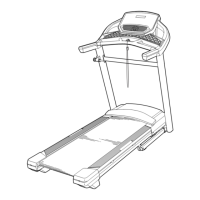
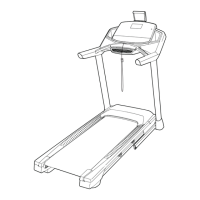
This document is the user manual for the PRO-FORM CITY L6 treadmill, model number PFTL28820.0. It provides comprehensive information on assembly, operation, maintenance, and troubleshooting for the device.
Function Description
The PRO-FORM CITY L6 is a treadmill designed for home use, offering a selection of features to enhance workouts. It allows users to walk or run at various speeds, track exercise feedback, and monitor heart rate. The treadmill is equipped with a console that displays workout information such as calories burned, distance, pace, pulse, speed, and elapsed time. It supports manual mode operation, where users can adjust speed incrementally or by selecting numbered speed buttons. The console also features a scan mode to cycle through workout information and allows customization of displayed metrics.
The treadmill integrates with iFIT, a fitness platform that provides interactive workout experiences. Users can connect their smartphone or tablet to the console via Bluetooth to access the iFIT app, record, and track workout information. The console is also compatible with Bluetooth Smart heart rate monitors for continuous heart rate monitoring during exercise.
For safety, the treadmill includes a safety key that, when removed, causes the walking belt to slow to a stop. It also has a power switch to turn the device off completely when not in use. The treadmill is designed to be foldable for storage and movement, with a latch frame to secure it in an upright position.
Important Technical Specifications
- Model Number: PFTL28820.0
- Dimensions (unfolded): Length: 5 ft. 2 in. (156 cm), Width: 2 ft. 1 in. (63 cm)
- Weight Capacity: 243 lbs. (110 kg) or less
- Power Requirements: Nominal 120-volt circuit, 15 or more amps. Requires a UL 1449 listed transient voltage surge suppressor (TVSS) with a suppressed voltage rating of 400 volts or less and a minimum surge dissipation of 450 joules. The surge suppressor must be electrically rated for 120 volts AC and 15 amps and have a monitoring light.
- Heart Rate Monitoring: Compatible with Bluetooth Smart heart rate monitors.
- Connectivity: Bluetooth for tablets (via iFIT app) and heart rate monitors.
- FCC ID: OMCBMD1 (for the console)
- Warranty: Frame warranted for ten (10) years, parts and labor for one (1) year from the date of purchase.
Usage Features
- Console Display: Shows Calories (CALS), Calories per Hour (CALS/HR), Distance (MI or KM), Pace, Pulse (BPM), Speed (MPH or KPH), and Time.
- Unit of Measurement: Console can display speed and distance in either miles or kilometers (changeable via ST/M button).
- Manual Mode: Allows users to start the walking belt at 1 mph or select specific speeds using numbered buttons. Speed can be adjusted incrementally (0.1 mph) or in larger steps (0.5 mph) by holding down the speed buttons.
- Emergency Stop: The safety key, when pulled from the console, stops the walking belt.
- Tablet Holder: Designed to securely hold most full-size tablets, allowing users to access the iFIT app or other content during workouts.
- iFIT Integration: Connects to smartphones or tablets via Bluetooth to use the iFIT app for tracking workouts, accessing interactive programs, and customizing settings.
- Heart Rate Monitoring: Supports Bluetooth Smart heart rate monitors for continuous heart rate tracking, aiding in targeted fat burning or aerobic exercise.
- Foldable Design: The treadmill can be folded into an upright position for storage and moved on its integrated wheels.
- Exercise Guidelines: The manual provides recommendations for exercise intensity (fat burning and aerobic zones based on heart rate), warming up, training zone exercise, cooling down, and exercise frequency.
Maintenance Features
- Regular Cleaning: Users are instructed to regularly clean the treadmill and walking belt. Exterior parts should be wiped with a damp cloth and mild soap, avoiding direct spraying of liquids onto the treadmill or console.
- Part Inspection: Regular inspection and tightening of all parts are recommended to ensure optimal performance and reduce wear.
- Walking Belt Adjustment: Instructions are provided for adjusting the walking belt if it slows down (due to overtightening) or becomes off-center or slips. This involves using a hex key to adjust idler roller screws.
- Lubrication: The walking belt is coated with high-performance lubricant. Users are warned against applying silicone spray or other substances unless instructed by an authorized service representative.
- Troubleshooting Guide: The manual includes a troubleshooting section for common issues such as the power not turning on or the power turning off during use, with step-by-step solutions.
- Replacement Parts: Information on ordering replacement parts is provided, including the need to specify the model number, serial number, and part description.
- Extended Service Plans: The manual offers details on optional Preventive Maintenance Service Plans and Standard Service Plans to protect the fitness equipment beyond the standard warranty.


 To Next Page
 General