EasyManua.ls Logo

Pro-Form PFTL27721C.0 - User Manual

Pro-Form PFTL27721C.0
28 pages
Print Icon
To Next Page IconTo Next Page
Loading...
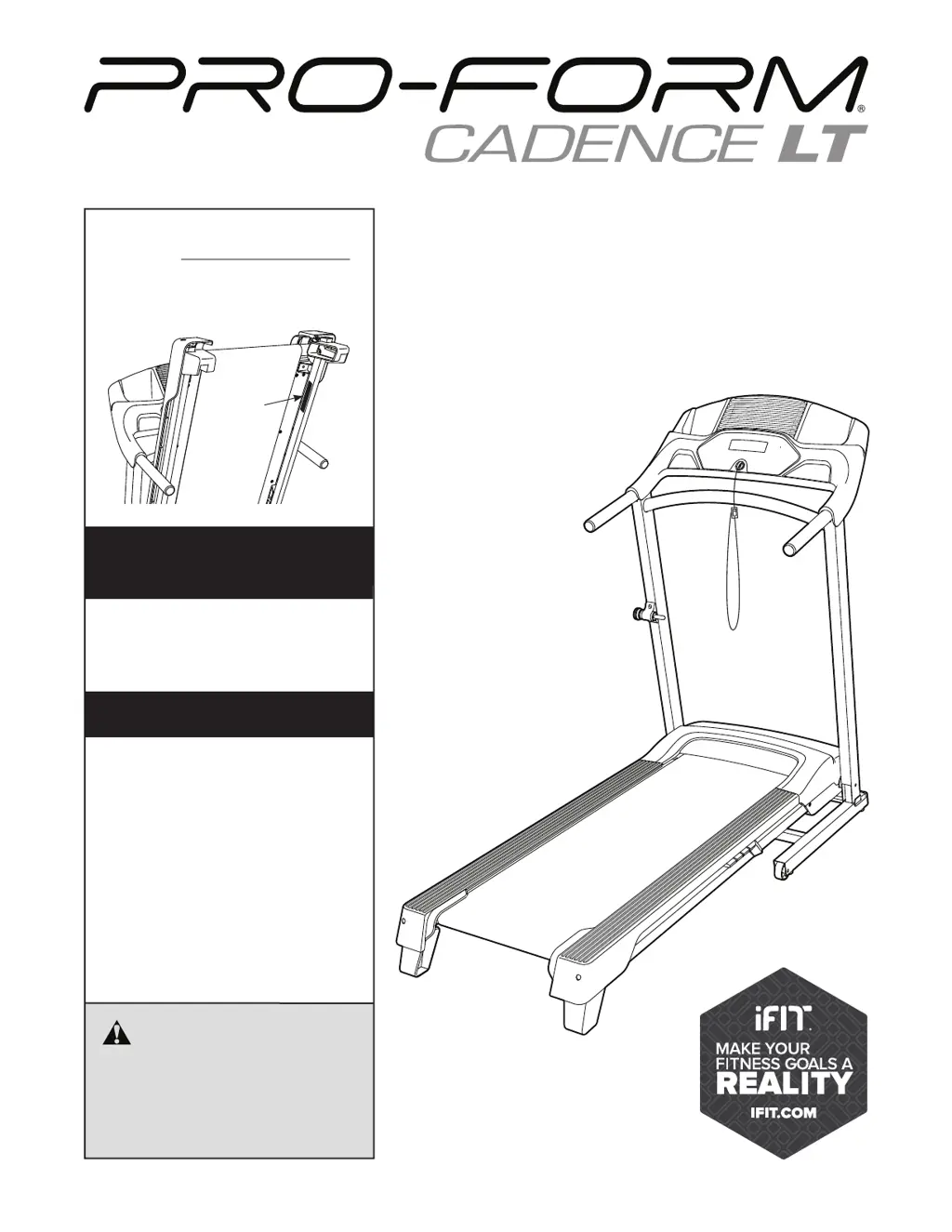
USER’S MANUAL
Model No. PFTL27721C.0
Serial No.
Write the serial number in the space
above for reference.
CAUTION
Read all precautions and
instructions in this manual before
using this equipment. Save this
manual for future reference.
Serial
Number
Decal
proform tness.ca
REGISTER YOUR
PRODUCT
To register your product and
activate your warranty today,
go to iconservice.ca.
MEMBER CARE
Call toll-free 1-888- 936-4266
Mon.–Fri. 7:30 a.m.–4:30 p.m. ET
(excluding holidays)
or email us at
customerservice@iconcanada.ca
Please do not contact the store.

Questions and Answers

  • A
    Angela GarzaAug 14, 2025
    Why Pro-Form Treadmill power does not turn on?
    • R
      Ruth PenaAug 14, 2025
      First, ensure the power cord is correctly plugged into a surge suppressor, and the surge suppressor is connected to a properly grounded outlet. Then, check that the key is inserted into the console after plugging in the power cord. Also, verify the power switch located on the treadmill frame near the power cord; if it's protruding, wait five minutes, then press it back in to reset it. Finally, if you haven't activated the console, refer to assembly step 7.
  • E
    Erica CarneyAug 17, 2025
    How to fix Pro-Form PFTL27721C.0 Treadmill walking belt slows when walked on?
    • D
      Donna BellAug 17, 2025
      If the walking belt is overtightened, it can decrease performance. Remove the key and unplug the power cord. Using the hex key, turn both idler roller screws counterclockwise, 1/4 of a turn. Your treadmill features a walking belt coated with high-performance lubricant. Never apply silicone spray or other substances to the walking belt or the walking platform unless instructed to do so by an authorized service representative.
  • V
    Victor JimenezAug 21, 2025
    How to adjust Pro-Form Treadmill walking belt if it is off-center or slips?
    • M
      Mary OwensAug 21, 2025
      If the walking belt is off-center, remove the key and unplug the power cord. If the belt has shifted to the left, turn the left idler roller screw clockwise 1/2 of a turn; if the walking belt has shifted to the right, turn the left idler roller screw counterclockwise 1/2 of a turn. If the walking belt slips when walked on, remove the key and unplug the power cord. Use the hex key to turn both idler roller screws clockwise, 1/4 of a turn.
  • J
    Jason MedinaAug 25, 2025
    How to fix Pro-Form Treadmill when the power does not turn on?
    • N
      Nancy DelacruzAug 25, 2025
      First, ensure the power cord is plugged into a surge suppressor, and the surge suppressor is connected to a properly grounded outlet. Next, confirm that the key is correctly inserted into the console. Also, check the power switch; if it's tripped (protruding), wait five minutes, then press it back in to reset it. If you're using an AFCI-equipped outlet and the circuit breaker trips repeatedly, you may need an arc filter. Finally, if you haven't activated the console, refer to assembly step 7.
  • S
    Sherri SpencerAug 27, 2025
    Why is the walking belt off-center or slipping on my Pro-Form Treadmill?
    • R
      Robert PetersenAug 27, 2025
      If the walking belt is off-center or slips when walked on, first remove the key and unplug the power cord. If the walking belt has shifted to the left, turn the left idler roller screw clockwise 1/2 of a turn; if the walking belt has shifted to the right, turn the left idler roller screw counterclockwise 1/2 of a turn. If the walking belt slips when walked on, use the hex key to turn both idler roller screws clockwise, 1/4 of a turn. When the walking belt is correctly tightened, you should be able to lift each edge of the walking belt 2 to 3 in. (5 to 7 cm) off the walking platform.
  • D
    Donald CollierAug 30, 2025
    What to do if Pro-Form PFTL27721C.0 power turns off during use?
    • J
      Justin PattonAug 30, 2025
      Check the power switch. Ensure the power cord is securely plugged in; if it is, unplug it, wait five minutes, and plug it back in. Also, remove the key from the console and reinsert it.
  • P
    Penny RobertsonSep 3, 2025
    How to turn off demo mode on Pro-Form PFTL27721C.0 Treadmill?
    • D
      Damon LawsonSep 3, 2025
      The console may be in a display demo mode. To turn off the demo mode, hold down the Stop button for a few seconds.
  • H
    Heather MurphySep 6, 2025
    How to fix Pro-Form Treadmill walking belt slowing down?
    • R
      Robert SimpsonSep 7, 2025
      If the walking belt slows when walked on, it might be overtightened. Remove the key and unplug the power cord. Using the hex key, turn both idler roller screws counterclockwise, 1/4 of a turn. When the walking belt is properly tightened, you should be able to lift each edge of the walking belt 2 to 3 in. (5 to 7 cm) off the walking platform. Never apply silicone spray or other substances to the walking belt or the walking platform unless instructed to do so by an authorized service representative. If you suspect that the walking belt needs more lubricant, please see the front cover of this manual. If the walking belt still slows when walked on, please see the front cover of this manual.
  • C
    christine27Sep 9, 2025
    What to do if Pro-Form PFTL27721C.0 Treadmill console display stays on?
    • C
      Christine LaraSep 9, 2025
      If the console displays remain lit when you remove the key, the console may be in display demo mode. To turn off this mode, hold down the Stop button for a few seconds. If the displays are still lit, see THE SETTINGS MODE on page 17 to turn off the demo mode.

Pro-Form PFTL27721C.0 Specifications

General IconGeneral
Running Area20" x 60"
Weight Capacity300 lbs
Incline12%
Speed0 – 12 MPH Digital Speed
FoldingYes
Dimensions73.5" L x 35.74" W x 68.11" H
Motor2.75 CHP Mach Z Commercial Plus Motor

Related product manuals