EasyManua.ls Logo

Pro-Form PFTL29720.3 - User Manual

Pro-Form PFTL29720.3
28 pages
Print Icon
To Next Page IconTo Next Page
Loading...
USER’S MANUAL
Model No. PFTL29720.3
Serial No.
Write the serial number in the space
above for reference.
CAUTION
Read all precautions and
instructions in this manual before
using this equipment. Save this
manual for future reference.
Serial
Number
Decal
proform.com
ACTIVATE YOUR
WARRANTY
To register your product and
activate your warranty today,
go to my.proform.com.
CUSTOMER CARE
For service at any time, go to
support.proform.com.
Or call 1-888-533-1333
Mon.–Fri. 6 a.m.–6 p.m. MT
Sat. 8 a.m.–12 p.m. MT
Please do not contact the store.

Questions and Answers

Overview

This document is a user manual for the PRO-FORM CADENCE LT treadmill, model number PFTL29720.3. It provides comprehensive instructions for assembly, operation, maintenance, and troubleshooting, as well as important safety precautions and warranty information.

Function Description

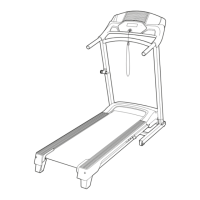
The PRO-FORM CADENCE LT treadmill is designed for home use to facilitate effective workouts. It allows users to walk or run on a moving belt, with adjustable speed and incline settings to vary exercise intensity. The console provides continuous exercise feedback, including time, distance, speed, and approximate calories burned. It also features a built-in heart rate monitor and offers a selection of preset workouts. The treadmill is designed to be foldable, requiring less than half the floor space of other treadmills when not in use, making it suitable for compact living spaces. It supports Bluetooth connections to tablets via the iFit-Workouts at Home app for recording and tracking workout information, and to compatible Bluetooth Smart heart rate monitors for continuous heart rate monitoring.

Important Technical Specifications

  • Model Number: PFTL29720.3
  • Dimensions (Length x Width): 5 ft. 5 in. (165 cm) x 2 ft. 5 in. (74 cm)
  • Weight Capacity: 275 lbs. (125 kg) or less
  • Power Requirements: Nominal 120-volt circuit capable of carrying 15 or more amps. Requires a UL 1449 listed transient voltage surge suppressor (TVSS) with a suppressed voltage rating of 400 volts or less and a minimum surge dissipation of 450 joules.
  • Incline Levels: Two adjustable incline levels.
  • Heart Rate Monitoring: Built-in thumb heart rate monitor and compatibility with Bluetooth Smart heart rate monitors.
  • Connectivity: Bluetooth for tablet (iFit-Workouts at Home app) and heart rate monitor connections.
  • FCC ID: OMCBMD1 (for the console)

Usage Features

  • Assembly: Requires two persons and basic tools (included hex keys, Phillips screwdriver). Users are encouraged to register their product online for warranty activation and customer support.
  • Power On/Off: The treadmill is turned on by plugging in the power cord, ensuring the power switch is in the reset position, and inserting the safety key into the console. The safety key is a crucial emergency stop feature.
  • Manual Mode: Allows users to manually adjust the walking belt speed using increase/decrease buttons or numbered speed buttons. Speed can be changed in small increments, or by pressing two numbered buttons in succession for decimal speeds (e.g., 3 and 5 for 3.5 mph).
  • Preset Workouts: Offers Calorie Workouts and Interval Workouts that automatically control the treadmill's speed to guide users through effective exercise sessions. The console displays a profile of the workout, indicating current and upcoming speed settings.
  • Heart Rate Monitoring: Users can measure their heart rate by placing their thumb on the console's heart rate monitor or by connecting a compatible Bluetooth Smart heart rate monitor. The console prioritizes Bluetooth Smart monitor readings if both are used.
  • Tablet Connectivity: Connects to iOS® or Android™ tablets via Bluetooth using the iFit-Workouts at Home app to record and track workout data. Heart rate monitors should be connected before tablets.
  • Settings Mode: Allows users to view the console's software version, change the unit of measurement (miles or kilometers), and turn the display demo mode on or off.
  • Incline Adjustment: The treadmill has two incline levels that can be manually adjusted by rotating the incline feet. This must be done while the treadmill is folded and unplugged.
  • Folding and Moving: The treadmill can be folded into a vertical position for storage, reducing its footprint. It has wheels for easier movement, but requires two people and careful handling. The storage latch must be fully engaged before moving or storing.

Maintenance Features

  • Regular Inspection: Users are advised to inspect and properly tighten all parts each time the treadmill is used and replace any worn parts immediately.
  • Cleaning: The treadmill should be regularly cleaned with a damp cloth and mild soap, then thoroughly dried. Liquids should not be sprayed directly onto the console.
  • Power Switch Reset: If the treadmill loses power during use, the power switch may have tripped and can be reset after a five-minute wait.
  • Walking Belt Adjustment: Instructions are provided for adjusting the walking belt if it slows down, is off-center, or slips. This involves using a hex key to turn idler roller screws.
  • Lubrication: The walking belt is coated with high-performance lubricant. Users are explicitly warned against applying silicone spray or other substances unless instructed by a service representative, as this can cause damage and excessive wear.
  • Surge Suppressor: The manual emphasizes the importance of using a UL 1449 listed surge suppressor to protect the treadmill from voltage changes, which can damage the control system and lead to unexpected belt behavior.
  • Troubleshooting: A dedicated section addresses common issues such as power problems, console display issues, and walking belt performance, providing step-by-step solutions.

Pro-Form PFTL29720.3 Specifications

General IconGeneral
BrandPro-Form
ModelPFTL29720.3
CategoryTreadmill
LanguageEnglish

Related product manuals