EasyManua.ls Logo

Pro-Form PFTL39921.0 - User Manual

Pro-Form PFTL39921.0
32 pages
Print Icon
To Next Page IconTo Next Page
Loading...
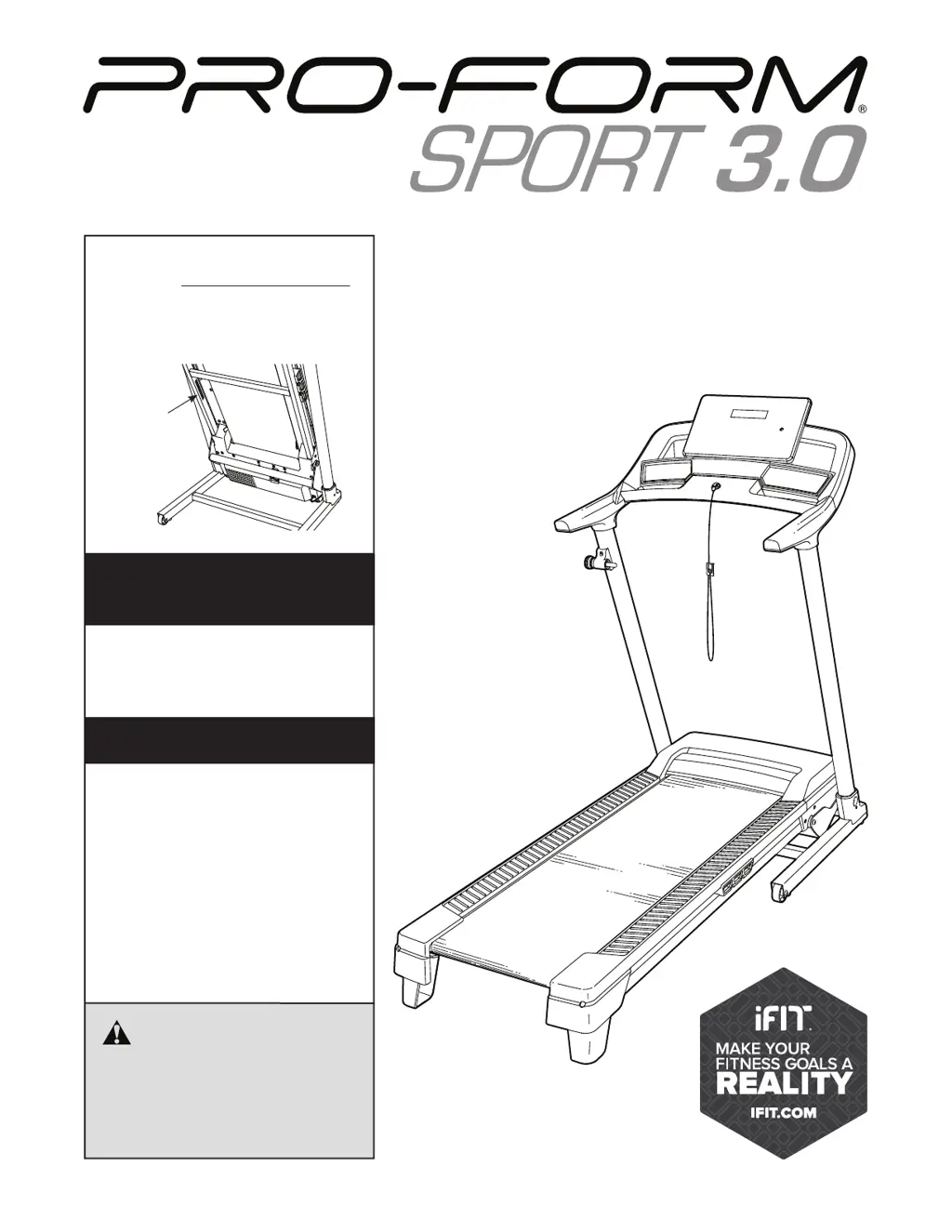
USER’S MANUAL
Model No. PFTL39921.0
Serial No.
Write the serial number in the space
above for reference.
CAUTION
Read all precautions and
instructions in this manual before
using this equipment. Save this
manual for future reference.
proform.com
Serial
Number
Decal
To register your product and
activate your warranty today,
go to my.proform.com.
REGISTER YOUR
PRODUCT
MEMBER CARE
For service at any time, go to
support.proform.com.
Or call 1-833-680-IFIT
(1-833-680-4348)
Mon.–Fri. 6 a.m.–6 p.m. MT
Sat. 8 a.m.–12 p.m. MT
Please do not contact the store.

Questions and Answers

  • T
    Thomas BowersAug 16, 2025
    What to do if Pro-Form PFTL39921.0 power does not turn on?
    • J
      johnsonkimberlyAug 16, 2025
      First, ensure the power cord is correctly plugged into a surge suppressor, and the suppressor into a grounded outlet. Then, check that the key is properly inserted into the console after plugging in the cord. Also, examine the power switch on the treadmill frame near the cord; if it's protruding, wait five minutes before pressing it back in to reset it. Finally, the console might need activation; refer to assembly step 10 if you haven't activated it.
  • K
    Katherine PerezAug 19, 2025
    Why does my Pro-Form Treadmill power turn off during use?
    • H
      Heather PollardAug 19, 2025
      If your Pro-Form Treadmill turns off during use, check the power switch; if it has tripped, wait five minutes, then press it back in. Ensure the power cord is securely plugged in; if it is, unplug it, wait five minutes, and plug it back in. Also, try removing and reinserting the key from the console. If the issue persists, please consult the front cover of this manual.
  • T
    Thomas StewartAug 22, 2025
    How to fix Pro-Form PFTL39921.0 Treadmill walking belt slowing down when walked on?
    • T
      Terry NealAug 22, 2025
      If the walking belt slows down when walked on, it might be overtightened. Remove the key and unplug the power cord. Use the hex key to turn both idler roller screws counterclockwise 1/4 of a turn. The belt should be tight enough that you can lift each edge 2 to 3 inches off the platform. Also, your treadmill belt is coated with high-performance lubricant. Never apply silicone spray or other substances to the walking belt or the walking platform unless instructed to do so by an authorized service representative. If the walking belt still slows when walked on, see the front cover of this manual.
  • P
    pgoodwinAug 26, 2025
    How to fix Pro-Form PFTL39921.0 Treadmill walking belt if it is off-center or slips?
    • B
      Brandon RomanAug 26, 2025
      If the walking belt is off-center, remove the key and unplug the power cord. If the belt has shifted left, turn the left idler roller screw clockwise 1/2 turn with the hex key. If it has shifted right, turn the left idler roller screw counterclockwise 1/2 turn. If the walking belt slips when walked on, first remove the key and unplug the power cord. Then, using the hex key, turn both idler roller screws clockwise 1/4 of a turn.
  • P
    Paul BrooksAug 28, 2025
    What to do if Pro-Form Treadmill turns off during use?
    • J
      jamesramosAug 28, 2025
      If your Pro-Form Treadmill shuts off during use, start by checking the power switch. Ensure the power cord is securely plugged in; if it is, unplug it, wait five minutes, and then plug it back in. Another step is to remove and reinsert the key from the console.
  • W
    wongcatherineAug 31, 2025
    Why is the walking belt on my Pro-Form Treadmill off-center or slipping?
    • C
      Cassandra TranAug 31, 2025
      If the walking belt on your Pro-Form Treadmill is off-center or slips, first remove the key and unplug the power cord. To correct an off-center belt, if it has shifted to the left, turn the left idler roller screw clockwise 1/2 turn; if it has shifted to the right, turn the left idler roller screw counterclockwise 1/2 turn. If the belt slips, turn both idler roller screws clockwise 1/4 of a turn.
  • M
    michaelthompsonSep 3, 2025
    How to recalibrate incline on Pro-Form PFTL39921.0 Treadmill?
    • J
      john74Sep 3, 2025
      To recalibrate the incline on your Pro-Form Treadmill, enter the settings mode. Press the Stop button once, and then press either the Incline increase or decrease button. The treadmill will automatically rise to the maximum incline and then return to the minimum level, recalibrating the incline system.
  • R
    Richard MillerSep 6, 2025
    What to do if Pro-Form Treadmill console displays remain lit after removing the key?
    • M
      Mark RiveraSep 6, 2025
      The console features a display demo mode. If the displays remain lit when you remove the key, the demo mode is turned on. To turn off the demo mode, hold down the Stop button for a few seconds. If the displays are still lit, see THE SETTINGS MODE on page 19 to turn off the demo mode.
  • C
    Candace FreemanSep 9, 2025
    Why does the walking belt on my Pro-Form Treadmill slow down when I walk on it?
    • K
      Kristen HudsonSep 9, 2025
      If the walking belt on your Pro-Form Treadmill slows down when you walk on it, it might be overtightened. To fix this, remove the key and unplug the power cord. Then, using a hex key, turn both idler roller screws counterclockwise by 1/4 of a turn. When properly tightened, you should be able to lift each edge of the belt 2 to 3 inches off the platform. Also, it is important to only use the lubricant recommended for your treadmill.
  • S
    Sandra CombsSep 12, 2025
    How to turn off demo mode on Pro-Form Treadmill?
    • H
      Heather EvansSep 12, 2025
      If the console displays on your Pro-Form Treadmill stay lit even after removing the key, the demo mode might be activated. To deactivate it, try holding down the Stop button for a few seconds.

Pro-Form PFTL39921.0 Specifications

General IconGeneral
FoldingYes
Programs16
Heart Rate MonitoringYes
Model NumberPFTL39921.0
Speed Range0-10 mph
Incline Range0-10%
Weight Capacity300 lbs
Motor2.0 CHP
Incline0-10%
Speed0-10 mph
Display5-inch LED
User Capacity300 pounds

Related product manuals