EasyManua.ls Logo

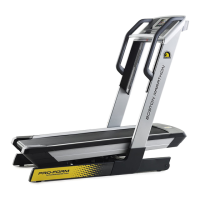
Pro-Form PFTL39617-INT.0 - User Manual

Pro-Form PFTL39617-INT.0
32 pages
Print Icon
To Next Page IconTo Next Page
Loading...
USER’S MANUAL
Model No. PFTL39617-INT.0
Serial No.
Write the serial number in the space
above for reference.
CAUTION
Read all precautions and
instructions in this manual before
using this equipment. Save this
manual for future reference.
Serial Number
Decal
CUSTOMER SERVICE
UNITED KINGDOM
Call: 0330 123 1045
From Ireland: 053 92 36102
Website: iconsupport.eu
E-mail: csuk@iconeurope.com
Write:
ICON Health & Fitness, Ltd.
Unit 4, Westgate Court
Silkwood Park
OSSETT
WF5 9TT
UNITED KINGDOM
AUSTRALIA
Call: 1800 993 770
E-mail: australiacc@iconfitness.com
Write:
ICON Health & Fitness, Inc.
PO Box 635
WINSTON HILLS NSW 2153
AUSTRALIA
iconeurope.com

Questions and Answers

  • M
    Matthew PowellAug 5, 2025
    How to fix Pro-Form PFTL39617-INT.0 Treadmill when power does not turn on?
    • P
      Phillip BrockAug 6, 2025
      If your Pro-Form Treadmill isn't turning on, there are a few things you can check: * If you're using an extension cord, make sure it's a 3-conductor, 14-gauge cord no longer than 5 feet. * Ensure the key is fully inserted into the console. * Check the power switch on the treadmill frame near the power cord. If it's sticking out, it has tripped. Reset it by waiting five minutes, then pressing the switch back in.
  • S
    smithkimberlyAug 9, 2025
    What to do if Pro-Form Treadmill turns off during use?
    • D
      Danielle WilliamsAug 9, 2025
      If your Pro-Form Treadmill shuts off while you're using it: * Check the power switch and reset it if it has tripped by waiting five minutes and then pressing it back in. * Ensure the power cord is securely plugged in. If it is, unplug it, wait five minutes, and plug it back in. * Try removing and reinserting the key from the console.
  • M
    Michele BakerAug 14, 2025
    How to fix Pro-Form PFTL39617-INT.0 Treadmill walking belt that slips?
    • Q
      qhernandezAug 14, 2025
      If the walking belt on your Pro-Form Treadmill is slipping, first remove the key and unplug the power cord. Then, use the hex key to turn both idler roller screws clockwise, 1/4 of a turn. Make sure that when the walking belt is correctly tightened, you should be able to lift each edge of the walking belt 2 to 3 inches off the walking platform. Keep the walking belt centered. Plug the power cord back in, insert the key, and walk on the treadmill for a few minutes. Repeat these steps until the walking belt is properly tightened.
  • D
    Dr. Gary HarrellAug 18, 2025
    What to do if incline of Pro-Form PFTL39617-INT.0 does not change correctly?
    • A
      Anthony ColemanAug 18, 2025
      To recalibrate the incline system on your Pro-Form Treadmill, select the information mode. Then, press the Stop button once, followed by either the Incline increase or decrease button. The treadmill will automatically rise to the maximum incline and then return to the minimum, calibrating the system. Once calibrated, remove the key from the console.
  • E
    Eddie AshleyAug 22, 2025
    What to do if Pro-Form Treadmill walking belt is not centered?
    • P
      Peter GarciaAug 22, 2025
      If the walking belt on your Pro-Form Treadmill is not centered, and you notice it rubbing against the foot rails (which can cause damage), first remove the key and unplug the power cord. If the belt has shifted to the left, turn the left idler roller screw clockwise 1/2 turn using the hex key. If it has shifted to the right, turn the left idler roller screw counterclockwise 1/2 turn. Be careful not to overtighten the belt. Plug the power cord back in, insert the key, and walk on the treadmill for a few minutes. Repeat this process until the belt is centered.
  • J
    Jose PerezAug 27, 2025
    Why Pro-Form PFTL39617-INT.0 walking belt slows down when walked on?
    • C
      chooverAug 27, 2025
      If the walking belt on your Pro-Form Treadmill slows down when you walk on it, it might be overtightened, which can decrease performance and damage the belt. To fix this, remove the key and unplug the power cord. Use the hex key to turn both idler roller screws counterclockwise, 1/4 of a turn. When the walking belt is properly tightened, you should be able to lift each edge of the walking belt 2 to 3 inches off the walking platform. Keep the walking belt centered. Plug the power cord back in, insert the key, and walk on the treadmill for a few minutes. Repeat until the walking belt is properly tightened.
  • T
    todd65Aug 31, 2025
    How to turn off demo mode on Pro-Form PFTL39617-INT.0 Treadmill?
    • R
      Rose MckinneyAug 31, 2025
      If the console displays on your Pro-Form Treadmill stay lit even after you remove the key, it's likely in display demo mode. To disable this, hold down the Stop button for a few seconds.

Summary

ProForm Treadmill Customer Service

United Kingdom Customer Support

Contact information and service details for the United Kingdom.

Australia Customer Support

Contact information and service details for Australia.

Warning Decal Placement Guide

Important Treadmill Safety Precautions

Getting Started: Before You Begin

Treadmill Assembly Instructions

Using Your ProForm Treadmill

Console Diagram and Overview

Console Features Explained

Turning On Treadmill Power

Operating the Treadmill Manual Mode

Using Preset Treadmill Workouts

Folding and Moving the Treadmill

Maintenance and Troubleshooting

Troubleshooting Common Problems

Guide to identify and resolve common treadmill operational issues.

Exercise Guidelines and Recommendations

Ordering Replacement Treadmill Parts

Pro-Form PFTL39617-INT.0 Specifications

General IconGeneral
BrandPro-Form
ModelPFTL39617-INT.0
CategoryTreadmill
LanguageEnglish

Related product manuals