EasyManua.ls Logo

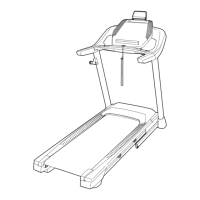
Pro-Form PFTL87720-INT.0 - User Manual

Pro-Form PFTL87720-INT.0
40 pages
Print Icon
To Next Page IconTo Next Page
Loading...
T7
USER’S MANUAL
Model No. PFTL87720-INT.0
Serial No.
Write the serial number in the space
above for reference.
Serial
Number
Decal
CAUTION
Read all precautions and
instructions in this manual before
using this equipment. Keep this
manual for future reference.
iconeurope.com
CUSTOMER SERVICE
UNITED KINGDOM
Call: 0330 123 1045
From Ireland: 053 92 36102
Website: iconsupport.eu
E-mail: csuk@iconeurope.com
Write:
ICON Health & Fitness, Ltd.
Unit 4, Westgate Court
Silkwood Park
OSSETT
WF5 9TT
UNITED KINGDOM
AUSTRALIA
Call: 1800 993 770
E-mail: australiacc@iconfitness.com
Write:
ICON Health & Fitness, Inc.
PO Box 635
WINSTON HILLS NSW 2153
AUSTRALIA

Questions and Answers

  • R
    Rachel WillisAug 17, 2025
    What to do if Pro-Form PFTL87720-INT.0 Treadmill power turns off during use?
    • J
      Jessica HowardAug 17, 2025
      If the power turns off during use, try these steps: First, check the power switch. If it has tripped, wait five minutes, then press it back in. Next, ensure the power cord is properly plugged in; if it is, unplug it, wait five minutes, and plug it back in. Finally, remove the key from the console and reinsert it.
  • L
    lindsayvalenciaAug 20, 2025
    How to fix Pro-Form Treadmill walking belt slowing when walked on?
    • M
      Megan LangAug 20, 2025
      If the walking belt slows down when you walk on your Pro-Form Treadmill, it might be overtightened. To fix this, remove the key and unplug the power cord. Then, use the hex key to turn both idler roller screws counterclockwise, 1/4 of a turn. Also, your treadmill has a walking belt coated with high-performance lubricant. Do not apply silicone spray or other substances to the walking belt or the walking platform unless instructed by an authorized service representative.
  • S
    Shirley GardnerAug 22, 2025
    How to fix off-center or slipping walking belt on Pro-Form PFTL87720-INT.0?
    • G
      greenchrisAug 23, 2025
      If the walking belt is off-center, first remove the key to turn the left idler roller screw clockwise 1/2 of a turn; if the walking belt has shifted to the right, turn the left idler roller screw counterclockwise 1/2 of a turn. If the walking belt slips when walked on, first unplug the power cord. Using the hex key, turn both idler roller screws clockwise, 1/4 of a turn.
  • E
    Edward PaceAug 26, 2025
    How to troubleshoot Pro-Form PFTL87720-INT.0 not turning on?
    • S
      Shane FloresAug 26, 2025
      If your Pro-Form Treadmill isn't turning on, first ensure the power cord is plugged into a surge suppressor and that the surge suppressor is plugged into a properly grounded outlet. If you're using an AFCI-equipped outlet and the circuit breaker trips repeatedly, consider purchasing an arc filter. Finally, after plugging in the power cord, make sure the key is inserted into the console.
  • H
    hmartinezAug 28, 2025
    What to do if Pro-Form PFTL87720-INT.0 Treadmill console displays don't function properly?
    • B
      Brian FrazierAug 28, 2025
      If the console of your Pro-Form Treadmill does not boot up properly, or if the console freezes and does not respond, reset the console to the factory default settings.
  • M
    Molly McdonaldAug 31, 2025
    Why Pro-Form PFTL87720-INT.0 Treadmill will not connect to the wireless network?
    • K
      Krystal AdkinsAug 31, 2025
      If your Pro-Form Treadmill won't connect to the wireless network, first ensure that the wireless settings on the console are correct. Also, verify that the settings for your wireless network are correct.
  • K
    Kevin FreemanSep 2, 2025
    How to fix Pro-Form PFTL87720-INT.0 Treadmill walking belt slipping?
    • C
      curtiswoodsSep 2, 2025
      To fix a slipping walking belt on your Pro-Form Treadmill, first remove the key and unplug the power cord. Then, using the hex key, turn both idler roller screws clockwise, 1/4 of a turn. Ensure the walking belt is correctly tightened, allowing you to lift each edge 2 to 3 inches off the platform. Keep the belt centered. Plug in the power cord, insert the key, and walk on the treadmill for a few minutes. Repeat until the belt is properly tightened.
  • D
    danielcampbellSep 5, 2025
    Why Pro-Form Treadmill power does not turn on?
    • C
      cortezdanielleSep 6, 2025
      If the power on your Pro-Form Treadmill does not turn on, first make sure that the key is inserted into the console. Also, check the power switch located on the treadmill frame near the power cord. If the switch has tripped, wait five minutes and then press it back in to reset it.
  • G
    George GillSep 12, 2025
    What to do if Pro-Form PFTL87720-INT.0 Treadmill walking belt slows down when walked on?
    • C
      Carolyn AcostaSep 12, 2025
      If the walking belt slows when walked on, it might be overtightened. To resolve this, remove the key and unplug the power cord. Use the hex key to turn both idler roller screws counterclockwise, 1/4 of a turn. The walking belt should be tightened enough to allow you to lift each edge 2 to 3 inches off the walking platform. Keep the walking belt centered. Plug in the power cord, insert the key, and walk on the treadmill for a few minutes. Repeat until the walking belt is properly tightened.
  • F
    Frank RoweSep 13, 2025
    How to center the walking belt on a Pro-Form PFTL87720-INT.0 Treadmill?
    • D
      Danielle PierceSep 13, 2025
      To center the walking belt on your Pro-Form Treadmill, first remove the key and unplug the power cord. If the belt has shifted left, turn the left idler roller screw clockwise 1/2 turn. If it has shifted right, turn the left idler roller screw counterclockwise 1/2 turn. Avoid overtightening. Plug in the power cord, insert the key, and walk on the treadmill for a few minutes. Repeat until the belt is centered.

Pro-Form PFTL87720-INT.0 Specifications

General IconGeneral
FoldingYes
Incline10%
DisplayLCD
Motor2.5 HP
Display TypeLCD

Related product manuals