EasyManua.ls Logo

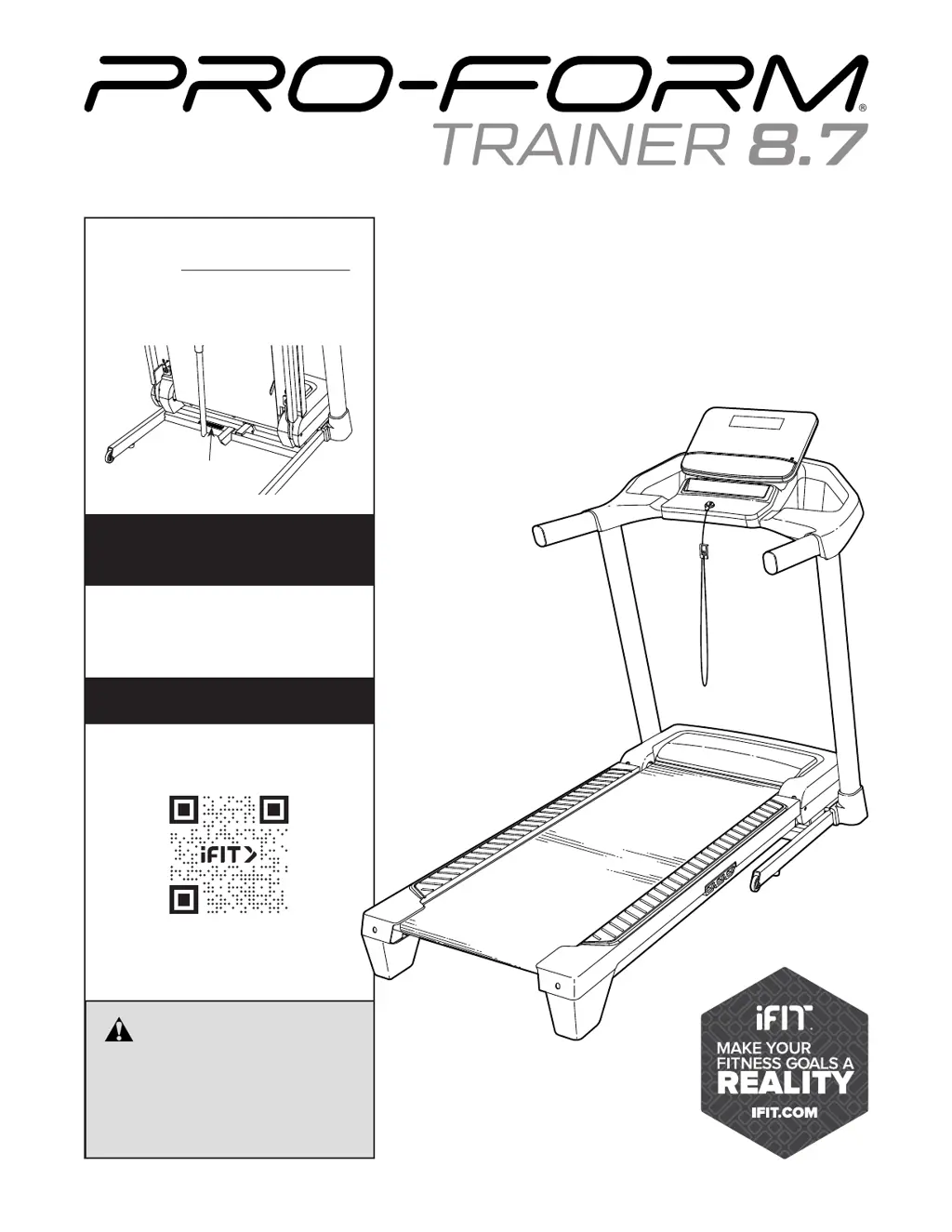
Pro-Form TRAINER 8.7 - User Manual

Pro-Form TRAINER 8.7
40 pages
Print Icon
To Next Page IconTo Next Page
Loading...
USER’S MANUAL
proform.com
Model No. PFTL67723.1
Serial No.
Write the serial number in the space
above for reference.
Serial Number
Decal
CAUTION
Read all precautions and
instructions in this manual before
using this equipment. Keep this
manual for future reference.
To register your product and
activate your warranty today,
go to my.proform.com.
REGISTER YOUR
PRODUCT
MEMBER CARE
For service at any time, go to
my.iFIT.com or scan the QR code.
Please do not contact the store.

Questions and Answers

Summary

Warning Decal Placement

Treadmill Operation Caution

Caution to keep hands and feet away from the treadmill during operation.

General Safety Warnings

General warnings to reduce the risk of serious injury while using the treadmill.

Important Precautions

Pre-Use Safety Instructions

Read all precautions and instructions before using the treadmill for safety.

Safe Operation Procedures

Instructions for safe operation, including emergency stop, handling, and maintenance.

Before You Begin

Manual Usage and Support Information

Advice on reading the manual and preparing information for customer support.

Treadmill Component Identification

Familiarize yourself with the labeled parts of the treadmill before operation.

Part Identification Chart

Assembly Hardware Identification

Identify small parts for assembly using drawings, key numbers, and quantities.

Assembly Instructions

3 D Assembly App Assistance

Interactive 3D assembly instructions available via the BILT app.

General Assembly Tips

Helpful tips for assembly, including two-person requirement and tool usage.

Console Activation and Setup

Steps to activate the console and complete final setup and product registration.

Power Cord Connection

Surge Suppressor Requirements

Details on using a UL 1449 listed surge suppressor for equipment protection.

Grounding and Outlet Connection

Proper grounding of the treadmill and connection to a suitable outlet.

Using the Treadmill

Console Features Overview

Overview of console features, including manual mode and iFIT connectivity.

iFIT Workout Integration

Using iFIT workouts for guided training sessions and accessing workout libraries.

Console Operation

Turning On and Off the Console

Steps to turn on the console, insert the safety key, and turn it off.

Manual Mode Operation

Workout Preparation and Speed Control

Inserting the key, starting the workout, and adjusting speed settings.

Incline Adjustment and Progress Tracking

Adjusting incline and viewing workout metrics like calories, distance, and speed.

Display Customization and Scan Mode

Customizing the display and using the scan mode for workout information.

Pausing and Ending Workouts

How to pause, continue, or end a workout and reset the display.

Using iFIT Workouts

iFIT App Setup and Smart Device Connection

Downloading the iFIT app and connecting your smart device to the console.

Selecting and Starting iFIT Workouts

Choosing workouts from the library and starting an iFIT guided session.

Disconnecting Smart Device and Turning Off Console

Steps to disconnect the smart device and turn off the treadmill console.

Console Settings Adjustment

Navigating and Changing Settings

Selecting settings mode, navigating screens, and changing units of measurement.

Incline System Calibration

Procedure to calibrate the incline system if it is not functioning properly.

Display and Demo Mode Settings

Understanding display tests, button tests, and demo mode options.

Heart Rate Monitor Usage

Connecting and Disconnecting Monitor

Steps to connect and disconnect a Bluetooth Smart heart rate monitor to the console.

Sound System Usage

Connecting Audio Device and Adjusting Volume

Plugging in an audio cable and adjusting volume for console sound system.

FCC Information

Device Compliance and Interference

Information on FCC compliance, limits for digital devices, and interference.

Exposure Compliance Requirements

Requirements for antenna and transmitter placement to satisfy exposure compliance.

Folding and Moving the Treadmill

Folding the Treadmill

Steps to safely fold the treadmill for storage, including incline adjustment.

Moving the Treadmill

Instructions for safely moving the folded treadmill using its wheels.

Lowering the Treadmill for Use

Unfolding Procedure

Steps to safely unfold the treadmill from its storage position for use.

Maintenance and Troubleshooting

Regular Treadmill Maintenance

Guidelines for cleaning and maintaining the treadmill for optimal performance.

Troubleshooting Power Issues

Solutions for problems related to the treadmill not turning on or shutting off.

Walking Belt Speed Issues

Troubleshooting steps for a walking belt that slows down during use.

Walking Belt Alignment and Slipping

Adjusting the walking belt for proper alignment and to prevent slipping.

Exercise Guidelines

Exercise Intensity and Heart Rate

Using heart rate to determine proper intensity for fat burning and aerobic exercise.

Workout Structure and Frequency

Guidelines for warming up, training zone, cooling down, and exercise frequency.

Suggested Stretches

Lower Body Stretches

Instructions for toe touch, hamstring, calf, quadriceps, and inner thigh stretches.

Part List

Component Identification by Key Number

Detailed list of parts with key numbers, quantities, and descriptions.

Additional Components and Notes

List of remaining components and notes on specifications and parts not illustrated.

Exploded Drawing A

Component Layout Diagram A

Visual representation of component placement for assembly and repair.

Exploded Drawing B

Component Layout Diagram B

Visual representation of component placement for assembly and repair.

Exploded Drawing C

Component Layout Diagram C

Visual representation of component placement for assembly and repair.

Exploded Drawing D

Component Layout Diagram D

Visual representation of component placement for assembly and repair.

Ordering Replacement Parts

Information Required for Ordering

Details needed when contacting customer service to order replacement parts.

Limited Warranty

Warranty Terms and Conditions

Covers defects, duration, transferability, and conditions that void the warranty.

Warranty Limitations and Legal Rights

Limitations on damages, implied warranties, and customer rights.

Summary

Warning Decal Placement

Treadmill Operation Caution

Caution to keep hands and feet away from the treadmill during operation.

General Safety Warnings

General warnings to reduce the risk of serious injury while using the treadmill.

Important Precautions

Pre-Use Safety Instructions

Read all precautions and instructions before using the treadmill for safety.

Safe Operation Procedures

Instructions for safe operation, including emergency stop, handling, and maintenance.

Before You Begin

Manual Usage and Support Information

Advice on reading the manual and preparing information for customer support.

Treadmill Component Identification

Familiarize yourself with the labeled parts of the treadmill before operation.

Part Identification Chart

Assembly Hardware Identification

Identify small parts for assembly using drawings, key numbers, and quantities.

Assembly Instructions

3 D Assembly App Assistance

Interactive 3D assembly instructions available via the BILT app.

General Assembly Tips

Helpful tips for assembly, including two-person requirement and tool usage.

Console Activation and Setup

Steps to activate the console and complete final setup and product registration.

Power Cord Connection

Surge Suppressor Requirements

Details on using a UL 1449 listed surge suppressor for equipment protection.

Grounding and Outlet Connection

Proper grounding of the treadmill and connection to a suitable outlet.

Using the Treadmill

Console Features Overview

Overview of console features, including manual mode and iFIT connectivity.

iFIT Workout Integration

Using iFIT workouts for guided training sessions and accessing workout libraries.

Console Operation

Turning On and Off the Console

Steps to turn on the console, insert the safety key, and turn it off.

Manual Mode Operation

Workout Preparation and Speed Control

Inserting the key, starting the workout, and adjusting speed settings.

Incline Adjustment and Progress Tracking

Adjusting incline and viewing workout metrics like calories, distance, and speed.

Display Customization and Scan Mode

Customizing the display and using the scan mode for workout information.

Pausing and Ending Workouts

How to pause, continue, or end a workout and reset the display.

Using iFIT Workouts

iFIT App Setup and Smart Device Connection

Downloading the iFIT app and connecting your smart device to the console.

Selecting and Starting iFIT Workouts

Choosing workouts from the library and starting an iFIT guided session.

Disconnecting Smart Device and Turning Off Console

Steps to disconnect the smart device and turn off the treadmill console.

Console Settings Adjustment

Navigating and Changing Settings

Selecting settings mode, navigating screens, and changing units of measurement.

Incline System Calibration

Procedure to calibrate the incline system if it is not functioning properly.

Display and Demo Mode Settings

Understanding display tests, button tests, and demo mode options.

Heart Rate Monitor Usage

Connecting and Disconnecting Monitor

Steps to connect and disconnect a Bluetooth Smart heart rate monitor to the console.

Sound System Usage

Connecting Audio Device and Adjusting Volume

Plugging in an audio cable and adjusting volume for console sound system.

FCC Information

Device Compliance and Interference

Information on FCC compliance, limits for digital devices, and interference.

Exposure Compliance Requirements

Requirements for antenna and transmitter placement to satisfy exposure compliance.

Folding and Moving the Treadmill

Folding the Treadmill

Steps to safely fold the treadmill for storage, including incline adjustment.

Moving the Treadmill

Instructions for safely moving the folded treadmill using its wheels.

Lowering the Treadmill for Use

Unfolding Procedure

Steps to safely unfold the treadmill from its storage position for use.

Maintenance and Troubleshooting

Regular Treadmill Maintenance

Guidelines for cleaning and maintaining the treadmill for optimal performance.

Troubleshooting Power Issues

Solutions for problems related to the treadmill not turning on or shutting off.

Walking Belt Speed Issues

Troubleshooting steps for a walking belt that slows down during use.

Walking Belt Alignment and Slipping

Adjusting the walking belt for proper alignment and to prevent slipping.

Exercise Guidelines

Exercise Intensity and Heart Rate

Using heart rate to determine proper intensity for fat burning and aerobic exercise.

Workout Structure and Frequency

Guidelines for warming up, training zone, cooling down, and exercise frequency.

Suggested Stretches

Lower Body Stretches

Instructions for toe touch, hamstring, calf, quadriceps, and inner thigh stretches.

Part List

Component Identification by Key Number

Detailed list of parts with key numbers, quantities, and descriptions.

Additional Components and Notes

List of remaining components and notes on specifications and parts not illustrated.

Exploded Drawing A

Component Layout Diagram A

Visual representation of component placement for assembly and repair.

Exploded Drawing B

Component Layout Diagram B

Visual representation of component placement for assembly and repair.

Exploded Drawing C

Component Layout Diagram C

Visual representation of component placement for assembly and repair.

Exploded Drawing D

Component Layout Diagram D

Visual representation of component placement for assembly and repair.

Ordering Replacement Parts

Information Required for Ordering

Details needed when contacting customer service to order replacement parts.

Limited Warranty

Warranty Terms and Conditions

Covers defects, duration, transferability, and conditions that void the warranty.

Warranty Limitations and Legal Rights

Limitations on damages, implied warranties, and customer rights.

Pro-Form TRAINER 8.7 Specifications

General IconGeneral
BrandPro-Form
ModelTRAINER 8.7
CategoryTreadmill
LanguageEnglish

Related product manuals