EasyManua.ls Logo

Pro-Form XP Trainer 580 - User Manual

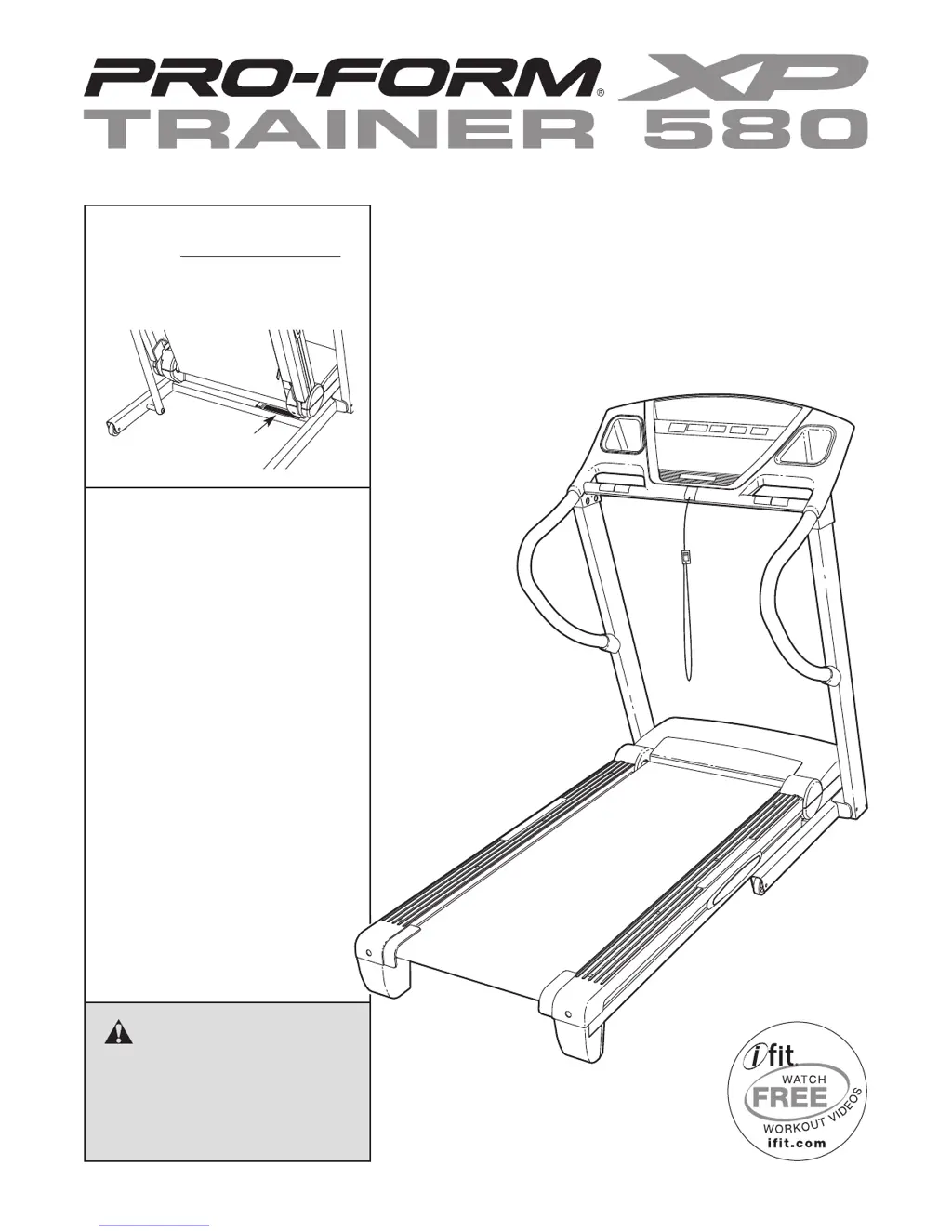
Pro-Form XP Trainer 580
32 pages
Print Icon
To Next Page IconTo Next Page
Loading...
Serial Number
Decal
Model No. 831.24855.6
Serial No.
Write the serial number in the space
above for reference.
CAUTION
Read all precautions and instruc-
tions in this manual before using
this equipment. Save this manual
for future reference.
Assembly
Operation
Maintenance
Part List and Drawing
Sears, Roebuck and Co.
Hoffman Estates, IL 60179
TREADMILL EXERCISER
Userʼs Manual

Questions and Answers

  • C
    Connie TateJul 30, 2025
    How to fix Pro-Form XP Trainer 580 when the power does not turn on?
    • A
      Andrew DunnJul 30, 2025
      First, ensure the power cord is correctly plugged into a surge suppressor, and that the surge suppressor is plugged into a properly grounded outlet. Note that the Pro-Form Treadmill is not compatible with GFCI-equipped outlets. Second, make sure the key is properly inserted into the console. Finally, check the reset/off circuit breaker located on the treadmill frame near the power cord. If the switch protrudes, the circuit breaker has tripped. To reset it, wait five minutes, then press the switch back in.
  • J
    josephhoweAug 3, 2025
    What to do if Pro-Form Treadmill walking belt is off-center or slips?
    • E
      Edgar WilliamsAug 4, 2025
      If the Pro-Form Treadmill walking belt is off-center, remove the key and unplug the power cord. If the belt has shifted to the left, use a hex key to turn the left idler roller bolt clockwise 1/2 turn. If it shifted right, turn the bolt counterclockwise 1/2 turn. Be careful not to overtighten the belt. Plug in the power cord, insert the key, and run the treadmill briefly, repeating until centered. If the walking belt slips, remove the key and unplug the power cord. Turn both idler roller bolts clockwise 1/4 turn. Ensure the belt is tight enough, so you can lift each edge 2-3 inches off the platform. Keep the belt centered. Plug in the power cord, insert the key, and carefully walk on the treadmill for a few minutes, repeating until properly tightened.
  • M
    Marilyn ThompsonAug 8, 2025
    Why does my Pro-Form XP Trainer 580 Treadmill power turn off during use?
    • M
      Michelle BarberAug 8, 2025
      If your Pro-Form Treadmill turns off during use, first check the reset/off circuit breaker. If tripped, wait five minutes, then press the switch back in. Next, ensure the power cord is plugged in; if it is, unplug it, wait five minutes, and plug it back in. Also, remove and reinsert the key from the console. If the issue persists, further assistance is needed.
  • S
    Susan JordanAug 12, 2025
    What to do if Pro-Form XP Trainer 580 walking belt slows down when walking?
    • J
      jeremy61Aug 12, 2025
      If the Pro-Form Treadmill walking belt slows when walked on, use only a single-outlet surge suppressor. If the walking belt is overtightened, remove the key and unplug the power cord. Turn both idler roller bolts counterclockwise 1/4 turn. You should be able to lift each edge of the walking belt 2 to 3 inches off the walking platform when properly tightened. Keep the walking belt centered. Plug in the power cord, insert the key, and run the treadmill for a few minutes, repeating until properly tightened. If the belt continues to slow, further assistance is needed.
  • H
    Heidi GloverAug 16, 2025
    How to turn off demo mode on Pro-Form XP Trainer 580?
    • C
      christophermorrisAug 16, 2025
      If the console displays on your Pro-Form Treadmill remain lit after removing the key, the display demo mode is likely activated, which is designed for store displays. To deactivate it, press and hold the Stop button for a few seconds. If the displays are still lit, you may need to turn off the demo mode using THE INFORMATION MODE.
  • W
    William ClarkAug 21, 2025
    What to do if Pro-Form XP Trainer 580 console displays do not function properly?
    • R
      robinclaytonAug 21, 2025
      If the console displays on your Pro-Form Treadmill are not functioning correctly, remove the key and unplug the power cord. Carefully tip down the Uprights and remove the three #8 x 2" Screws in the bottom of the Belly Pan, if present. Then, remove the three #8 x 3/4" Screws and carefully pivot the Motor Hood off. Locate the Reed Switch and the Magnet on the left side of the Pulley. Turn the Pulley until the Magnet is aligned with the Reed Switch, ensuring a gap of about 1/8 inch (3 mm). Reattach the #8 x 2" Screws if necessary. Finally, run the treadmill for a few minutes to check for a correct speed reading.
  • J
    jeffrey61Aug 25, 2025
    How to recalibrate incline on Pro-Form XP Trainer 580?
    • R
      Richard FordAug 26, 2025
      If the incline of your Pro-Form Treadmill does not change correctly, insert the key into the console and press one of the Incline buttons. While the incline is changing, remove the key. After a few seconds, re-insert the key. The treadmill will automatically rise to the maximum incline level and then return to the minimum level. This recalibrates the incline system.

Summary

Warning Decal Placement

Important Precautions

General Safety and Usage Guidelines

Consult physician, follow general usage rules, and wear appropriate attire.

Electrical Safety and Surge Protection

Properly connect power, use surge suppressors, and maintain electrical safety.

Operational Safety and Precautions

Handle the treadmill safely during operation and monitor its performance.

Before You Begin

Assembly

Operation and Adjustment

The Pre-Lubricated Walking Belt

Information on the walking belt's pre-lubricated coating and maintenance.

How to Plug in the Power Cord

Instructions for safely connecting the treadmill's power cord to an outlet.

Features of the Console

How to Turn On the Power

How to Use the Manual Mode

How to Use a Preset Workout

The Information Mode

How to Fold and Move the Treadmill

Folding the Treadmill for Storage

Step-by-step instructions for folding the treadmill for storage.

Moving the Treadmill

Guidance on safely moving the folded treadmill.

How to Lower the Treadmill for Use

Troubleshooting

Common Treadmill Problems and Solutions

Addresses common issues like power, display, and belt performance problems.

Exercise Guidelines

Exercise Intensity and Heart Rate Zones

Understanding heart rate zones for fat burning and aerobic exercise.

Workout Session Guidelines

Recommendations for warming up, training, and cooling down.

Exercise Frequency Recommendations

Guidance on workout frequency for maintaining fitness.

Part List

90 Day Full Warranty

Pro-Form XP Trainer 580 Specifications

General IconGeneral
Incline0-10%
Speed0-10 MPH
Weight Capacity300 lbs
FoldingYes
Weight190 lbs
Heart Rate MonitoringEKG Grip Pulse Sensor
DisplayLCD

Related product manuals