18
HOW TO USE A PRESET WORKOUT
1. Insert the key into the console.
See HOW TO TURN ON THE POWER on page 16.
2. Select a preset workout.
To select a preset workout, press the Weight Loss
Workouts, Aerobic Workouts, Endurance
Workouts, or Performance Workouts button repeat-
edly.
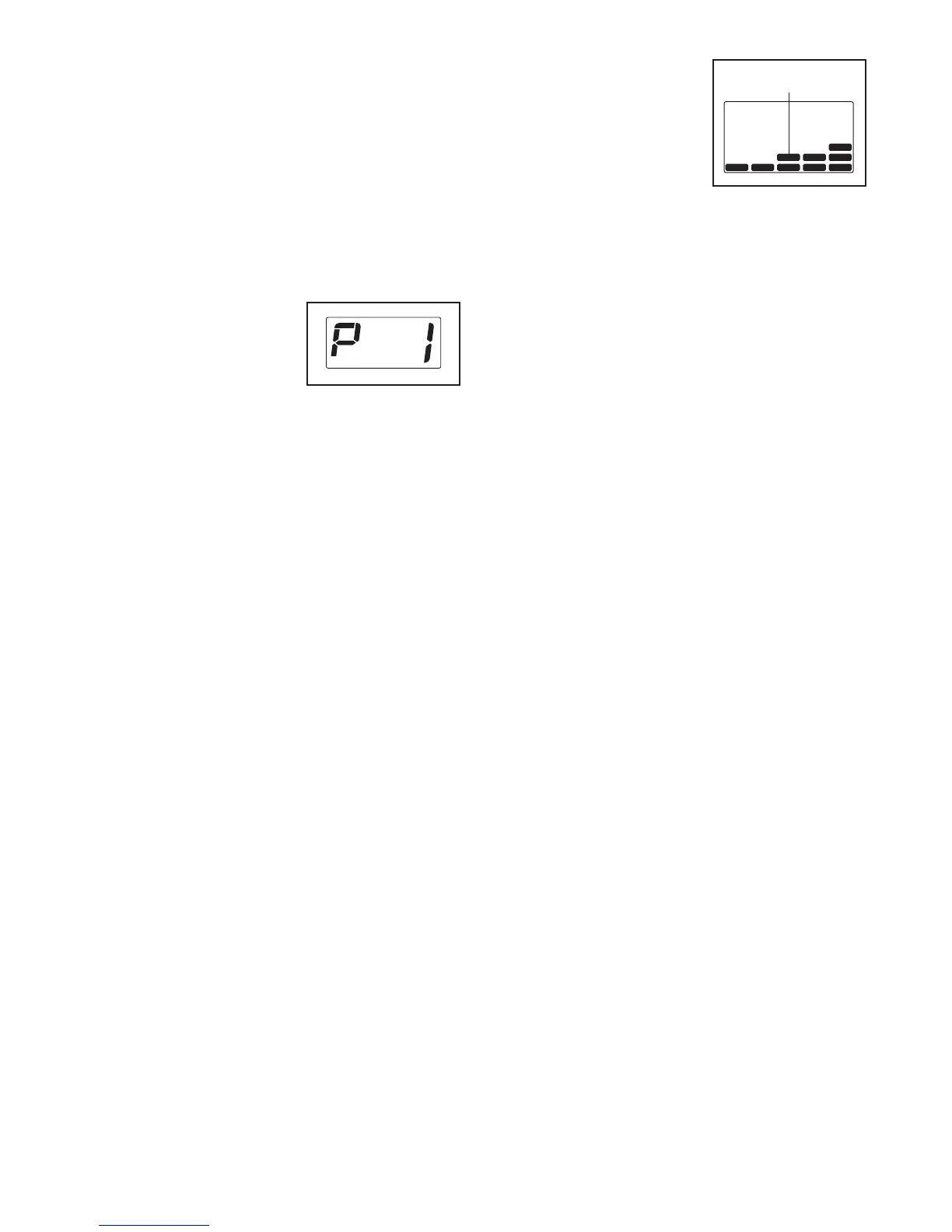
When a preset workout
is selected, the workout
time will appear in the
Time display, the mini-
mum speed setting of
the workout will appear
in the Distance/Incline display, the maximum
speed setting will appear in the Calories/Pulse dis-
play, and the name of the workout will appear in
the Speed display. In addition, a profile of the
speed settings of the workout will scroll across the
matrix.
3. Press the Go button to start the workout.
A moment after you press the Go button, the tread-
mill will automatically adjust to the first speed and
incline settings of the workout. Hold the handrails
and begin walking.
Each workout is divided into one-minute segments.
One speed setting and one incline setting are pro-
grammed for each segment. Note: The same
speed setting and/or incline setting may be pro-
grammed for consecutive segments.
During the workout, the profile will show your
progress. The flashing segment of the profile rep-
resents the current segment of the workout. The
height of the flashing segment indicates the speed
setting for the current segment. At the end of each
segment, a series of
tones will sound and the
next segment of the pro-
f
ile will begin to flash. If a
different speed or incline
s
etting is programmed for
the next segment, the
speed or incline setting
will flash in the display to alert you.
The workout will continue in this way until the last
segment of the profile flashes in the display and
the last segment ends. The walking belt will then
slow to a stop.
If the speed or incline setting is too high or too low
at any time during the workout, you can manually
override the setting by pressing the speed or in-
cline buttons; however, when the next segment
of the workout begins, the treadmill will auto-
matically adjust to the speed and incline set-
tings for the next segment.
To stop the workout at any time, press the Stop
button. To restart the workout, press the Go button.
The walking belt will begin to move at 1 mph.
When the next segment of the workout begins, the
treadmill will automatically adjust to the speed and
incline settings for the next segment.
4. Monitor your progress with the matrix and the
displays.
See step 5 on page 17.
5. Measure your heart rate if desired.
See step 6 on page 17.
6. When you are finished exercising, remove the
key from the console.
See step 7 on page 17.
C
urrent Segment





 To Next Page