EasyManua.ls Logo

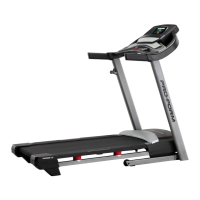
Pro-Form TRAINER 8.0 - User Manual

Pro-Form TRAINER 8.0
40 pages
Print Icon
To Next Page IconTo Next Page
Loading...
Serial Number
Decal
Model No. PFTL89017.1
Serial No.
Write the serial number in the space
above for reference.
CAUTION
Read all precautions and instruc-
tions in this manual before using
this equipment. Save this manual
for future reference.
USER’S MANUAL
proform.com
ACTIVATE YOUR
WARRANTY
To register your product and
activate your warranty today, go
to my.proform.com.
CUSTOMER CARE
For service at any time, go to
proformservice.com.
Or call 1-888-533-1333
Mon.–Fri. 6 a.m.–6 p.m. MT
Sat. 8 a.m.–12 p.m. MT
Please do not contact the store.

Questions and Answers

  • B
    Bryan BeckerAug 14, 2025
    What to do if Pro-Form Treadmill power turns off during use?
    • B
      Bryce FrankAug 14, 2025
      If your Pro-Form Treadmill turns off during use, try the following: First, check the power switch and reset it if it has tripped by waiting five minutes and then pressing it back in. Next, ensure the power cord is securely plugged in; if it is, unplug it, wait five minutes, and plug it back in. Also, remove and reinsert the key from the console. If these steps don't resolve the issue, please see the front cover of this manual.
  • O
    osalinasAug 18, 2025
    How to fix Pro-Form TRAINER 8.0 Treadmill when power does not turn on?
    • K
      Kathleen WilsonAug 18, 2025
      If your Pro-Form Treadmill power does not turn on, ensure that you are using a suitable extension cord, if needed—specifically, a 3-conductor, 14-gauge (2 mm[2]) cord no longer than 5 ft. (1.5 m). Also, verify that the key is properly inserted into the console. Finally, check the power switch located on the treadmill frame near the power cord; if it's tripped (protruding), wait five minutes and then press it back in to reset it.
  • B
    Blake WhiteAug 21, 2025
    Why Pro-Form Treadmill power does not turn on?
    • K
      Kristi NelsonAug 21, 2025
      If your Pro-Form Treadmill isn't turning on, first ensure the power cord is plugged into a properly earthed outlet, using a suitable extension cord if needed (3-conductor, 14-gauge, no longer than 5 ft.). Also, check that the key is correctly inserted into the console. Finally, examine the power switch on the treadmill frame; if it's tripped (protruding), wait five minutes, then press it back in to reset.
  • C
    Cynthia HowardAug 25, 2025
    What to do if Pro-Form TRAINER 8.0 walking belt slips when walked on?
    • S
      Sara ScottAug 26, 2025
      If the walking belt on your Pro-Form Treadmill slips when you walk on it, first remove the key and unplug the power cord. Then, use the hex key to turn both idler roller screws clockwise, 1/4 of a turn. When the walking belt is correctly tightened, you should be able to lift each edge of the walking belt 2 to 3 inches off the walking platform. Be careful to keep the walking belt centered.
  • J
    Jason SanchezAug 28, 2025
    How to fix Pro-Form TRAINER 8.0 Treadmill walking belt being off-center?
    • T
      teresa11Aug 28, 2025
      To fix an off-center walking belt on your Pro-Form Treadmill, first remove the key and unplug the power cord. If the belt has shifted left, turn the left idler roller screw clockwise 1/2 turn. If it's shifted right, turn the left idler roller screw counterclockwise 1/2 turn. Be careful not to overtighten the belt. Plug the power cord back in, insert the key, and run the treadmill for a few minutes. Repeat this process until the belt is properly aligned.
  • B
    Brian FritzSep 1, 2025
    What to do if Pro-Form Treadmill turns off during use?
    • O
      ofisherSep 2, 2025
      If your Pro-Form Treadmill turns off unexpectedly, start by checking the power switch. Also, ensure the power cord is securely plugged in; if it is, unplug it, wait five minutes, and plug it back in. Another step is to remove and reinsert the key from the console.
  • G
    Gary RodriguezSep 5, 2025
    How to recalibrate incline on Pro-Form TRAINER 8.0 Treadmill?
    • S
      Steven DixonSep 5, 2025
      To recalibrate the incline on your Pro-Form Treadmill, hold down the Stop button and the Speed increase button, insert the key into the console, and then release the Stop button and the Speed increase button. Next, press the Stop button, and then press the Incline increase or decrease button. The treadmill will automatically rise to the maximum incline level and then return to the minimum level. This will recalibrate the incline system. If the incline system does not begin calibrating, press the Stop button again, and then press the Incline increase or decrease button again. When the incline system is calibrated, remove the key from the console.
  • X
    xmyersSep 8, 2025
    Why does the Pro-Form Treadmill walking belt slow down when I walk on it?
    • C
      Cheryl BradySep 9, 2025
      The walking belt may slow down due to several reasons. If the walking belt is off-center, remove the key and unplug the power cord. If the belt has shifted left, turn the left idler roller screw clockwise 1/2 turn; if it shifted right, turn it counterclockwise 1/2 turn. Be careful not to overtighten, then walk on the treadmill for a few minutes to check. If the walking belt slips, unplug the power cord. Use the hex key to turn both idler roller screws clockwise 1/4 turn. Ensure you can lift each edge of the belt 2 to 3 inches off the platform and keep the belt centered. Then, plug in the power cord, insert the key, and test the treadmill.

Summary

Warning Decal Placement Guide

Important Safety Precautions

Before You Begin Using the Treadmill

Part Identification Chart

Treadmill Assembly Instructions

Step 1: Register Product Online

Register your ProForm treadmill online at my.proform.com to activate warranty.

Step 2: Secure Upright Wire

Route the upright wire using a tie through the upright.

Step 3: Attach Ground Wire

Connect the ground wire to the right upright using a silver screw.

Step 4: Install Uprights and Wheels

Attach uprights and wheels to the base, partially tightening screws.

Step 5: Attach Base Covers

Slide and attach the left and right base covers onto the uprights.

Step 6: Install Handrails

Attach handrails to the uprights using screws and washers.

Step 7: Connect Pulse Crossbar

Attach the pulse crossbar to the handrails with screws.

Step 8: Mount Console Assembly

Position the console assembly onto the handrail brackets.

Step 9: Connect Pulse Wires

Connect the pulse wire connectors to the console assembly.

Step 10: Connect Console Wire

Route and connect the upright wire to the console wire.

Step 11: Secure Console

Tighten screws to secure the console assembly to the frame.

Step 12: Attach Trays

Attach the left and right trays to the console base.

Step 13: Install Upright Crossbar

Slide and attach the upright crossbar between the uprights.

Step 14: Attach Tray to Crossbar

Secure the tray to the upright crossbar with screws.

How to Use the Treadmill

Folding and Moving the Treadmill

Maintenance and Troubleshooting

Troubleshooting Common Issues

Solutions for typical problems like power, incline, or belt issues.

Exercise Guidelines

Part List

Exploded Drawing A

Exploded Drawing B

Exploded Drawing C

Exploded Drawing D

Pro-Form TRAINER 8.0 Specifications

General IconGeneral
BrandPro-Form
ModelTRAINER 8.0
CategoryTreadmill
LanguageEnglish

Related product manuals