EasyManua.ls Logo

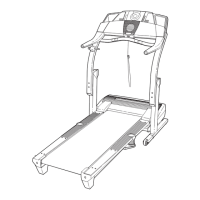
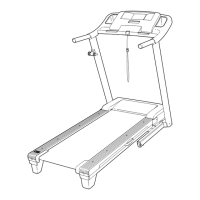
Pro-Form 790t Treadmill - User Manual

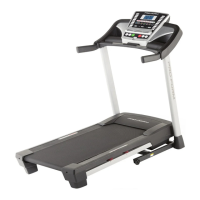
Pro-Form 790t Treadmill
36 pages
Print Icon
To Next Page IconTo Next Page
Loading...
!!
"#$%&'!()*+#$
!,#-&'
!"#$%&'"(&)*+,-./.0(.&&
1$234%&'"(&&&&&&&&&&&&&&&&&&&&&&&&&&&&&&&&&&&&&&
.$%/#!/0#!1#$%&'!2)*+#$!%2!/0#!13&-#!
&+45#!64$!$#6#$#2-#7
&&&&&567+89'
:$4#&4%%&;2$<4=>3"?@&4?#&3?@>2=<A
>3"?@&3?&>B3@&C4?=4%&D$E"2$&=@3?F&
>B3@&$G=3;C$?>(&14H$&>B3@&C4?=4%&
E"2&E=>=2$&2$E$2$?<$(
I7J1+89'1K
86!94)!0&5#!:)#1/%421;!4$!%6!3&$/1!
&$#!<&*&=#<!4$!*%11%2=;!L9&'9+&
59'+65+&+MJ&1+9:JN&;%$4@$&
<"?>4<>&5=@>"C$2&542$(
8!)9:+6'+O&)%$4@$&2$F3@>$2&>B3@&
;2"#=<>&P@$$&>B$&%3C3>$#&Q4224?>R&
"?&>B$&D4<S&<"H$2&"E&>B3@&C4?=4%T&
D$E"2$&<"?>4<>3?F&5=@>"C$2&542$(
56,,&+9,,A*:JJO
.A---AUVVA.VVV
!"?(W*23(&X&4(C(WX&;(C(&!+
14>(&-&4(C(WY&;(C(&!+
9'&+MJ&ZJ[O
QQQ(;2"E"2C@$2H3<$(<"C
71J:\1&!6'76,
QQQ(;2"E"2C(<"C

Other manuals for Pro-Form 790t Treadmill

Questions and Answers

  • R
    Ronald HicksJul 31, 2025
    How to turn on Pro-Form 790t?
    • M
      Michael BaldwinJul 31, 2025
      First, ensure the power cord is correctly plugged into a surge suppressor, and the surge suppressor is connected to a properly grounded outlet. Use a single-outlet surge suppressor meeting the required specifications. Note that the Pro-Form Treadmill isn't compatible with GFCI-equipped outlets and might not work with AFCI-equipped outlets. Also, make sure the key is inserted into the console after plugging in the power cord. Finally, check the power switch on the treadmill frame near the power cord; if it's tripped (protruding), wait five minutes, then press it back in to reset.
  • S
    Samuel GarciaAug 5, 2025
    How to fix Pro-Form Treadmill walking belt that is off-center?
    • O
      oroseAug 5, 2025
      If the walking belt of your Pro-Form Treadmill is off-center or slips, first remove the key and unplug the power cord. If the belt has shifted to the left, use a hex key to turn the left idler roller screw clockwise 1/2 turn. If it has shifted to the right, turn the left idler roller screw counterclockwise 1/2 turn. Avoid overtightening the belt. Then, plug the power cord back in, insert the key, and run the treadmill for a few minutes. Repeat this process until the walking belt is centered.
  • R
    Richard PrestonAug 12, 2025
    Why Pro-Form Treadmill incline does not change correctly?
    • K
      Kevin ArnoldAug 12, 2025
      To recalibrate the incline system of your Pro-Form Treadmill, hold down the Stop button and the Speed increase button simultaneously. While holding these buttons, insert the key into the console, and then release the Stop button and the Speed increase button. Next, press the Stop button, and then press either the Incline increase or decrease button. The treadmill will automatically rise to the maximum incline level and then return to the minimum level.
  • M
    maurice19Aug 18, 2025
    What to do if Pro-Form 790t turns off during use?
    • B
      Bryan SantiagoAug 18, 2025
      If your Pro-Form Treadmill turns off during use, check the power switch. If the switch has tripped, wait five minutes, and then press it back in. Also, ensure the power cord is securely plugged in. If it is, unplug it, wait five minutes, and then plug it back in.
  • R
    Robin PhillipsAug 25, 2025
    What to do if Pro-Form Treadmill console display stays on after removing the key?
    • A
      Andrew MendezAug 25, 2025
      If the console displays of your Pro-Form Treadmill remain lit after removing the key, it might be in display demo mode. To turn off this mode, hold down the Stop button for a few seconds.

Summary

Warning Decal Placement

Important Precautions

Before You Begin

Treadmill Component Identification

Diagram illustrating and labeling various parts of the treadmill for user familiarization.

Part Identification Chart

Assembly

Assembly Tools and Requirements

Lists required tools and notes the need for two people for treadmill assembly.

Operation and Adjustment

Connecting the Power Cord

Details on using a surge suppressor and grounding the treadmill for safe operation.

Console Diagram and Features

Console Features Overview

Highlights console features like manual mode, onboard workouts, iFit Live, and stereo system.

Turning On the Power

Using the Manual Mode

Instructions for starting the treadmill, adjusting speed, and stopping in manual mode.

Manual Mode Operations

Changing Incline and Tracking Progress

Guide to adjusting incline and viewing workout progress metrics like time, distance, and calories.

Manual Mode Usage Details

Measuring Heart Rate

Instructions for using the handgrip heart rate monitor for accurate readings.

Finishing Your Workout

Steps for stopping the treadmill, adjusting incline, removing the key, and powering down.

Using Onboard Workouts

Using iFit Live Workouts

The Information Mode

Console Settings and Information

Customizing units, contrast, trainer voice, and checking iFit Live module status.

Using the Stereo Sound System

Folding and Moving the Treadmill

Folding the Treadmill

Step-by-step guide on how to safely fold the treadmill for storage.

Moving the Treadmill

Instructions for safely moving the folded treadmill using its wheels.

Lowering the Treadmill for Use

Steps to safely unfold the treadmill from storage position to ready-to-use state.

Troubleshooting

Power Issues

Addresses problems with the treadmill not turning on or turning off during use.

Console Display Issues

Solutions for when console displays remain lit or do not function properly.

Treadmill Belt and Incline Troubleshooting

Incline Calibration

Procedure to recalibrate the treadmill's incline system for correct operation.

Walking Belt Speed Issues

Troubleshooting steps for when the walking belt loses speed during use.

Walking Belt Adjustment Troubleshooting

Walking Belt Alignment and Slipping

Guidance on centering the walking belt and adjusting tension to prevent slipping.

Console Display Lines

Instructions to resolve display issues by adjusting contrast level.

Exercise Guidelines

Exercise Intensity Levels

Explains how to use heart rate zones for fat burning and aerobic exercise.

Workout Guidelines

Recommendations for warming up, training zone duration, and cooling down.

Exercise Frequency

Advice on workout frequency for maintaining or improving fitness levels.

Suggested Stretches

Basic Stretching Exercises

Demonstrates and describes several basic stretches for pre- and post-exercise.

Part List

Exploded Drawing A

Exploded Drawing B

Exploded Drawing C

Exploded Drawing D

Ordering Replacement Parts

Limited Warranty

Pro-Form 790t Treadmill Specifications

General IconGeneral
BrandPro-Form
Model790t Treadmill
CategoryTreadmill
LanguageEnglish

Related product manuals