13
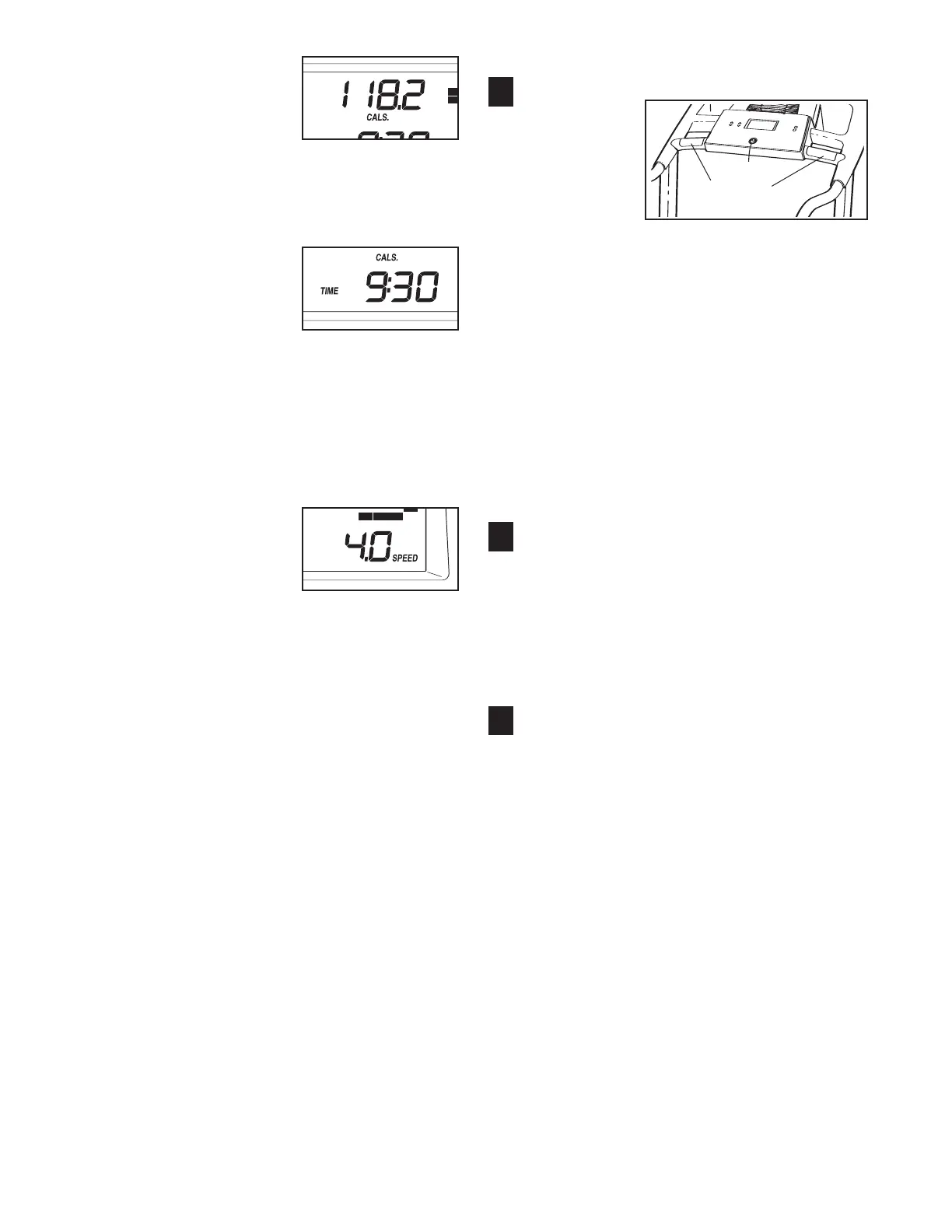
The upper left corner
of the display will
s
how the approximate
number of calories
y
ou have burned dur-
ing your workout.
Note: When the calorie goal program is selected,
the display will show the number of calories still to
be burned.
The lower left corner
of the display will
show the elapsed time
and the distance that
you have walked or
run during your work-
out. The lower left corner of the display will also
show the incline level of the treadmill for a few
seconds each time the incline setting changes.
Note: When a preset program or the calorie goal
program is selected, the lower left corner of the
display will show the time remaining in the pro-
gram instead of the elapsed time.
The lower right
corner of the dis-
play will show the
speed of the walk-
ing belt. When you
use the handgrip
pulse sensor, the lower right corner of the dis-
play will also show your heart rate. Note:
When a distance program is selected, the
lower right corner of the display will also show
the approximate number of calories you have
burned.
To reset the display, press the Stop button, re-
move the key, and then reinsert the key.
N
ote: The console can display speed, distance,
and weight using either metric kilometers and kilo-
grams or standard miles and pounds. To find
which system of measurement is selected, or to
select a different system, see THE INFORMA-
TION MODE/DEMO MODE on page 22.
Note:
For simplicity, all instructions in this section
refer to kilometers and kilograms.
Measure your heart rate if desired.
Note: Before
using the
handgrip
pulse sensor,
remove the
sheets of
clear plastic
from the metal contacts on the handgrip pulse
sensor. In addition, make sure that your hands are
clean.
To measure your heart rate, stand on the foot
rails and hold the metal contacts on the
handrail—avoid moving your hands. When your
pulse is detected, the heart symbol in the display
will flash each time your heart beats, one or two
dashes will appear, and then your heart rate will
be shown.
For the most accurate heart rate
reading, continue to hold the contacts for about
15 seconds.
Turn on the fan if desired.
To turn on the fan at low speed, press the Fan
button. To turn on the fan at high speed, press the
button a second time. To turn off the fan, press
the button a third time. Note: If the fan is on when
the walking belt is stopped, the fan will turn off au-
tomatically after a few minutes.
When you are finished exercising, remove the
key.
Step onto the foot rails, press the Stop button, and
adjust the incline of the treadmill to the lowest
setting. The incline must be at the lowest setting
when the treadmill is folded to the storage posi-
tion or the treadmill will become damaged. Next,
remove the key from the console and put it in a se-
cure place. Note: If the display remains lit after
the key is removed, the console is in the
“demo” mode. See page 22 and turn off the
demo mode.
When you are finished using the treadmill,
9
8
7
Contacts







 To Next Page